
BetterAntispam TeamHow we write these7 min read
How to Prevent Raids on Discord (10 Settings That Work)
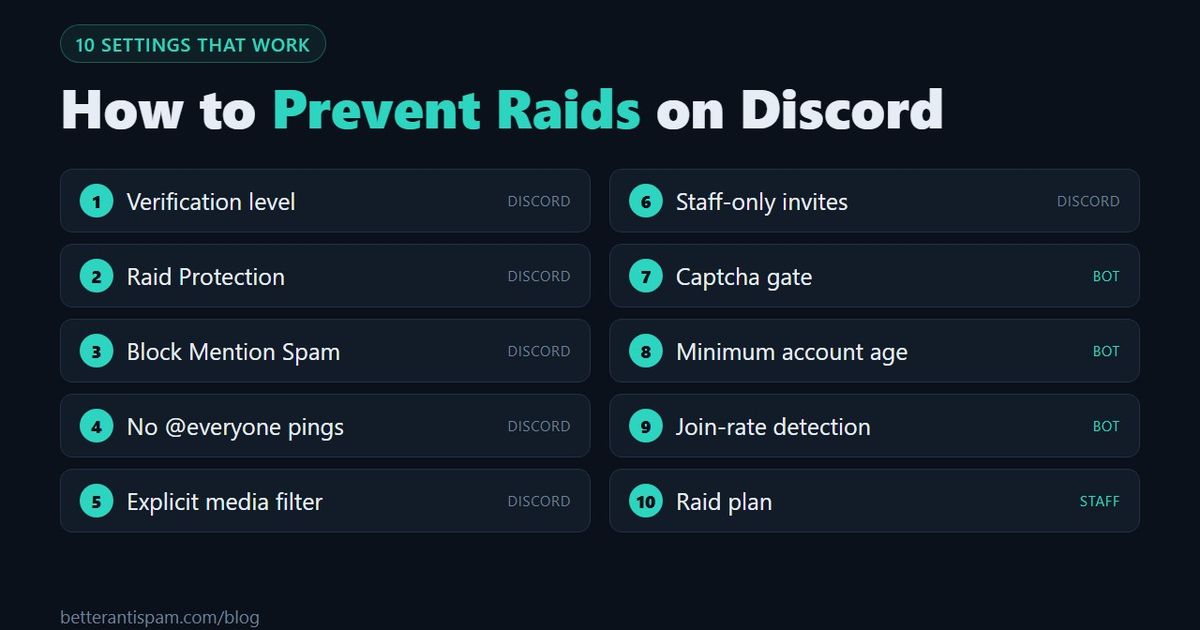
To prevent raids on Discord, change 10 settings. Six are built into Discord: set the verification level to Medium or High, turn on Raid Protection, turn on AutoMod's Block Mention Spam rule, take the @everyone mention permission away from normal roles, set the explicit media filter, and limit who can create invites. Four need a bot: a captcha verification gate, a minimum account age, join-rate detection, and a raid plan your moderators can run in one minute. In BetterAntispam the bot settings are /verification settings and /antiraid settings (both require Administrator), and they are free. The easiest single step is the verification level. The most effective is the captcha gate.
Editorial disclosure: This guide is published by BetterAntispam. The six Discord settings come from Discord's own raid guide and help pages, linked below. The bot defaults come from the bot's source code.
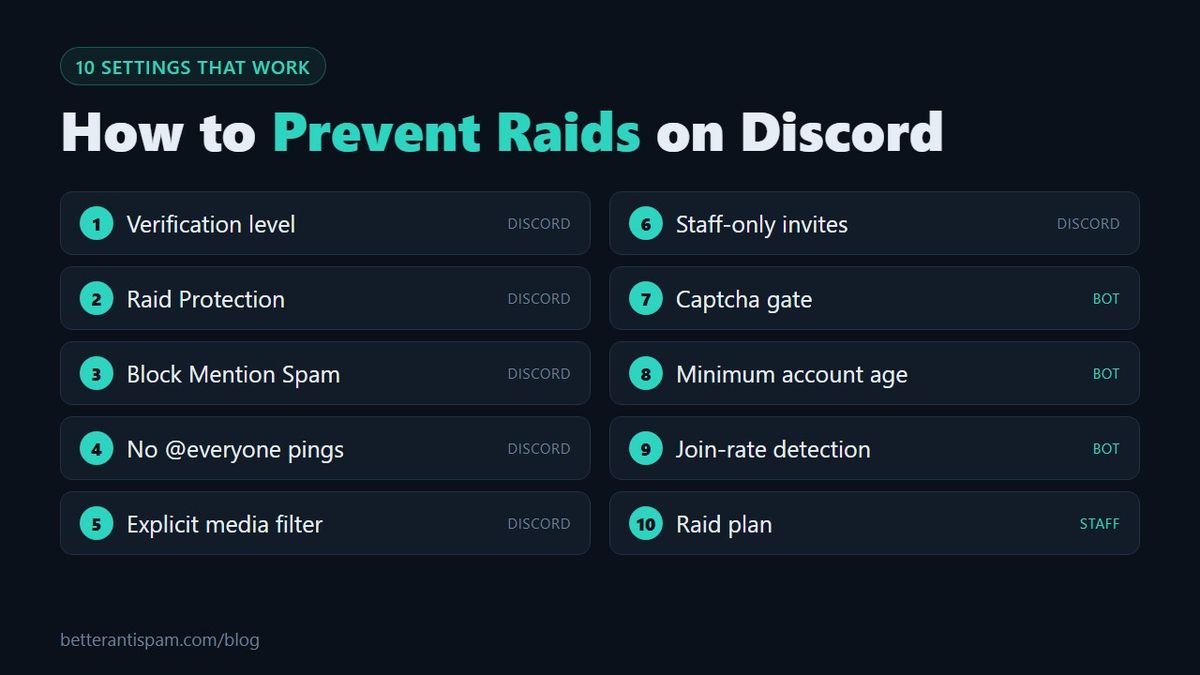
The 10 settings at a glance
| # | Setting | Where | What it stops |
|---|---|---|---|
| 1 | Verification level | Server Settings → Safety Setup | Brand-new accounts chatting at once |
| 2 | Raid Protection | Server Settings → Safety Setup | Join raids Discord detects |
| 3 | Block Mention Spam | Server Settings → AutoMod | Mass pings |
| 4 | @everyone permission | Server Settings → Roles | Pings to the whole server |
| 5 | Explicit media filter | Server Settings → Safety Setup | Shock images |
| 6 | Create Invite permission | Server Settings → Roles | Invite links spread by members |
| 7 | Captcha verification gate | /verification settings | Scripted accounts |
| 8 | Minimum account age | /antiraid settings | Accounts made for the raid |
| 9 | Join-rate detection | /antiraid settings | Waves of joins |
| 10 | Raid plan | Staff channel | Slow reactions |
A raid is a group of accounts that join together to spam, ping or post shock content. If you need the basics first, read what is a Discord raid. If you are being raided right now, go to how to stop a Discord raid.
Discord's built-in settings
These six cost nothing. Discord lists most of them in How to Protect Your Server from Raids 101.
1. Set the verification level to Medium or High
Go to Server Settings → Safety Setup → Verification Level. The level decides what a new member needs before they can send messages.
| Level | Requirement |
|---|---|
| Low | A verified email |
| Medium | A verified email and an account registered for more than 5 minutes |
| High | The same, plus more than 10 minutes as a member of your server |
| Highest | A verified phone number |
Discord recommends at least Low for public servers. Medium blocks accounts made seconds ago. High gives you 10 minutes to notice a wave before any of them can type. Keep Highest for an active raid, because it blocks real people without a phone number. Details: Discord verification level.
2. Turn on Raid Protection
Go to Server Settings → Safety Setup → Raid Protection. Discord uses machine learning to detect join raids. When it detects one, it sends an alert to a channel you choose and requires a CAPTCHA from new joiners for the next hour. Discord says this is rolling out gradually to Community servers, so you may not have it yet.
3. Turn on AutoMod's Block Mention Spam
Go to Server Settings → AutoMod. A mention raid is when raiders spam @username and @role pings. Turn on Block Mention Spam, set a mention limit that fits your server, and enable Block message, Send alert and Timeout member.
Add a Custom Keyword rule with phrases raiders have used against you before. Discord suggests starting it on Send alert only, so it warns you without blocking normal messages. Full setup: Discord AutoMod setup.
4. Take away @everyone mentions
Go to Server Settings → Roles, select each role that is not staff, and turn off Mention @everyone, @here, and All Roles. A raider who cannot ping everyone cannot wake up your whole server. Discord recommends this permission only for roles you trust.
5. Set the explicit media filter
Go to Server Settings → Safety Setup → Explicit Media Content Filter and set it to Medium or High. Raiders often post explicit images to shock members into leaving. Community servers have the High filter on by default.
6. Limit who can create invites
In Server Settings → Roles, turn off Create Invite for @everyone and keep it for staff. Raids are organized by sharing an invite link. With fewer links in circulation, you know which link a raid came through, and you can delete it.
Settings that need a bot
Discord's settings slow a raid down. They do not check each account or count joins for you. Add BetterAntispam and run /setup (requires Administrator) to turn on the next three together, or set them one by one.
7. Add a captcha verification gate
Run /verification settings (requires Administrator) and turn it on. It is off by default. New members see only a verify channel until they pass a check, so a raid account that joins has nobody to spam.
Choose the Website Captcha or the image captcha. The one-button check is easy for people, but a script can press a button. Then choose what happens to accounts that never verify: kick, timeout, or a quarantine role. Guides: Discord captcha bot and Discord verification bot. Product pages: verification and captcha.
8. Set a minimum account age
Run /antiraid settings (requires Administrator) and open Account age limits. You can remove every account newer than an age you choose, for example 24 hours or 7 days, and set a separate age that applies only during a join wave. Both are off by default.
Raid accounts are usually new. A real member with a new account can come back later. Start with a short age, because a long one turns away real newcomers too.
9. Turn on join-rate detection
/antiraid settings also watches how fast accounts join. The limit scales with server size. In a server under 50 members, 3 joins in 10 seconds is worth noticing and 5 is a strong signal. With auto-scale off, the default is 5 joins in 10 seconds.
Each joining account also gets a suspicion score, with three presets: strict, balanced and lenient. Suspected raiders can be sent a captcha with 120 seconds to solve it. Actions include kick, ban, timeout and an automatic lockdown. Longer guide: Discord anti-raid bot. Product page: anti-raid.
10. Write a raid plan
Most raid damage happens in the first minutes, while moderators work out what to do. Pin this in your staff channel and decide who does each step.
| Step | Action | Who can do it |
|---|---|---|
| 1 | Server Settings → Invites → Pause Invites | Manage Server |
| 2 | /raidmode with action Enable. Every new join is kicked by default. Ban and timeout are options | Administrator |
| 3 | Slowmode on the channels being spammed, or /lockdown channel | Manage Channels, Administrator |
| 4 | Raise the verification level to High or Highest | Manage Server |
| 5 | Server menu → Report Raid | Ban Members or Kick Members, desktop, Community servers |
| 6 | Remove the raid accounts, then undo steps 1 to 4 | Moderators |
Discord's Security Actions, in the server menu, can pause invites and pause DMs between members who are not friends. Discord explains it in Activity Alerts + Security Actions. For channel locks, see how to lock a Discord channel and the lockdown page.
Discord's guide adds one more point that is not a setting: have a trusted moderator online. A setting cannot ban the one raider who got through.
What these settings do not stop
| Problem | Why the 10 settings miss it | What to use |
|---|---|---|
| A slow raid, one account per hour | It never reaches a join-rate limit | Captcha gate, honeypot channel |
| Aged or bought accounts | They pass the account age and verification level | Captcha gate, join-rate detection |
| A hacked moderator | They are already inside with permissions | /antinuke settings, anti-nuke guide |
| Spam in private messages | Server settings do not filter DMs | Security Actions, members turning off Direct messages |
Honest limit: no setting or bot prevents every raid. A determined group with old accounts and people solving captchas by hand will get some accounts in. What these settings change is how many get in, how much they can do, and how fast you can remove them.
For everything beyond raids, read how to secure a Discord server and how to secure your Discord server from bots.
FAQ
What is the easiest way to prevent raids on Discord?
Raise the verification level to Medium or High in Server Settings → Safety Setup. It takes a few seconds and stops brand-new accounts from chatting right away. For stronger protection, add a captcha verification gate.
What verification level stops raids?
High is the best everyday choice, because new members must wait 10 minutes in your server before they can type. Use Highest, which needs a verified phone number, only during an active raid.
Does Discord have built-in raid protection?
Yes. Raid Protection, under Server Settings → Safety Setup, detects join raids, sends an alert, and requires a CAPTCHA from new joiners for an hour. Discord says it is rolling out gradually to Community servers.
Do I need a bot to prevent raids?
Not for the basics. Verification level, AutoMod and permissions are built into Discord. A bot adds what Discord does not: a captcha for every new member, a minimum account age, and automatic action when many accounts join at once.
What is the best anti-raid bot for Discord?
Choose one with a captcha gate, a minimum account age and join-rate detection. BetterAntispam has all three on its free plan. Use one security bot, because every extra bot with high permissions is another risk.
Can raids be reported to Discord?
Yes. Open the server menu and choose Report Raid. You need the Ban Members or Kick Members permission, and it is only available on desktop in Community servers.
Why does my server keep getting raided?
Often because an invite link is public or has been shared somewhere raiders look for targets. Limit who can create invites, delete the link the raiders used, and add a verification gate so joining gives them nothing to do.
Core is free · Setup in Discord
Ready to protect your server?
Invite BetterAntispam. Core antiraid, antispam, and antinuke are free. Configuration is slash commands inside Discord.