
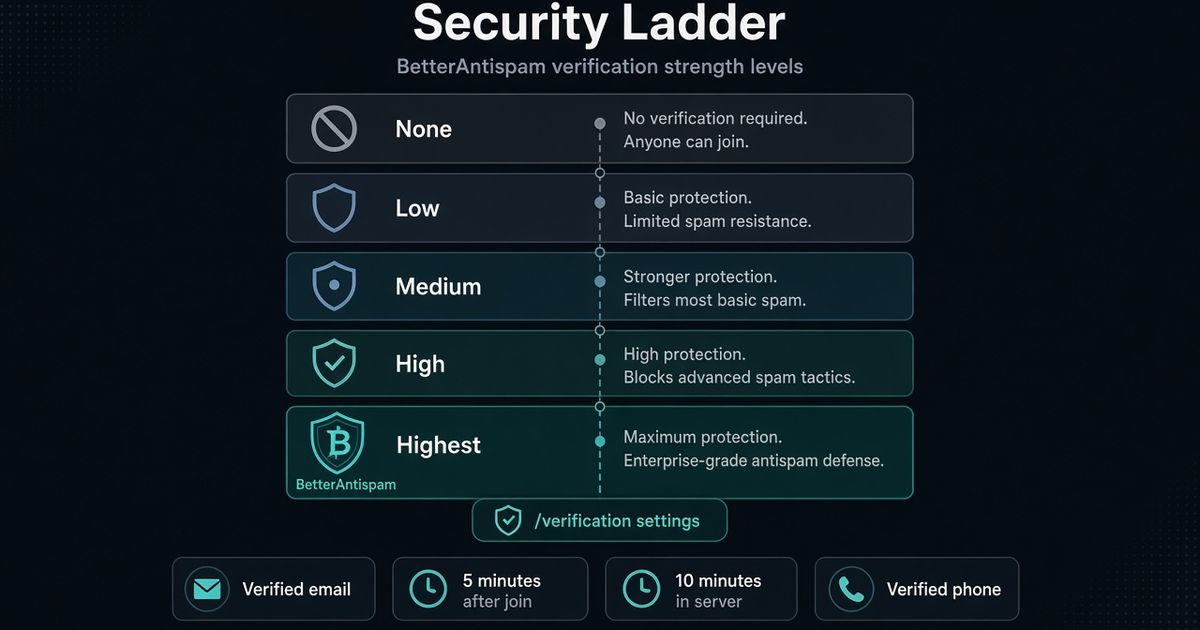
Discord verification level is the native account check Discord runs before a new member can send messages. It lives in Server Settings → Safety Setup on Community servers, or Server Settings → Moderation if Community is off. The five rungs are None, Low, Medium, High, and Highest. I maintain BetterAntispam. Raise the level first. Then run /verification settings (Administrator) if you also want a button, image, math, hidden-word, or Website Captcha gate. The bot does not replace Discord’s level. A verified phone on the account supersedes the other rungs.
Editorial disclosure: This guide is published by BetterAntispam. We recommend BetterAntispam when you want a slash-command verify gate on the same bot as antiraid and antispam. Discord’s own Verification Levels and Rules Screening still come first. Level names come from Discord Support. Command defaults come from the bot’s source.
How to change Discord verification level
You need Manage Server or Administrator. Discord documents the five levels in Verification Levels. Safety Setup is also where Rules Screening and AutoMod live on Community servers.
- Open the server. Click the server name → Server Settings.
- Community servers: open Safety Setup under Moderation. Other servers: open Moderation.
- Find Verification Level. Discord’s labels:
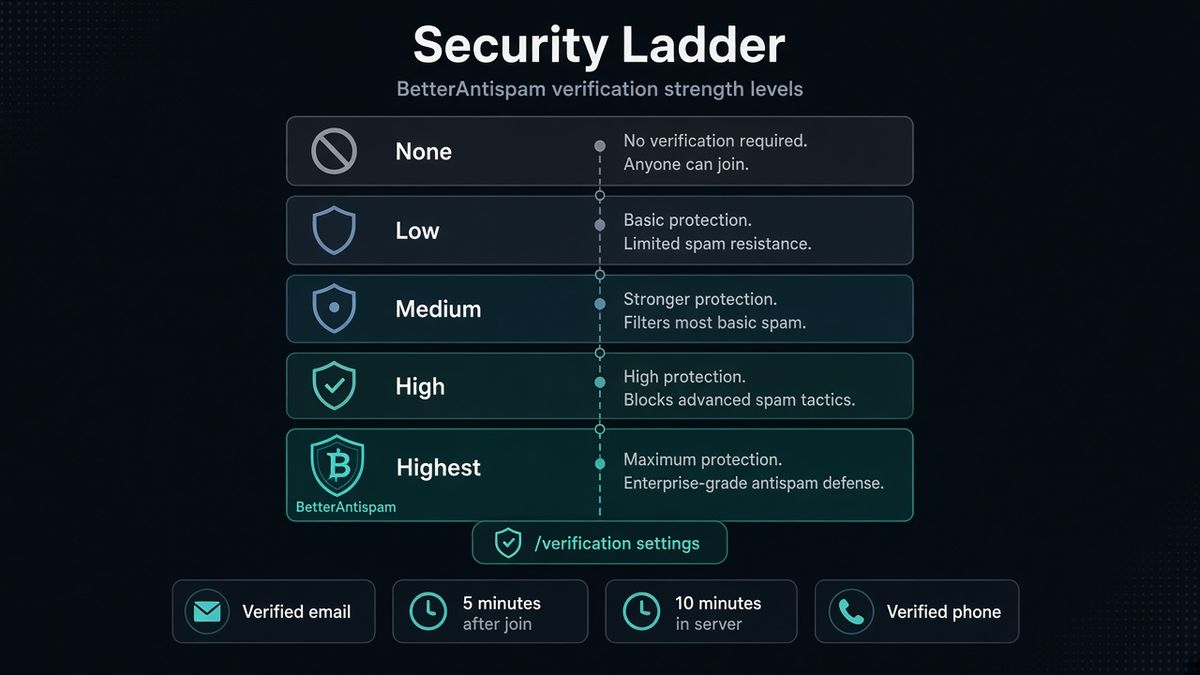
- None — unrestricted. - Low — must have a verified email on their Discord account. - Medium — must also be registered on Discord for longer than 5 minutes. - High — must also be a member of this server for longer than 10 minutes. - Highest — must have a verified phone number on their Discord account.
- Save. Members who do not meet the rung cannot send messages in the server until they do.
- If Community is on, enable Members must accept rules before they can talk or DM. Discord caps you at 16 rules. Manually verifying a member in Server Settings → Members bypasses that screen.
- Keep AutoMod on. Verification level does not read message content.
That is the native path. Stop here if a friends server only needed email on accounts. Keep going if public joins still dump into #general after they wait ten minutes.
What Discord verification level actually does
A Discord verification level is an account-age and identity filter. It is not a CAPTCHA. It is not an alt graph. It is not a join-rate lock.
| Level | What Discord requires | What it does not prove |
|---|---|---|
| None | Nothing | Anyone who can click Join can type |
| Low | Verified email | The email is not a throwaway |
| Medium | Account older than 5 minutes | The account is not a raid sock created that minute |
| High | In this server for 10 minutes | They will not raid after the timer |
| Highest | Verified phone | They have only one Discord account |
Discord is explicit: a verified phone number supersedes the other requirements. An account with a phone can skip the 5-minute and 10-minute waits. That is why Highest is the only rung that actually demands a phone, and why High still lets phoned alts talk as soon as they join.
Use Discord’s raid guide if the problem is a join flood. Pause Invites. A verification level does not pause Invites.
Pick a level without guessing
I treat the dropdown like this in my own servers:
- Friends / tiny private. Medium. Low is weak. None is how a stolen invite becomes a paste dump.
- Public Community. High. Ten minutes in the server is cheap. Most humans wait. Most scripted join-and-spam waves do not want to sit.
- Large public, repeated phone-alt waves. Highest. You will lose some real phones and some people who refuse to attach one. That is the trade. Discord says so in the same article.
- Partnered or already huge. Highest plus Rules Screening plus a bot gate. The native tools stack. They do not replace each other.
If you only wanted “how to change discord verification level,” the section above is the whole answer. The rest is what to add when High is not enough.
Add a bot gate after the native level
BetterAntispam is the extra door. Invite it with Manage Server. Leave Administrator on the invite so it can grant roles and kick people who never finish. Discord’s permissions FAQ is the official page for role vs channel overrides.
- Drag the bot role above the verified role and the unverified role. Discord’s roles page is the hierarchy rule. If the bot sits below those roles, it cannot move them. It posts a staff alert to the verification log instead of failing silently.
- Run
/setup(Administrator). Pick verification. - Run
/verification settings(Administrator) and turn it on. The master toggle defaults off. - Pick a type. Button is the default: one click in the verify channel. Image is a CAPTCHA picture. Math is an arithmetic question. Hidden word is a word the member has to find. Website Captcha opens a one-time browser link.
- Set the verified role granted on success. Set an unverified role if you gate
@everyonethat way. Timeout action defaults to kick. Attempts default to 3. Other timeout actions: timeout, quarantine, or nothing. - Tell members to run
/verifyif they missed the panel. Staff skip a trusted person with/bypass user:(Manage Server). Staff re-challenge someone with/force verify user:(Manage Server). - Pair it with
/antiraid settings(Administrator). A verify gate does not watch join rate.
Docs: documentation. Support: Discord server. The four Discord-side modes are free. Website Captcha is configured on the same /verification settings command. Shield is sold in the application store. Trusted-age bypass (skip the challenge for old enough accounts) is Shield, and it defaults off.
The longer setup lives in Discord verification bot. CAPTCHA types live in Discord captcha bot. Product page: verification. Captcha page: captcha.
Native level vs Rules Screening vs a bot
Three different doors get mashed into one search.
| Tool | Where it lives | What the member does | What it stops |
|---|---|---|---|
| Verification level | Safety Setup / Moderation | Meets email, age, wait, or phone | Brand-new accounts typing immediately |
| Rules Screening | Safety Setup (Community) | Accepts up to 16 rules | People who never agreed to rules talking or DMing |
| BetterAntispam gate | /verification settings | Button, image, math, hidden word, or Website Captcha | Unattended scripts that already have email or phone |
| AutoMod | Safety Setup / AutoMod | Nothing. Messages get filtered | Spam content and mention raids after they type |
| Antiraid | /antiraid settings | May hit a raid CAPTCHA | Join-rate floods the verify gate never sees |
Discord recommends Rules Screening over old bot “react to agree” gates because pending members cannot talk, DM, or react until they accept. I still run a bot gate on public servers. Rules Screening is a checkbox. A script can click a checkbox.
Do not stack three verify bots. One native level, one Rules Screening, one bot. If you already paid Double Counter for a cross-server alt graph, keep it. That is a different product. BetterAntispam does not sell an alt database.
What verification level will not do
I get the same three tickets after someone cranks Highest and still gets hit.
Raids. Verification level does not watch how many accounts join in ten seconds. Use how to stop a Discord raid and /antiraid settings. Discord’s own raid protection is Pause Invites.
Spam after they wait. High only delayed them. Turn on AutoMod, then /antispam settings (Administrator). Walkthrough: how to stop spam in Discord and Discord AutoMod setup.
Phoned alts. Highest is the phone rung. High is not. If they have a phone, Discord lets them skip the timers. A CAPTCHA is then a human check, not a phone check. Website Captcha is the heavier human check on the same /verification settings command.
Compromised staff. Verification level never sees a stolen admin. That is /antinuke settings (Administrator) and anti-raid.
Key takeaways
- Discord verification level is Safety Setup (Community) or Moderation (everyone else). Five rungs: None, Low, Medium, High, Highest.
- A verified phone supersedes the other requirements. High is a 10-minute wait, not a phone lock.
- Rules Screening is the native “I agree” gate. Community required. Max 16 rules.
- BetterAntispam
/verification settings(Administrator) is the extra door. Default off./verifyfor members./force verifyand/bypassfor staff (Manage Server). - Raise the native level first. Add a bot second. Add antiraid if the problem is joins, not messages.
FAQ
How do I change Discord verification level? Server Settings → Safety Setup (Community) or Moderation (no Community) → Verification Level. You need Manage Server or Administrator.
What is the highest Discord verification level? Highest. Members need a verified phone number on their Discord account. Discord documents it in Verification Levels.
Does High require a phone? No. High requires the member to have been in this server for longer than 10 minutes. Phone is Highest. A phone already on the account supersedes the wait.
Should I use Highest on a small friends server? Usually no. Medium or High is enough. Highest drops people who will not attach a phone. Use it when public phone-alts are the actual problem.
Does verification level stop raids? No. It slows brand-new accounts from typing. Pause Invites and /antiraid settings stop a join flood. See how to stop a Discord raid.
Do I still need a verification bot if I set Highest? If scripts with phones still walk in, yes. Highest is a phone check. A bot gate is a human check. Run /verification settings after the native level, not instead of it.
Where is Rules Screening? Safety Setup, on Community servers. Discord’s Rules Screening FAQ is the official page. It does not exist until Community is enabled.
What permission does /verification settings need? Administrator. /verify is for members (no extra permission). /force verify and /bypass need Manage Server.
Is Website Captcha a separate bot? No. It is a type inside /verification settings. Product page: captcha.
Core is free · Administrator
Ready to raise the gate after the verification level?
Invite BetterAntispam, run /setup, then /verification settings (Administrator). The master toggle defaults off.