
Best Discord Anti Raid Bot in 2026
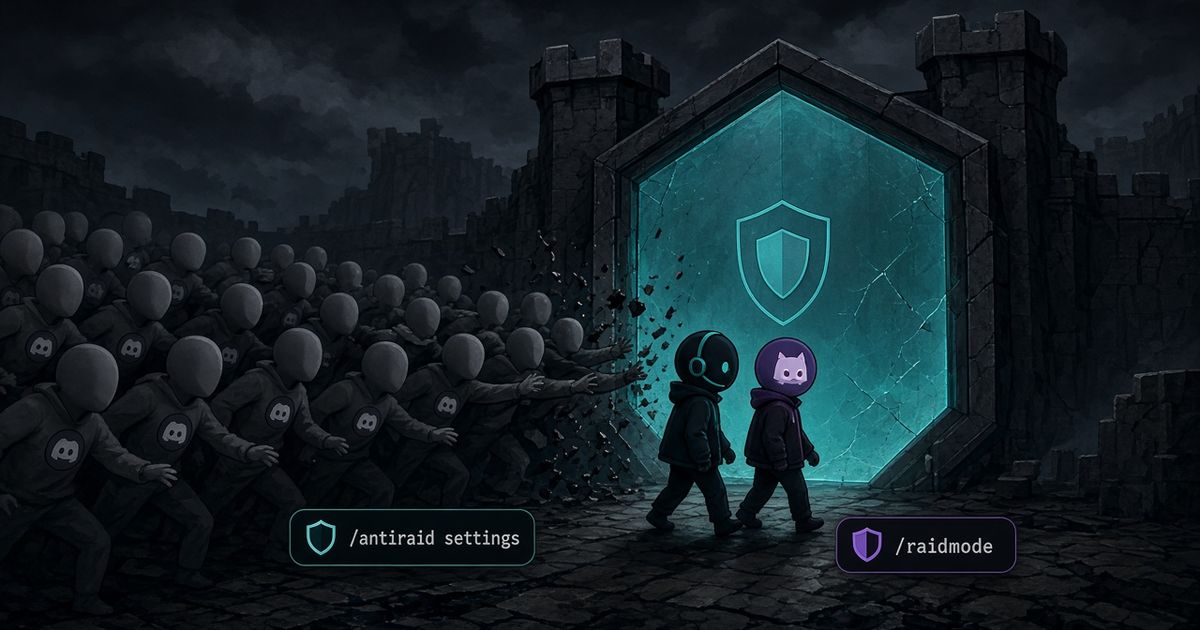
The best Discord anti raid bot in 2026 watches how fast people join and how throwaway each account looks, then lets you flip a manual switch when the wave is already inside. BetterAntispam does that with /antiraid settings (Administrator). Join-rate auto-scales with server size. Under 50 members, 3 joins in 10 seconds is worth noticing and 5 is a strong signal. With auto-scale off, the manual default is 5 joins in 10 seconds. /raidmode enable (Administrator) is the “I am being raided right now” command. Discord’s own Raid Protection and Pause Invites still come first. I maintain this bot. It detects and responds. It does not prevent every attack.
Editorial disclosure: This guide is published by BetterAntispam. We recommend BetterAntispam when you want join-rate detection, a manual raid switch, CAPTCHA, antispam, and antinuke in one slash-command stack with no website login. We name the cases where Wick, Beemo, Dyno, YAGPDB, Carl-bot, MEE6, or ProBot already cover the job. Thresholds come from the bot’s source. Competitor notes come from their docs.
TL;DR: People searching discord anti raid bot, best discord anti raid bot, discord antiraid bot, anti raid discord bot, discord raid protection, and best anti raid bot discord want a join-flood tool, not a leveling plugin. Pause invites. Turn on Discord Raid Protection and AutoMod. Invite BetterAntispam, run/setup, then/antiraid settings. Suspicion presets are 4 (strict), 6 (balanced), 8 (lenient). The raid CAPTCHA defaults to 120 seconds (10–600)./raidmode enablekicks by default, or ban/mute, with optionalenable_afteranddm_members. Keep Beemo if you only want a silent userbot catcher. Keep Wick if restore after a nuke is the nightmare. Dyno’s own FAQ says it has no anti-raid or anti-nuke. Do not stack three join-rate bots.

How to set up a Discord anti raid bot
This is the first body section: the product, then the two commands.
- Add BetterAntispam. You need Manage Server to invite it. Leave Ban Members, Kick Members, and Manage Roles on the invite. Discord’s permissions FAQ is the official page for role vs channel overrides.
- Run
/setup. That is the first command I want a new server to hit. It walks several features at once and is where you pick a log channel. - Run
/antiraid settings(Administrator). The panel is inside Discord. There is no website login. Turn detection on. Leave auto-scale on unless you already know the join rate of a launch night. - Set the suspicion preset: 4 strict, 6 balanced, 8 lenient. Balanced is where I start.
- Turn on the CAPTCHA gate for suspected raiders if you want a human check before a kick or ban. Default solve time is 120 seconds, range 10–600.
- Pick an action: kick, ban, mute, automatic lockdown, DM the member, log it. Kick plus log is the least dramatic first pass.
- When a wave is already in the member list, run
/raidmode enable(Administrator). Default punishment is kick. You can setpunishmentto ban or mute,enable_afterto turn it off after a delay, anddm_members./raidmode disableends it.
Docs: customer documentation. Support: Discord support server. Core antiraid is free. Shield adds similar-username detection and custom suspicion weights, sold in the application store.
If you are mid-raid and have not installed anything yet, use the 60-second playbook first. Pause Invites, then a bot.
What a Discord anti raid bot actually does
A raid is a join flood, usually throwaway accounts, often followed by chat spam or DMs. Discord’s Trust & Safety page says the same: a large number of users or bots joining at once for disruption.
An anti-raid bot scores join speed and account shape. It is not antispam. Antispam is /antispam settings after messages land. Guide: Best Discord Antispam Bot in 2026. It is not antinuke. Antinuke is /antinuke settings when a staff token starts deleting channels. Guide: Anti-nuke Discord.
Peakbot’s 2026 Wick vs Beemo vs Security Bot piece splits the category the same way I do: an active defender that acts on join patterns, a passive catcher that mass-bans known userbot waves, and a gatekeeper that scores accounts at the door. BetterAntispam is the first kind, with a manual switch on top.
The Field Guide’s 2026 anti-raid list is right that join-rate and insider-nuke are different halves. If you only install a join-rate bot and a moderator’s token leaks, you still lose the channel tree.
Use Discord’s raid tools first
I will not pretend a bot replaces the valves Discord shipped for free. How to Protect Your Server from Raids 101 is the official order.
| Native tool | Where | What it does |
|---|---|---|
| Pause Invites | Server Settings → Invites | Stops new joins without deleting links. Pause Invites FAQ |
| Security Actions | Server dropdown | Pause invites and non-friend DMs. Activity Alerts |
| Raid Protection | Safety Setup | Discord’s ML join-raid detector. Alert plus CAPTCHA for new joiners for an hour |
| Verification Level | Safety Setup | High or Highest during a wave. Verification Levels |
| AutoMod | Safety Setup | Blocks mention spam and raid phrases before they post. AutoMod FAQ |
| Report Raid | Server dropdown | Community servers, Kick or Ban Members, desktop |
Raid Protection alerts are still rolling out to community servers. Discord says availability may be limited. That is why a bot remains useful on a quiet public server that never got the native detector.
Turn @everyone and @here off on roles you do not trust. Discord’s raid article lists that before any third-party invite.

/antiraid settings vs /raidmode
| Command | Job | Permission | When |
|---|---|---|---|
| /antiraid settings | Always-on join-rate and suspicion scoring | Administrator | Before the wave. Leave it on |
| /raidmode enable / disable | Manual “raided right now” switch | Administrator | Accounts are already in the list |
| /verification settings | Button, image CAPTCHA, math, or hidden word at the door | Administrator | Public servers that want a gate every day |
| /lockdown | Lock a channel. all / unlockall are Shield | Administrator | Chat is the fire |
| /serverlock | Lock the whole server. Password mode is Shield | Administrator | You need the room silent |
| /honeypot settings | Trap channel. Softban by default | Manage Server | Catch the next wave that posts in a decoy |
| /antispam settings | Floods, dupes, links after they post | Administrator | The raid became a chat dump |
| /antinuke settings | Audit-log watch for mass deletes and bans | Administrator | The raider has a staff token |
/antiraid settings also looks at raid phrases and invite links in profiles. Actions: kick, ban, mute, automatic lockdown, DM, log.
With auto-scale on, thresholds rise with member count up through 100k+ servers. I leave it on. A 40-person friend server and a 40,000-person game server do not share a “5 joins is a raid” line.
/raidmode does not replace /antiraid settings. Detection stays for the next wave. Raid mode is the extra punishment on new joins while you clean.
After the wave
Lock first if people are still posting. /lockdown (Administrator) on the burning channel. /slowmode (Manage Channels) if you only need a cooldown. Then /purge or /nuke (Administrator, max 1000, Discord’s 14-day bulk-delete limit). Guide: How to Use the Discord Purge Command.
/invitelock and /dmlock (Manage Server) close invite creation and DMs when the native pause is not enough.
Set /logging settings (Administrator) so the antiraid category has a home. Check the Discord audit log if a human kicked or banned by hand.
/scan (Administrator) is worth a pass after a bad night: dangerous @everyone overwrites, other bots holding Administrator.
Other Discord anti-raid bots
Keep the bot staff already trained on. Links go to their docs, not homepages.
| Bot | Raid tool | Honest catch |
|---|---|---|
| BetterAntispam | /antiraid settings, /raidmode | Free core. No website. Does not restore a nuked channel tree |
| Beemo | Passive userbot raid bans. /antispam log set | Free, almost no config. No antinuke. No verification. “No news is good news” |
| Wick JoinRaid | w!joinraid, heat panic, verification | Strongest restore story. Setup is a project. False positives on launch spikes |
| Wick features | Panic modes, lockdown, anti-nuke | Pick Wick when a compromised admin is the fear |
| Dyno Automod | Chat filters | Dyno FAQ: no anti-raid, no anti-nuke |
| YAGPDB Automoderator | Custom rules | Staff who write templates. Not a join-rate product |
| Carl-bot | Automod module | Reaction roles first. Raid is not why you installed it |
| MEE6 | Moderator plugin | XP gravity. Keep if Premium already pays the bills |
| ProBot automod | Automod | Welcome images. Not a raid specialist |
Mava’s 2026 anti-raid roundup puts Wick in the heavy-duty suite bucket and Beemo in the narrow specialist bucket. That split is fair. BetterAntispam sits with the suites that still configure in Discord, not a browser dashboard.
Do not run three join-rate bots. They will fight over the same kick.
Which Moderation Bot Should You Choose?
BetterAntispam if you want /antiraid settings and /raidmode without a website, plus /antispam settings, /antinuke settings, /verification settings, and /lockdown in the same slash-command stack. Core is free.
Wick if a compromised moderator deleting channels is the nightmare, and you will finish Wick’s setup. Use Wick JoinRaid when recovery is the product.
Dyno if Automod already lives on the dashboard. It is not an anti-raid bot. Pair it with BetterAntispam or Beemo for joins.
YAGPDB if staff already write custom commands and Advanced Automoderator owns chat. Add a join-rate bot beside it.
Carl-bot if reaction roles are the product and Carl’s automod already owns cleanup.
MEE6 if the server already pays for MEE6 Premium and will not move XP.
ProBot if welcome images and ProBot automod are already the stack.
Beemo is the extra layer I leave on a huge public server that already has a suite. It is not a replacement for /raidmode.
Do not install three raid bots. One join-rate tool staff trust is enough.
FAQ
What is the best Discord anti raid bot in 2026?
BetterAntispam if you want join-rate detection, a manual /raidmode, CAPTCHA, antispam, and antinuke in one free-core bot. Wick if you need restore after a staff nuke. Beemo if you only want silent userbot bans and will keep another bot for everything else.
What is a Discord anti raid bot?
A bot that watches join speed and new-account shape, then kicks, bans, mutes, or locks when the pattern looks like a raid. It is not a chat filter and not an anti-nuke tool.
Does Discord have built-in anti-raid?
Yes. Pause Invites, Security Actions, Raid Protection, verification level, AutoMod, and Report Raid. Discord’s raid 101 is the page. Raid Protection is still rolling out.
How do I turn on BetterAntispam anti-raid?
Invite the bot, run /setup, then /antiraid settings (Administrator). For a live wave, /raidmode enable (Administrator).
Is a Discord anti raid bot free?
BetterAntispam’s core antiraid, /raidmode, /antispam settings, /antinuke settings, /honeypot settings, and /lockdown are free. Shield is similar-name detection, custom suspicion weights, lock-all, and the other extras in the store. Beemo’s raid catcher is free. Wick’s baseline is free with paid advanced pieces.
Can an anti-raid bot stop a nuke?
No. A nuke is a staff-permission problem. That is /antinuke settings (Administrator) or Wick’s anti-nuke. Join-rate does not watch the audit log.
Will /antiraid settings kick real members?
It can, on a launch night, if you turn auto-scale off and leave a tiny-server threshold on a big server. Leave auto-scale on. Use balanced (6) first. Read the log. /raidmode is the aggressive switch. Do not leave raid mode on for a week.
Does BetterAntispam prevent every raid?
No. It detects and responds. Pause Invites when the link is the hose. A bot cannot outrun Discord’s own join pipeline if you leave invites open and staff roles wide.
Final Verdict
The best Discord anti raid bot in 2026 is the one that watches joins and still lets you hit a manual switch. Invite BetterAntispam, run /antiraid settings and /raidmode (Administrator). Turn Discord Raid Protection and Pause Invites on today. Keep Beemo as a quiet second layer. Keep Wick if restore after a nuke is why you opened this tab. Keep Dyno or Carl if they already own chat, and add a real join-rate bot beside them. Do not collect three raid bots.
— Adam
More guides
- How to Stop a Discord Raid (2026 Playbook)
- Best Discord Antispam Bot in 2026
- Anti-nuke Discord
- How to Use the Discord Purge Command
- How to Check the Discord Audit Log
- Best Discord Moderation Bots in 2026
- How to Protect Your Server from Raids 101 – Discord
- Pause Invites FAQ – Discord
Sources
- How to Protect Your Server from Raids 101 – Discord
- Pause Invites FAQ – Discord
- Activity Alerts and Security Actions – Discord
- AutoMod FAQ – Discord
- Verification Levels – Discord
- Four steps to a super safe server – Discord Safety
- Setting Up Permissions FAQ – Discord
- Wick vs Beemo vs Security Bot – Peakbot
- The best Discord anti-raid and anti-nuke bots – Field Guide
- Best Anti Raid Bot Discord 2026 – Mava
- Beemo Docs
- Wick Features
- Wick Setup
- What is Wick
- Dyno FAQ
- Automod – Dyno Docs
- Advanced Automoderator – YAGPDB
- Carl-bot Docs
- Understanding MEE6 Services
- Auto Moderation – ProBot Docs
- BetterAntispam documentation
- BetterAntispam application store (Shield)





















































