
BetterAntispam TeamHow we write these6 min read
How to Restore Deleted Discord Channels (2026)
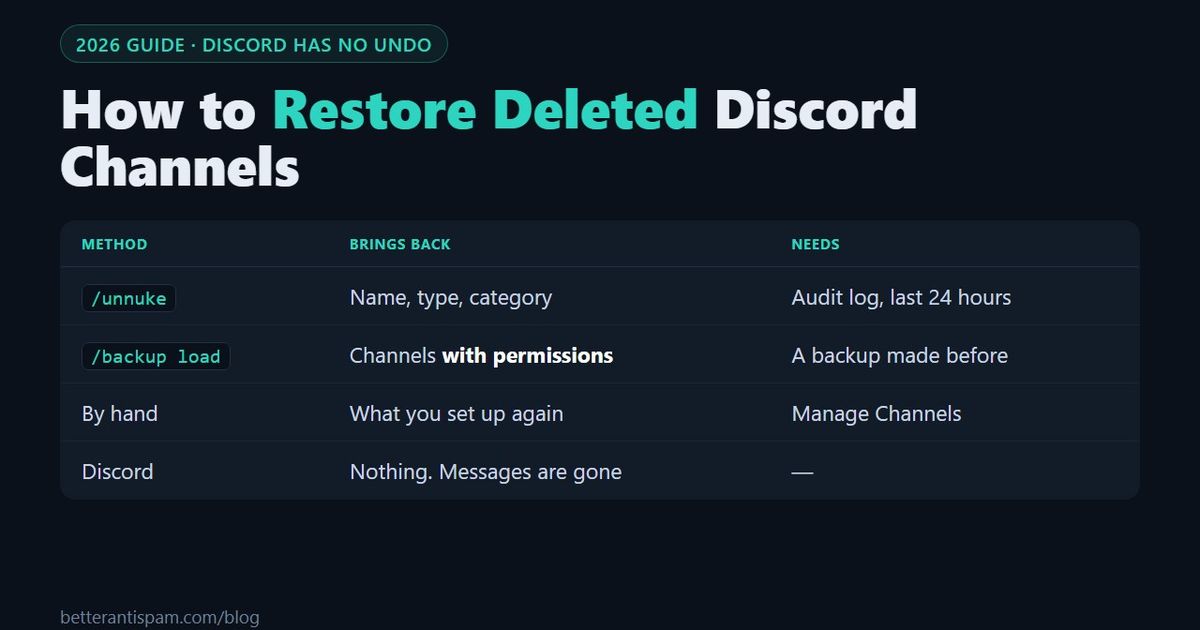
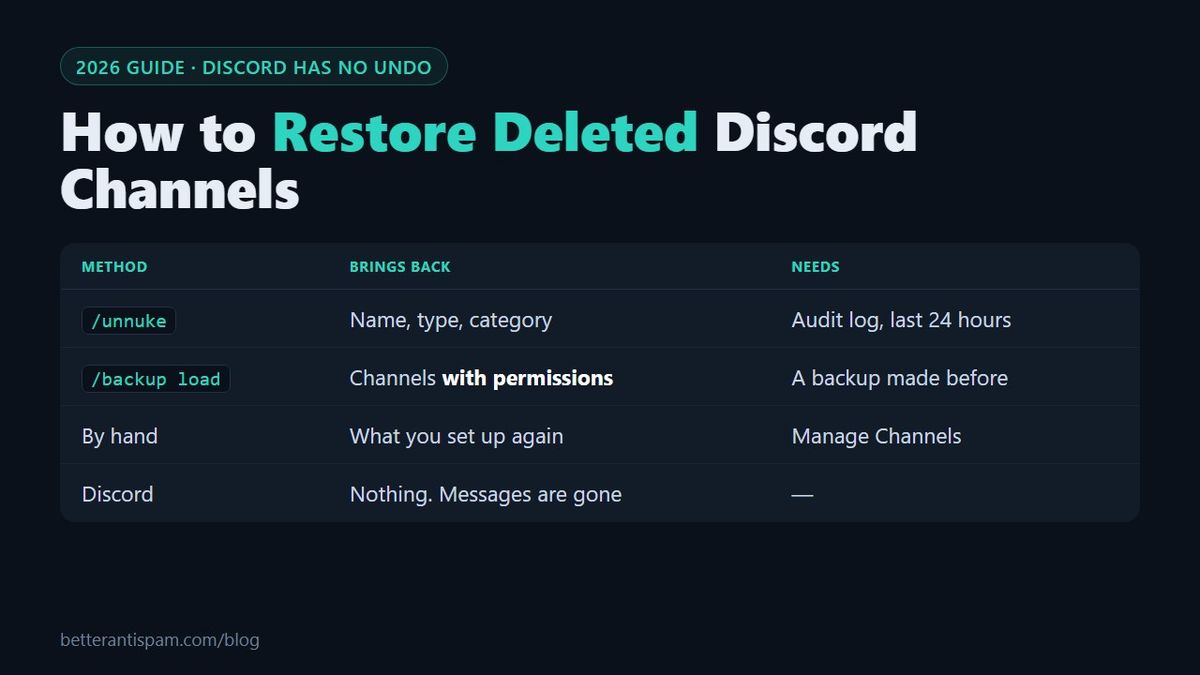
Discord has no way to restore a deleted channel. There is no trash folder and no undo, and Discord Support has said it cannot recover deleted channels. What you can do is rebuild the channel. In BetterAntispam, run /unnuke (requires Administrator). It reads the audit log, finds the channels that were deleted in the last 24 hours, and recreates them with the same name, type and category. It works without a backup. If you made a backup earlier, /backup load also restores each channel's permissions. The messages that were in a deleted channel are gone from Discord. A bot can bring back only the messages it saved before the deletion.
Editorial disclosure: This guide is published by BetterAntispam. What /unnuke and /backup restore, and what they do not, is taken from the bot's source code. Other bots are linked to their own documentation.
Can you recover a deleted Discord channel?
Not from Discord. In a public reply, Discord Support wrote that it does not have a way to recover deleted channels. The same is true for the messages inside the channel.
| Question | Answer |
|---|---|
| Can Discord restore a deleted channel? | No |
| Can Discord restore the messages that were in it? | No |
| Can a bot recreate the channel? | Yes, as a new empty channel |
| Can a bot bring the messages back? | Only messages it saved before the deletion |
| Is the new channel the same channel? | No. It has a new ID, so old links to it stop working |
Step 1: Check that the channel was really deleted
A channel that disappears is not always deleted. Check three things before you rebuild anything.
- Permissions. If a role lost View Channel, the channel is hidden from members with that role, and nothing was deleted. Ask the owner or another administrator whether they still see it.
- A collapsed category. Click the category name to open it.
- The audit log. Open Server Settings → Audit Log and filter by the channel delete action. A deleted channel has an entry with its name, who deleted it and when. No entry means it was not deleted. Guide: Discord audit log.
If the audit log shows many channels deleted by one account in a few seconds, the server was nuked. Take away that account's roles, or kick the bot that did it, before you restore anything. If you restore first, they can delete it all again. The full order is in my Discord server got nuked.
Step 2: Choose how to restore
| Method | What it restores | Needs |
|---|---|---|
| Recreate by hand | Whatever you type in again | Manage Channels |
| /unnuke | Name, type and category of channels deleted in the last 24 hours | Nothing saved in advance. It reads the audit log |
| /backup load | Name, type, category, order, settings and permissions | A backup made before the deletion |
| Another backup bot | Depends on the bot | A backup made before the deletion |
How to restore deleted channels with /unnuke
/unnuke does not need a backup. It works from the audit log, which Discord keeps even when the channel is gone.
- Add BetterAntispam if it is not in the server. The bot needs Administrator, or at least View Audit Log, Manage Channels, Manage Roles and Ban Members.
- Run
/unnuke. You need Administrator. - Pick the scan range. The standard scan reads up to 100 recent actions of each kind. The deep scan reads 250 and is part of Shield.
- Read the preview. It lists what it found: deleted channels, deleted roles, channels and roles that were mass-created during the attack, and server name changes.
- Turn off anything you do not want rolled back, then press Run Unnuke.
What you get back:
| Part of the channel | Restored by /unnuke? |
|---|---|
| Name | Yes |
| Type: text, voice, category, forum, stage, announcement | Yes |
| Category it was in | Yes, if the category exists |
| Permission overwrites | No. Set them again, or use a backup |
| Topic, slowmode and other settings | No |
| Messages that were in the deleted channel | No. See the messages section below |
Three limits to know. /unnuke only looks back 24 hours by default, so run it the same day. It skips a channel if one with the same name already exists. And the recreated channel is new, so the old channel's own permissions are not on it.
How to restore deleted channels from a backup
A backup restores more, because it saved the channel before it was deleted.
- Run
/backup load(requires Administrator) and pick a backup from the list. - The bot shows what is missing from your server compared with the backup.
- Choose what to restore. Leave Channels and permissions selected.
- Choose Repair. It brings back what is missing and fixes what was changed. It deletes nothing. Clean also deletes channels and roles that are not in the backup, and only the server owner can run it.
- Press Restore.
| Free | Shield | |
|---|---|---|
| Saved backups | 15 | 50 |
| Automatic backups | Weekly | Every 12 hours |
| Channels, categories, permissions, roles, server settings | Yes | Yes |
| Threads and forum posts | No | Yes |
| Messages | No | The newest 50 per channel |
The bot needs Manage Roles and Manage Channels, or Administrator, to restore. A backup can only be loaded in the server it was made in.
If you have no backup, make one now with /backup create, and check that automatic backups are on with /backup interval. Other bots, such as Xenon, also save and load channel backups.
What happens to the messages
Deleting a channel deletes every message in it. Discord does not keep a copy you can ask for.
| Source | What it can give back |
|---|---|
| Discord | Nothing |
| /unnuke on Shield | Messages that were deleted one by one or purged in channels that still exist, reposted under each author's name. Not the messages of a deleted channel |
| /backup load on Shield | The newest 50 messages per channel that the backup saved, posted into the channels it recreates |
| /backup create with a channel selected | A chatlog of one channel, saved before the deletion |
| Members | Screenshots, and files they downloaded |
Reposted messages are copies. They are posted by the bot with the author's name, and they have new dates and new links. No bot can save the full history of a large server.
To save one important channel, run /backup create, pick the channel and set the number of messages. The free plan keeps up to 50 messages per chatlog, and Shield keeps up to 250.
Recreate a channel by hand
For one channel, doing it by hand is often fastest.
- Right-click the category and choose Create Channel. Use the old name and type.
- Open Edit Channel → Permissions and set the role permissions again. If another channel has the right permissions, sync the new channel with its category, or copy them from that channel.
- Set the topic and slowmode again, and drag the channel to its old position.
- Update anything that pointed to the old channel: bot log channels, welcome messages, rules links and pinned links. The new channel has a new ID.
How to stop channels from being deleted
Anyone with Manage Channels can delete a channel. So can anyone with Administrator.
- Limit Manage Channels. Remove it from roles that do not need it. Most moderators never create or delete channels. See Discord permissions explained.
- Turn on anti-nuke.
/antinuke settings(requires Administrator) watches for mass channel deletion and can quarantine, kick or ban the account that does it, and revert the changes. Keep the BetterAntispam role above your staff roles. Guide: Discord anti-nuke bot. Product page: anti-nuke. - Keep backups.
/backup createnow, and automatic backups on. - Log channel changes.
/logging settings(requires Manage Server) can send channel creates, edits and deletes to a staff channel, so you see a deletion when it happens. - Protect staff accounts. Most mass deletions come from a hacked moderator. Require 2FA, as described in how to secure a Discord server.
If the whole server was deleted, not only channels, read can you recover a deleted Discord server. The answer there is different.
FAQ
Is there any way to retrieve deleted channels on Discord?
Not through Discord, which has no restore feature for channels. You can recreate them. A bot such as BetterAntispam rebuilds them from the audit log with /unnuke, or from a backup with /backup load.
Can you undo deleting a channel on Discord?
No. There is no undo and no confirmation period. Once you confirm the deletion, the channel and its messages are removed.
How do I see who deleted a channel?
Open Server Settings → Audit Log and filter by the channel delete action. The entry shows the account that deleted the channel and the time.
Can I recover messages from a deleted channel?
Not from Discord. You can only get back messages that a bot saved before the deletion, for example in a backup or a chatlog, and they come back as reposted copies.
Does /unnuke work if the bot was added after the channels were deleted?
Yes for channels and roles, because it reads Discord's audit log, which already has the deletions. It must be run within its 24-hour window. It cannot bring back the messages of those channels.
How long do I have to restore a deleted channel?
With /unnuke, 24 hours by default. With a backup, as long as you keep the backup. Recreating a channel by hand is always possible.
Do members have to rejoin after a channel is restored?
No. Members stay in the server. Only the channel is new, so old links, pins and bot settings that pointed to the old channel need updating.
Core is free · Setup in Discord
Ready to protect your server?
Invite BetterAntispam. Core antiraid, antispam, and antinuke are free. Configuration is slash commands inside Discord.