
How to Check the Discord Audit Log
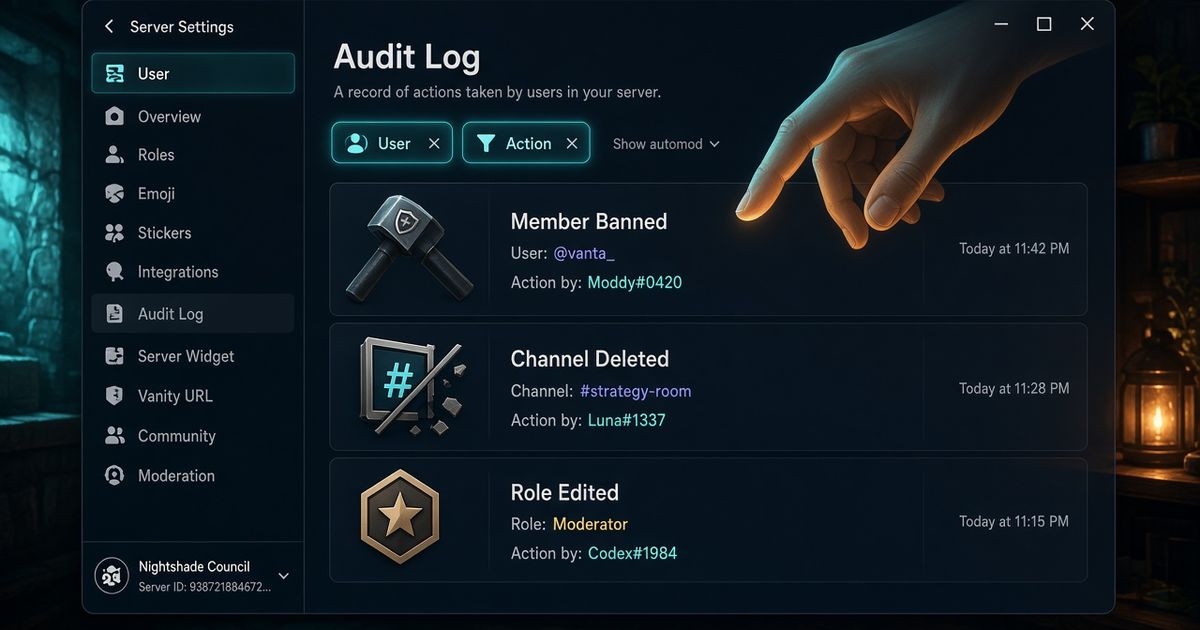
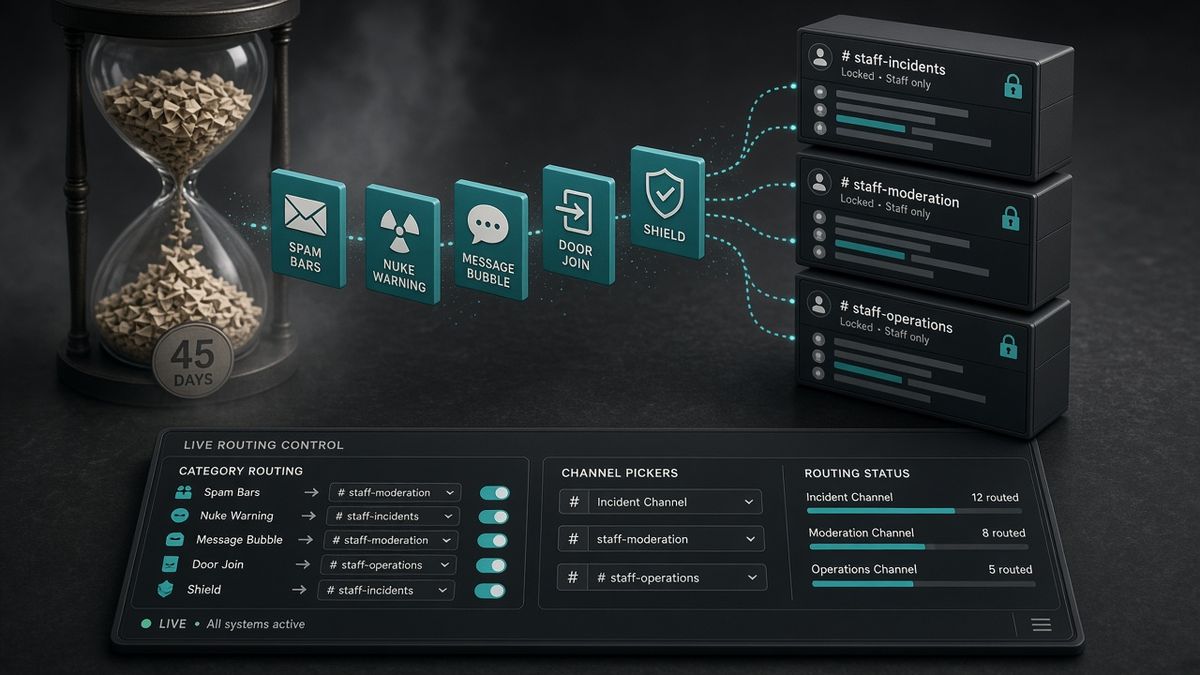
Open Server Settings → Audit Log. You need the View Audit Log permission. Filter by Member Ban Add or Channel Delete to see who acted. Discord keeps those rows for 45 days, then they are gone. BetterAntispam does not replace that screen. Run /setup then /logging settings (Administrator) so bans, deletes, raids, and verification also land in a staff channel you can read tonight.
Editorial disclosure: This guide is published by BetterAntispam. We recommend BetterAntispam where a live log channel plus protection is the strongest fit, and we name the cases where Discord’s native audit log, Carl-bot, Dyno, Wick, YAGPDB, MEE6, or ProBot may already be enough. Discord’s 45-day window comes from Discord’s own audit log docs. BetterAntispam categories come from the bot’s source.
TL;DR: People searching discord audit log, how to check discord audit log, and who deleted a channel discord want the actor, the action, and the time. Native path: Server Settings → Audit Log, filter by user or action type. It is always on. It is not a chat log. Entries expire after 45 days. Peakbot’s 2026 how-to walks the same filters; it cites a 90-day cutoff that Discord’s API docs do not. For a live copy, invite BetterAntispam and open /logging settings. Split streams (antispam, antinuke, messages, joins) into dedicated channels. Turn on Anti-delete so wiped log messages are saved when possible. Keep the native audit log as the source of truth for who used Discord’s own ban and delete buttons.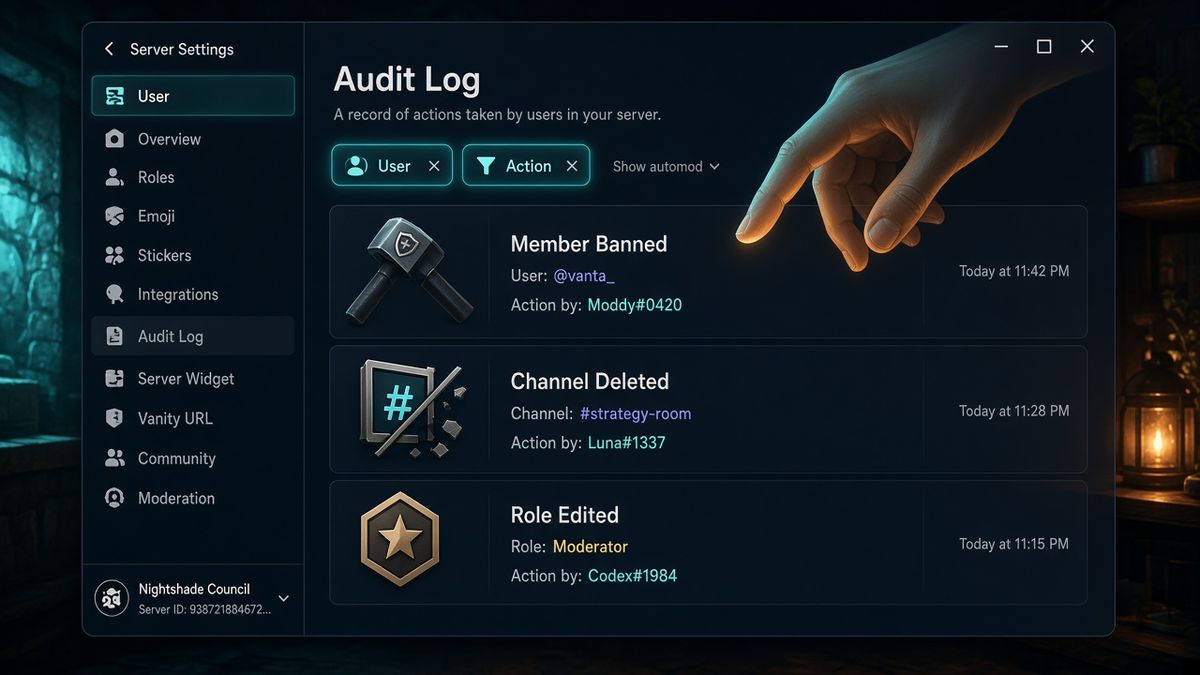
How to check the Discord audit log
This is the first body section, and it is the command path plus Discord’s screen.
- Confirm your role has View Audit Log. Administrator includes it. You can grant the permission alone under Server Settings → Roles. Discord’s roles and permissions article is the official page.
- Desktop or browser: click the server name → Server Settings → Audit Log (Moderation group). Mobile: server name → settings gear → Audit Log.
- Newest row is first. Click a row to expand who acted, what changed, and the timestamp. Hover the relative time for the exact clock.
- Use the two filters. User filter: one moderator or one bot. Action filter: Member Ban Add, Member Kick, Channel Delete, Role Update. Combine both when you think a stolen account walked the permission tree.
Add BetterAntispam, then run /setup (Administrator) and pick a log channel. /setup can create #betterantispam-logs if none exists. Then run /logging settings (Administrator). That panel is the live complement to the Discord audit log: a main channel, a case channel, per-category toggles, and Anti-delete.
Docs: customer documentation. Support: Discord support server. There is no website login for this. Configuration stays in the slash-command panel.
What the Discord audit log actually records
GoLinuxCloud’s audit log walkthrough and CLRN’s check guide list the same event families Discord’s API exposes. The audit log is actions, not chat.
| You asked | Filter or look for | What you get | What you do not get |
|---|---|---|---|
| Who banned this person? | Member Ban Add | Actor (user or bot), target, time, reason if one was typed | Why they deserved it, unless staff wrote a reason |
| Who kicked them? | Member Kick | Same shape as a ban | Message content that led to the kick |
| Who deleted #general? | Channel Delete | Actor, channel name and type, time | The messages that were in the channel |
| Who changed Moderator perms? | Role Update | Before / after on the changed bits | Intent |
| Who purged chat? | Bulk message delete | That someone deleted N messages in a channel | The text of those messages |
| Who posted the scam? | — | Nothing useful | Message content. That is a bot log or AutoMod alert |
Nobody can turn the native log off. Staff cannot delete a single entry to hide a ban. That is why it stays the source of truth after a raid. Discord’s developer docs also expose GET /guilds/{guild.id}/audit-logs for apps with the same permission. Limit is 1–100 entries per request.
A 2024 community request for an “Advanced Audit Log” is still the pain on large servers: no search box, timeouts lumped with nickname edits, the list fills with bots. Filters help. They do not make a 100k-member log pleasant. That is why people also run a bot log channel.
The 45-day limit is Discord’s, not a bot setting
All audit log entries are stored for 45 days. Discord’s API page says so in the first paragraph. After that the row is gone. There is no toggle in Server Settings that extends it.
Peakbot’s October-era how-to tells readers a deleted channel older than 90 days will have vanished. Use Discord’s 45 days, not that 90. If you need a longer paper trail, that is an export problem. We already wrote that playbook: 45 Day Limit: How Admins Export Discord Audit Logs. This article stays on how to read the live log, and how /logging settings sits next to it.
A channel log is not a court archive. Anyone with Manage Messages can delete a bot log unless you lock the channel and turn on Anti-delete. The native audit log still expires.
/logging settings: the live Discord audit log complement
/logging settings (Administrator) opens an Overview and an Access page. Owner and Administrator always get in. The Access page can add trusted roles or members so they can open the same panel without giving them every other admin tool.
Set a main log first. Optionally set a case log for /case history. Then open a category, toggle it, and pick its own channel or leave it on the main fallback.
| Category | What it logs | Default |
|---|---|---|
| Anti-spam | Spam, raids, links, selfbots, image filter hits, join-risk | On |
| Anti-nuke | Admin abuse and destructive events | On |
| Moderation | Warns, timeouts, kicks, and bans | On (manual kick logs have their own toggle) |
| Messages | Message edits and deletions | On |
| Roles | Role creates, edits, and deletes | On |
| Channels | Channel creates, edits, and deletes | On |
| Verification | Passes, fails, and checks | On |
| Joins | Joins and join-related removals | On |
| Leaves | Voluntary leaves and removals | Off |
| Staff commands | Staff command usage | On |
| Voice | Voice state and channel activity | On |
| Invites | Invite creates, edits, and deletes | On |
| Server settings | Guild-level setting changes | On |
| Emoji | Emoji and sticker create / edit / delete | On |
| Reactions | Reaction adds and removes (noisy) | Off |
| Threads | Thread create, edit, archive | On |
| Settings audit | Who changed bot settings | On |
| Quarantine | Apply and release | On |
| Nuke transcripts | /nuke and /purge transcripts | On |
| Honeypot | Honeypot catches | On |
Leaves and reactions stay off until you want the volume. A busy meme channel with reaction logs on will bury a real ban.
Anti-delete is the Overview toggle. Off: deleted log messages stay gone. On: deleted log messages are saved when possible. It is not magic. Lock #betterantispam-logs so @everyone cannot read or delete it. Give staff View Channel only.
/antinuke settings (Administrator) watches the same Server Audit Log for mass channel or role deletion and mass bans. The log channel is how you see it. Anti-nuke is how the bot responds. /scan (Administrator) is the checkup for dangerous @everyone overwrites and other bots holding Administrator.
A practical night: who banned, who deleted, what the chat said
Who banned them? Discord audit log → filter Member Ban Add. If BetterAntispam issued the ban after /antiraid settings or /ban, the actor on Discord’s screen is often the bot. The Moderation stream in /logging settings still shows the command, the reason, and the case.
Who deleted the channel? Audit log → Channel Delete. Then open the Channels stream. If /antinuke settings fired, that category is the row you wanted at 3 a.m., not a scroll through every nickname change.
What did the scam message say? The native audit log will not tell you. Messages in /logging settings logs edits and deletions the bot could see. Dyno’s Action Log is honest about the same limit: it only caches the last 10 messages per channel (100 on Premium) and “will not log who deleted the message.” Do not run two bots logging the same delete. You will get two embeds and no extra truth.
Who changed roles after a stolen admin token? Audit log → filter that user. Then Roles + Settings audit in /logging settings. /antinuke settings is the response path. The longer hierarchy piece is anti-nuke Discord.
Other bots that already log
Keep the one you already tuned.
| Bot | Logging job | Notes |
|---|---|---|
| Discord audit log | Who used Discord’s own admin actions | 45 days. No message content. Always on |
| BetterAntispam | /logging settings plus antispam / antiraid / antinuke / verification | Slash-command panel. Anti-delete. Free |
| Carl-bot logging | /log channel, per-event toggles, /log aio five-channel split | Manage Server. Strong if Carl already owns roles |
| Dyno Action Log | Dashboard module, per-event channels, ignore lists | 10-message cache on free; does not log who deleted |
| Wick | Security-first; reads audit-log shaped events for nukes | Overkill if you only needed a who-banned filter |
| YAGPDB / MEE6 / ProBot | Generalist logs next to automod or XP | Keep if they already own that channel |
Paid extras on BetterAntispam are Shield in the application store. Logging itself is free.
Which Moderation Bot Should You Choose?
BetterAntispam if you want the Discord audit log and a live channel for antispam, antiraid, antinuke, verification, and cases. /logging settings is the command. /antinuke settings is what you turn on after you can see the log.
Wick if a compromised moderator deleting channels is the whole nightmare, and you will finish Wick’s setup.
Dyno if Action Log already lives on the dashboard and you accept the 10-message cache.
YAGPDB if staff already enjoy Advanced Automoderator and its logs.
Carl-bot if reaction roles are the product and Carl logging already splits five channels.
MEE6 if the server already pays for MEE6 Premium and will not move XP.
ProBot if welcome images and ProBot automod are already the stack.
Do not install three log bots. The Discord audit log plus one bot stream is enough.
FAQ
How do I check the Discord audit log?
Server Settings → Audit Log. You need View Audit Log. Filter by user or by action type. Newest first.
How do I see who banned someone on Discord?
Open the Discord audit log and set the action filter to Member Ban Add. The actor is a person or a bot. If the bot issued the ban, read the Moderation stream from /logging settings for the reason and case.
How do I see who deleted a Discord channel?
Same screen, action filter Channel Delete. Then check the Channels category in /logging settings and, if it was a mass delete, /antinuke settings.
How long does the Discord audit log last?
45 days. Discord’s audit log documentation is the source. After that the entry is gone. Export if you need longer; see the 45-day guide.
Does the Discord audit log show deleted messages?
It can show that messages were bulk-deleted, not the text. For content the bot actually saw, use the Messages category in /logging settings.
What permission does /logging settings need?
Administrator on the slash command. The server owner can always open it. The Access page can add extra roles or members.
Can staff hide a Discord audit log entry?
No. They can hide a bot log message in a channel if they can delete messages there. Lock the log channel. Turn Anti-delete on. Still treat the native audit log as the record Discord itself will show you.
Is BetterAntispam a Discord audit log bot?
It is a protection bot that writes live logs. It does not extend Discord’s 45-day window and it does not replace Server Settings → Audit Log.
Final Verdict
How to check the Discord audit log is not a plugin. Open Server Settings → Audit Log, grant View Audit Log, filter for the ban or the deleted channel. Discord will drop that row after 45 days. Invite BetterAntispam, run /setup, then /logging settings so the same night also has a channel for messages, raids, nukes, and verification. Keep Carl-bot or Dyno if they already own logging. Invite Wick when the threat is a hostile admin, not a missing log line.
— Adam
More guides
- 45 Day Limit: How Admins Export Discord Audit Logs
- Server Owners, Lock Role Hierarchy and Enforce 2FA
- How to Stop a Discord Raid (2026 Playbook)
- Best Discord Moderation Bots in 2026
- Best Discord Antispam Bot in 2026
- Server Audit Log – Discord
- AutoMod FAQ – Discord
Sources
- Server Audit Log – Discord
- Audit Logs Resource – Discord
- Discord Roles and Permissions
- AutoMod FAQ – Discord
- How to Protect Your Server from Raids 101 – Discord
- Discord Audit Log Explained – Peakbot
- How to check Audit Logs on Discord – GoLinuxCloud
- How to check audit logs Discord – CLRN
- Advanced Audit Log – Discord community
- Logging – Carl-bot Docs
- Action Log – Dyno Docs
- What is Wick – Wick Docs
- Wick Setup – Wick Docs
- Advanced Automoderator – YAGPDB
- Understanding MEE6 Services
- Auto Moderation – ProBot Docs
- BetterAntispam documentation
- BetterAntispam application store (Shield)





















































