
BetterAntispam TeamHow we write these7 min read
Can You Recover a Deleted Discord Server? (What Is Possible)
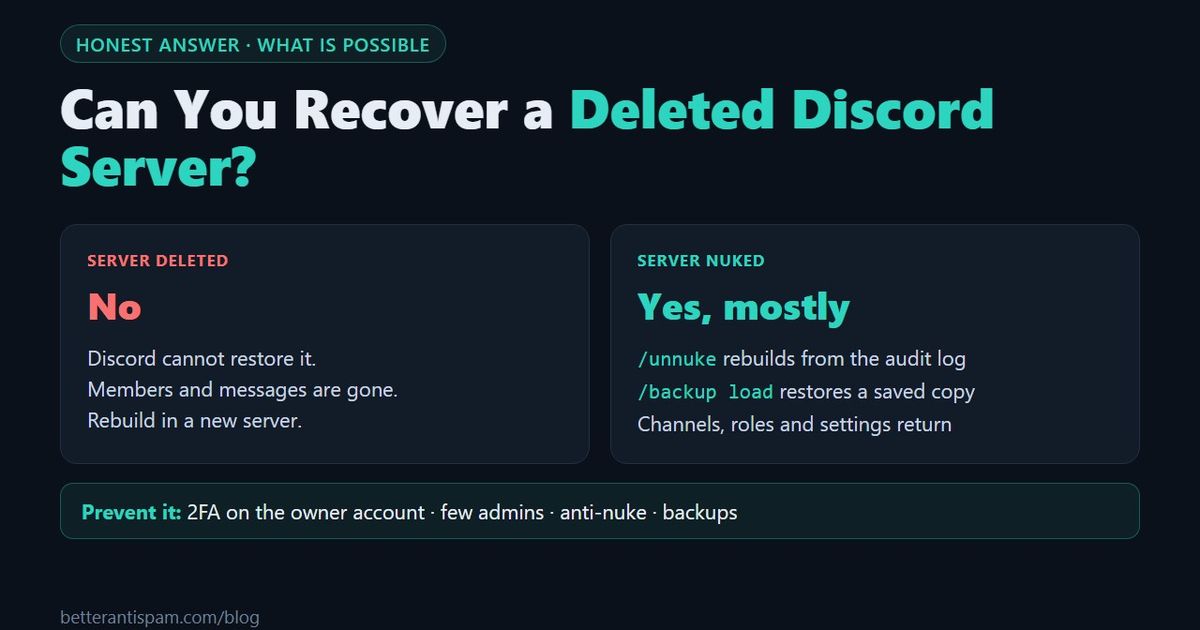
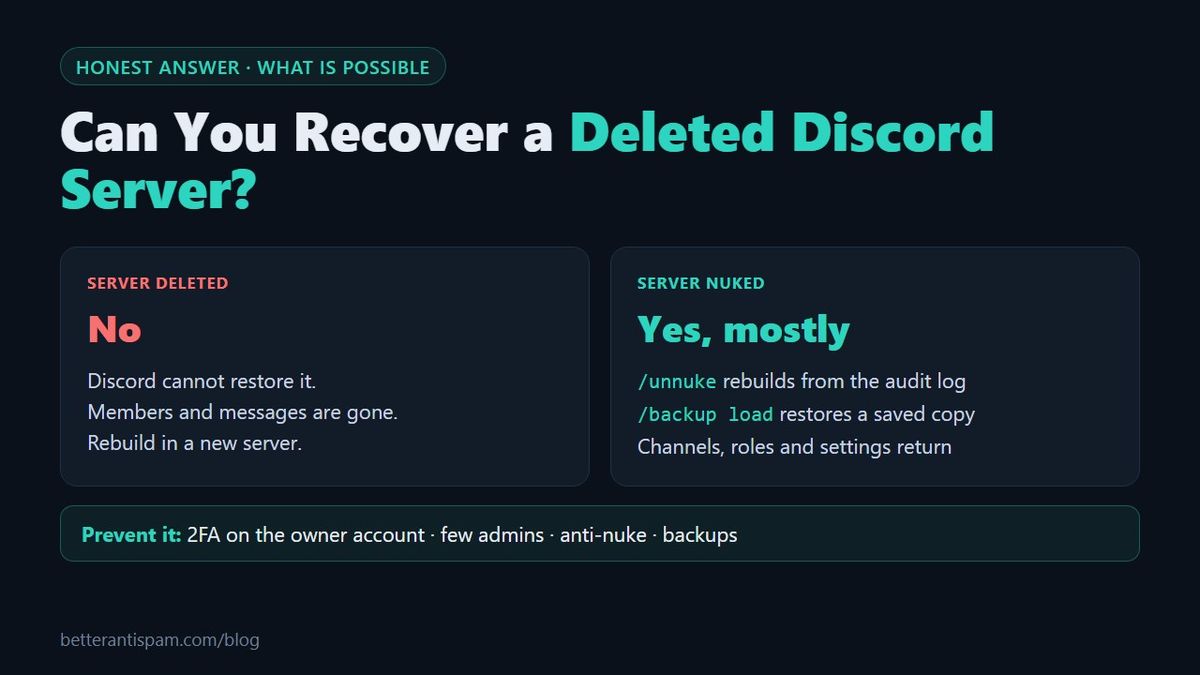
No. You cannot recover a deleted Discord server. Discord's own help page says it directly: "Once a server has been deleted it can not be restored," and nothing from it, including the member list and the messages, can be recovered. Discord support cannot undo it either. What is possible depends on what really happened. If the server still exists but its channels and roles were deleted, that is a nuke, and it can be repaired. In BetterAntispam, /unnuke (requires Administrator) rebuilds deleted channels and roles from the audit log, and /backup load restores a saved copy. If the server itself is gone, you can only rebuild it in a new server.
Editorial disclosure: This guide is published by BetterAntispam. The Discord facts come from Discord's help center, linked in each section. The bot commands and limits come from the bot's source code, including what its backups cannot do.
What Discord says about deleted servers
Discord's article How do I delete a server? answers the question in its FAQ:
| Question | Discord's answer |
|---|---|
| I accidentally deleted my server, can it be recovered? | No. Once a server has been deleted it can not be restored. |
| Can I recover the member list or messages? | No. Nothing from the server can be recovered or restored. |
| Who can delete a server? | Only the server owner, no matter what permissions other users have. |
There is no trash folder and no waiting period. Contacting support does not change the answer, because the same page that links to Discord's support team says a deleted server can not be restored.
One detail matters for prevention. If the owner has two-factor authentication turned on, Discord asks for a 2FA code before it deletes the server. Without 2FA, typing the server name is enough on desktop.
First, check that the server was really deleted
Many people who search for this did not lose a deleted server. Check these four cases first.
| What you see | What probably happened | Can it be fixed? |
|---|---|---|
| The server is missing from your list, but friends still see it | You were kicked or banned, or you left | Yes. Ask for a new invite or an unban |
| The server is there, but channels and roles are gone | It was nuked by a hacked admin or a rogue bot | Mostly. See the next section |
| The server is gone for everyone | The owner deleted it, or the owner's account was hacked and the attacker deleted it | No |
| The owner has been inactive for a long time and nobody can manage the server | The server is not deleted, only stuck | Often. See "If the owner is gone" below |
If the server is gone for everyone and the owner did not delete it, the owner's account was probably taken over. Recover the account first with the steps in what to do if you're hacked on Discord. That gets the account back. It does not bring the server back.
What you can recover after a nuke
A nuke is when someone with staff permissions deletes channels, deletes roles, bans members or renames everything. The server still exists, so most of the structure can be put back.
| What was lost | Can it come back? | How |
|---|---|---|
| Deleted channels and categories | Yes, as new empty channels with the same names and permissions | /unnuke or /backup load |
| Deleted roles | Yes | /unnuke or /backup load |
| Roles removed from members | On Shield | /backup load, if the backup saved members' roles |
| Members who were banned | Yes, by hand | Unban them in Server Settings. They still have to rejoin |
| Server name | Yes | /unnuke or /backup load |
| Server icon and settings | Yes | /backup load |
| Messages in deleted channels | Not from Discord. Partly on Shield | /unnuke can repost messages the nuke deleted, and a backup holds the newest 50 per channel |
/unnuke: no backup needed
/unnuke (requires Administrator) reads the server's audit log, shows a preview of the damage it found, and then reverts it. It works even if you never made a backup, because Discord's audit log records who deleted what. It restores deleted channels and roles, removes channels and roles the attacker mass-created, and reverts the server name. The free plan reads the last 100 audit-log entries of each kind, and Shield reads 250, so run it soon after the attack. Remove the attacker's access first, or they will repeat it.
/backup load: restore a saved copy
/backup create (requires Administrator) saves the server's settings, roles, channels and permissions. /backup load puts them back. There are two modes:
- Repair brings back what is missing and fixes what was changed. It deletes nothing.
- Clean also deletes channels and roles that are not in the backup. Only the server owner can run it.
| Free | Shield | |
|---|---|---|
| Saved backups | 15 | 50 |
| Automatic backups | Weekly, the last 1 kept | Every 12 hours, the last 2 kept |
| Settings, roles, channels, permissions | Yes | Yes |
| Bans, emojis, stickers, AutoMod rules | No | Yes |
| Members' roles and nicknames | No | Yes |
| Messages | No | The newest 50 per channel |
Check that automatic backups are on with /backup interval.
Two honest limits. A BetterAntispam backup belongs to the server it was made in, so it can only be loaded in that same server. It repairs a nuked server. It cannot rebuild a deleted one in a new server. And no backup holds your full message history.
The full recovery order after an attack is in my Discord server got nuked.
What to do if the server is really deleted
You cannot get it back, so the work is rebuilding. This is what can and cannot be carried over.
| Part of the server | Can you bring it to a new server? |
|---|---|
| Channels, categories, roles, permissions | Yes, if you made a server template or an account-based backup before |
| Messages | No, unless a backup bot saved some of them |
| Members | No. Everyone has to join again through a new invite |
| Bots and their settings | No. Each bot has to be added and set up again |
- Create a new server. If you made a server template earlier, use its link. A template clones categories, channels, roles and permissions. It does not include messages or members, and Forum, Announcement and Stage channels are not included.
- Load a backup, if you have one that works in another server. Some backup bots, such as Xenon, tie backups to your account, so you can load one onto a different server. This only helps if the backup was made before the server was deleted.
- Bring members back. Post the new invite everywhere you can reach your community: other social accounts, a website, friends who were members. A member-restore service such as VaultCord can pull members who verified earlier into a new server, but only if it was set up before the deletion.
- Secure the new server before you invite anyone. Follow the prevention steps below first.
If the owner is gone, not the server
A server with an inactive owner still exists. Discord has a process for it. According to Requesting a Transfer of Server Ownership, a member can request ownership when the owner has not accessed their account for at least a month, the requester has been active in the last 30 days, and the requester has administrator or moderator permissions in the server.
How to prevent losing a server
Only the owner can delete a server. So deletion is prevented by protecting one account, and nukes are prevented by limiting everyone else.
- Turn on 2FA on the owner account. With 2FA, deleting the server needs a code from the owner's phone. Discord's guide: Setting up Multi-Factor Authentication. Save the backup codes outside Discord.
- Never transfer ownership to someone who asks for it. A new owner can delete the server in seconds. Treat any request that ends in an ownership transfer as a scam until you have proof it is not.
- Give Administrator to as few people as possible. Administrators cannot delete the server, but they can delete every channel. See Discord permissions explained.
- Turn on anti-nuke.
/antinuke settings(requires Administrator) watches the audit log for mass channel or role deletion, mass bans and permission grabs. It can quarantine, ban or kick the account and revert the changes. Put the BetterAntispam role above your staff roles, or it cannot act on them. More in Discord anti-nuke bot and on the anti-nuke page. - Make a backup today. Run
/backup create, then check/backup interval. - Make a server template and use it once. Create a private spare server from the template now. If the main server is ever deleted, you still have a copy of the structure.
- Set a recovery key.
/recoverykey settingslets someone you trust restore management of the bot if you lose your admin account. It does not restore server ownership.
The complete checklist is in how to secure a Discord server.
Honest limit: no bot can stop the owner's own account from deleting the server. If an attacker controls the owner account and has its 2FA, the server can be deleted, and nothing brings it back. That is why step 1 is first.
FAQ
Can you recover a deleted Discord server?
No. Discord states that once a server has been deleted it can not be restored. The member list and the messages cannot be recovered either.
Can Discord support restore my deleted server?
No. Discord's help page says a deleted server can not be restored, and it gives the same answer for accidental deletions. Support can help with a hacked account, but not with the deleted server.
Can I recover deleted channels on Discord?
Discord cannot restore a deleted channel or its messages. A bot can recreate the channel with the same name and permissions. In BetterAntispam, /unnuke does this from the audit log, and /backup load does it from a saved backup.
Who can delete a Discord server?
Only the server owner. Administrators and moderators cannot delete the server itself, although an administrator can delete every channel and role in it.
My server was nuked. Is that the same as deleted?
No. A nuked server still exists, with its channels, roles or members removed. It can usually be repaired with /unnuke or a backup. A deleted server is gone and cannot be restored.
Does a Discord backup bot save messages?
Only partly. No bot can save a complete history of a large server. In BetterAntispam, the free plan saves the server layout, and Shield also saves the newest 50 messages per channel.
How do I stop someone from deleting my server?
Protect the owner account, because only the owner can delete the server. Turn on 2FA, never transfer ownership on request, and keep Administrator to a few trusted people. Add anti-nuke and backups for attacks that delete channels and roles.
Core is free · Setup in Discord
Ready to protect your server?
Invite BetterAntispam. Core antiraid, antispam, and antinuke are free. Configuration is slash commands inside Discord.