
Best Discord Antispam Bot in 2026
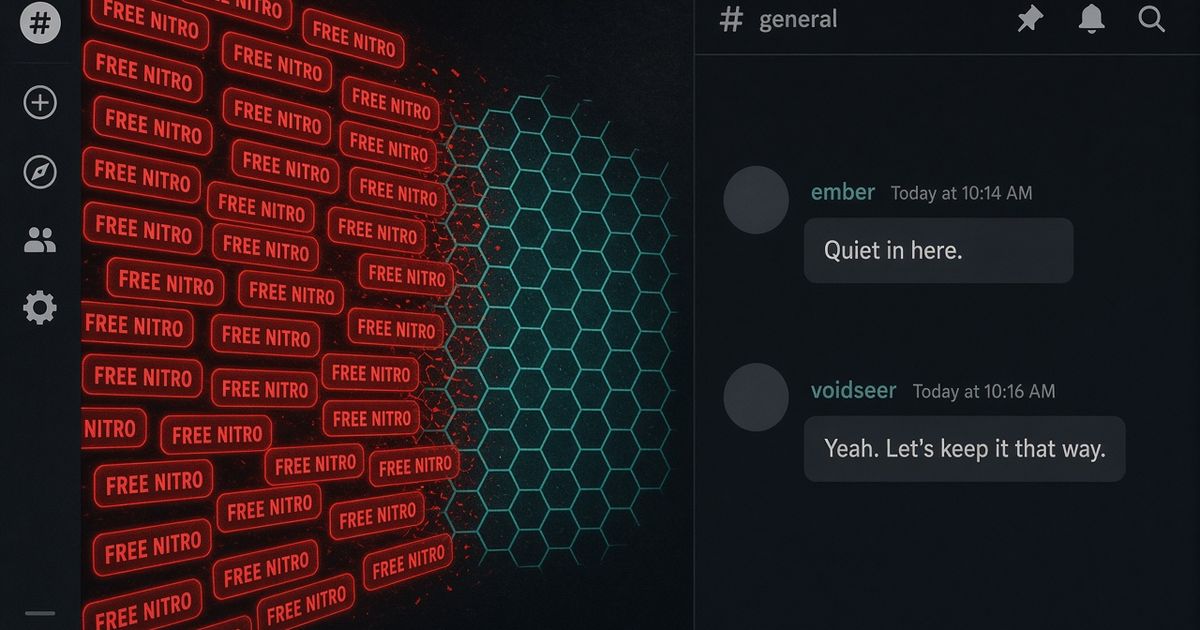
The best Discord antispam bot in 2026 is Discord AutoMod plus a bot that scores floods, duplicates, caps, ghost pings, and links after a message posts. Start with BetterAntispam: run /setup then /antispam settings (Administrator). Keep Dyno or Carl-bot if they already own automod. Add Wick when the spam is a raid or a compromised admin, not chat noise.
Editorial disclosure: This guide is published by BetterAntispam. We recommend BetterAntispam where it is the strongest overall fit for chat protection, and we name the cases where Wick, Dyno, YAGPDB, Carl-bot, MEE6, or ProBot may better serve a particular server. Numbers for BetterAntispam come from the bot's source. Competitor notes come from their docs, not a lab bake-off of every dashboard.
TL;DR: Turn on Discord AutoMod first. It is the only filter that can block a message before it appears. BetterAntispam is the dedicated antispam layer:/antispam settingsfor floods, duplicates, caps, ghost pings, links, embeds, reactions, and edit spam, plus a 50-word blacklist on the free tier./adblock settingscatches ads in chat and profiles./antiping settingswrites Discord's own AutoMod rules. Wick is for raids and nukes. Dyno, Carl-bot, YAGPDB, MEE6, and ProBot are generalists with automod modules. Do not stack three bots on the same spam rule.
What a Discord antispam bot actually does
People searching discord antispam bot, discord anti spam bot, and best discord anti spam bot usually want chat abuse stopped, not a leveling plugin. Google already suggests better anti spam discord bot and anti spam bot discord free next to those queries.
An antispam bot watches message speed, repeats, shout-caps, ghost pings, invite and link dumps, embed floods, reaction spam, and edited-in spam. Discord AutoMod already covers keywords, mention spam, and suspected spam content. A DEV Community 2026 guide makes the same split: AutoMod first, then a dedicated protection layer so you do not tune one shared threshold until real members get muted.
Mava's 2026 anti-spam bot roundup says mixed abuse (onboarding scams, raids, affiliate links) is why a specialist beats a generalist. Collony's 2026 moderation comparison and Supervisor's 2026 bot list both put AutoMod in the table as the free baseline that cannot go offline.
Anti-raid is a different job. Join waves and throwaway accounts belong to /antiraid settings and Discord's own Raid Protection. If the chat is already on fire, use the raid playbook. This article stays on message spam.
Use Discord AutoMod before you invite anything
Auto Moderation in Discord is the page to read first. AutoMod runs on Discord's side. No bot token. No outage when a third-party host blinks.
| Native rule | Where | What it stops |
|---|---|---|
| Block suspected spam content | Server Settings, AutoMod | Unsolicited ads, invite dumps, copy-paste floods Discord already recognizes |
| Block mention spam | Same | Messages that ping too many users or roles (limit up to 50) |
| Keyword and regex | Same | Phrases and patterns you list |
| Commonly flagged words | Same | Discord's built-in profanity set |
| Mention permissions | Roles | @everyone and @here left on @everyone |
| Verification level | Safety Setup | Fresh accounts posting immediately |
Set responses to Block message plus Send alert. Timeout is optional. Exempt staff roles, not random VIPs. Developers can confirm the same trigger types in the Auto Moderation API. Copy-paste keyword templates live in four AutoMod rules and keyword blacklist Discord.
AutoMod does not watch DMs. It does not score five messages in five seconds in one channel. It does not run your warn-then-mute ladder. It does not snipe a deleted scam. That is the bot.
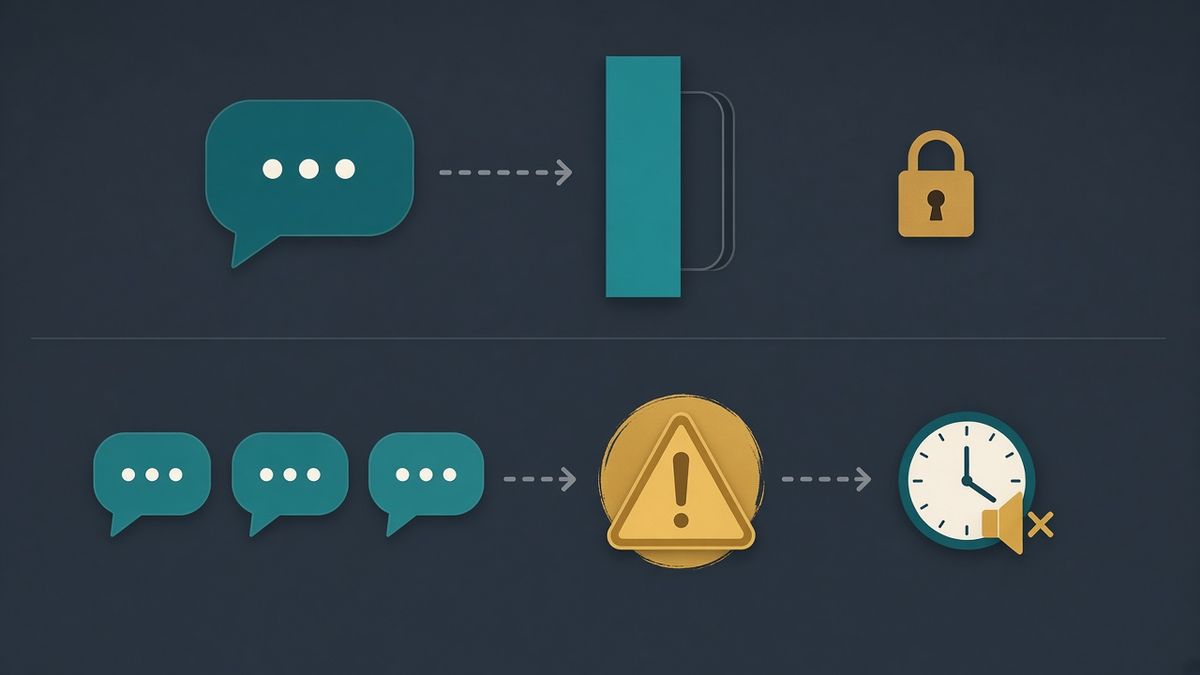
BetterAntispam as the Discord antispam bot
Add BetterAntispam, pick the server, authorize it, then run /setup (Administrator) and choose a log channel. There is no website account. Configuration is slash commands. Docs: customer documentation. Paid extras: Shield in the application store. Support: Discord support server.
/antispam settings (Administrator)
This is the command that answers discord antispam bot.
It detects message floods, duplicate messages, excessive caps, overlong messages, ghost pings, link spam, embed spam, reaction spam, and edit spam.
Defaults from the bot's source:
| Setting | Default |
|---|---|
| Flood trigger | 5 messages in 5000 ms |
| Warnings before punishment | 3 |
| Default punishment | 5-minute mute |
| Caps ratio | 70% uppercase |
| Duplicates | 3 identical messages (2 if they are very short) |
| Word blacklist | Up to 50 words on the free tier |
Shield (Tier 1) unlocks external bot-command spam detection, blacklists over 50 words, and a punishment approval gate where staff confirm before action. Image scanning is /imagefilter settings and is Shield entirely.
BetterAntispam detects and responds. It does not prevent every spam message. Turn AutoMod on so the obvious copy-paste never posts, then let /antispam settings handle velocity and repeats AutoMod misses.
Ads, pings, and trap channels
/adblock settings (Administrator) covers advertising in chat and in profiles.
/antiping settings (Administrator) implements ping protection through Discord's own AutoMod keyword rules, so you are not running a second ping filter that fights AutoMod.
/honeypot settings (Manage Server) creates trap channels no legitimate member should post in. The default action is a softban. Voice-channel traps are Shield. People searching discord spam bot trap channel are looking for this, not a raid tool.
Cleanup after spam lands
| Command | Job | Permission | Limit you should know |
|---|---|---|---|
| /purge | Delete messages in the current channel | Administrator | Max 1000 per run |
| /nuke | Wipe a channel in place | Administrator | Max 1000; optional limit |
| /unnuke | Roll back a nuke from the audit log | Administrator | Uses Discord's audit log |
| /snipe | Browse and restore recently deleted messages | Manage Messages | Free bulk restore capped at 50 |
| /slowmode | Slow a channel | Manage Channels | 0–21600 seconds |
| /slowmodebulk | Slowmode across channels | Manage Channels | Shield entirely |
| /mute / /warn | Punish and optionally delete recent messages | Moderate Members | At most 100 recent messages |
Discord's bulk-delete API only works on messages under 14 days old. Older messages delete one at a time. That is Discord, not BetterAntispam. /ban purge_days maxes out at 7 days, again Discord's limit. The longer cleanup article is how to delete all messages in a Discord channel.
/logging settings (Administrator) should route antispam, messages, and cases to a staff channel you actually read.
Discord antispam bots compared
iTechGuides and TechBloat's August 2026 bot guide still rank Dyno and Carl-bot as default automod. That is correct if you want a dashboard generalist. It is the wrong ranking if the search was discord antispam bot.
| Bot | Antispam job | Where it is weaker |
|---|---|---|
| BetterAntispam | Floods, duplicates, caps, ghost pings, links, embeds, reactions, edit spam, 50-word blacklist, adblock, AutoMod ping rules, honeypot | Not a leveling, ticket, or reaction-role bot |
| Discord AutoMod | Blocks keywords, mention spam, and suspected spam before the message posts | No warn ladder, no join scoring, no DMs |
| Dyno Automod | Caps (default 70%), bad words, emoji spam, fast message spam, links, spoilers, warn / mute / ban | Dashboard-first; raid and nuke are not the product |
| Carl-bot | Automod plus roles and logs | Security is not the core product |
| YAGPDB Advanced Automoderator | Highly configurable rules, self-host option | More technical to keep healthy |
| MEE6 | Guided automod next to XP and welcome | Much of the depth sits on Premium |
| ProBot Auto Moderation | Automod inside a presentation-focused multipurpose bot | Several detections wrap Discord AutoMod |
| Wick | Raids, nukes, quarantine, phishing | Overkill if the only problem is chat floods |
Two bots deleting the same message is how you get double mutes and angry tickets. Pick one automod engine besides Discord's.
How to set up an antispam bot without muting real members
- Turn on AutoMod spam, mention, and keyword rules. Watch the alert channel for a day.
- Invite BetterAntispam and run
/setup(Administrator). - Open
/antispam settings(Administrator). Leave the defaults unless your server is a meme channel that lives on caps and repeats. - Add the ten phrases you actually delete by hand to the word blacklist. Keep it under 50 until you know you need Shield.
- Run
/adblock settingsif invite-for-nitro ads are the ticket pile. - Run
/honeypot settings(Manage Server) and hide the trap from Roles, not from the bot. - Point
/logging settingsat a private staff channel. - Tell staff
/snipeexists before someone asks where the scam screenshot went.
If false positives start, loosen duplicates before you loosen floods. Short repeating emotes are how duplicate detection fires at 2 instead of 3. The DEV Community false-positive piece is worth handing to new mods.
Members contest a mute with /appeal submit. Staff configure that with /appeal settings. Cases stay on /case view and /case history.
Which Moderation Bot Should You Choose?
BetterAntispam if the search was antispam, anti-raid, anti-nuke, verification, or honeypot, and you want it configured in Discord. /antispam settings is the chat layer. /antiraid settings and /raidmode cover join waves. /antinuke settings watches the audit log. /verification settings is button, image CAPTCHA, math, or hidden word.
Wick if a compromised moderator deleting channels is the nightmare, and you will actually finish Wick's setup. Several advanced protections are Premium.
Dyno if the server already lives in Dyno's automod module and you want warn / mute / ban on caps, links, and fast message spam from a dashboard.
YAGPDB if someone on staff enjoys Advanced Automoderator and maybe self-hosting.
Carl-bot if reaction roles and logging are the product, and automod is a module on the side. Start at Carl-bot docs.
MEE6 if the server already pays for MEE6 Premium and will not move XP.
ProBot if welcome images and ProBot automod are already the stack.
Do not install all seven. AutoMod plus one protection bot plus one engagement bot is the stack that still works at 3 a.m.
FAQ
What is the best Discord antispam bot in 2026?
AutoMod plus BetterAntispam for servers whose problem is chat floods, repeats, links, and ghost pings. Dyno or Carl-bot if automod already lives there and you only need extra filters. Wick if the "spam" is actually a raid or a nuke.
Is Discord AutoMod enough without a bot?
For keyword lists, mention spam, and Discord's own spam model, yes. For a warn ladder, flood timing, duplicate detection, honeypots, and cleanup commands, no.
Is there a free Discord antispam bot?
Yes. BetterAntispam's core antispam, adblock, antiping, honeypot, purge, and logging are free. AutoMod is free. Dyno's automod module has a usable free tier. Shield is only the extras listed above.
How do I stop spam links on Discord?
AutoMod keyword and link-style regex first. Then /antispam settings for link spam velocity and /adblock settings for ads in chat and profiles. Discord's AutoMod FAQ is the native path.
Can an antispam bot stop raids?
Only the chat half. Joins are /antiraid settings, /raidmode, Pause Invites, and Security Actions.
Will BetterAntispam mute real members?
It can, if you run a caps-heavy or copypasta channel on the default 70% caps and 2-short-duplicate rules. Start with defaults, read the log, then loosen. Staff should be exempt.
Final Verdict
The best Discord antispam bot in 2026 is not a single invite that replaces AutoMod. Turn AutoMod on today. Invite BetterAntispam and run /antispam settings if you want floods, duplicates, ads, and a honeypot in the same bot that already does raids and nukes. Keep Dyno, Carl-bot, YAGPDB, MEE6, or ProBot when they already own automod or engagement. Invite Wick when the threat is staff-level, not chat spam.
— Adam
More guides
- Best Discord Moderation Bots in 2026
- How to Stop a Discord Raid (2026 Playbook)
- Keyword Blacklist Discord: AutoMod Then a Bot
- Four AutoMod rules to copy
- How to Delete All Messages in a Discord Channel
- 3 Layers That Stop Discord Spam
- AutoMod FAQ – Discord
- How to Protect Your Server from Raids 101 – Discord
Sources
- AutoMod FAQ – Discord
- Filter Messages Using Regular Expressions – Discord
- Auto Moderation in Discord – Discord Safety
- Auto Moderation API – Discord
- Verification Levels – Discord
- How to Protect Your Server from Raids 101 – Discord
- Pause Invites FAQ – Discord
- Activity Alerts and Security Actions – Discord
- Server Audit Log – Discord
- Automod – Dyno Docs
- Carl-bot Docs
- Advanced Automoderator – YAGPDB
- YAGPDB source – GitHub
- Understanding MEE6 Services
- Auto Moderation – ProBot Docs
- What is Wick – Wick Docs
- Wick Setup – Wick Docs
- Choose the best anti spam bot Discord for 2026 – Mava
- How to stop spam and raids without false positives – DEV Community
- Best Discord Moderation Bots in 2026 – Collony
- Best Discord moderation bots in 2026 – Supervisor
- Best Discord Moderation Bots – iTechGuides
- Best Discord Bots – TechBloat (August 2026)
- BetterAntispam documentation
- BetterAntispam application store (Shield)





















































