
How to Use the Discord Purge Command
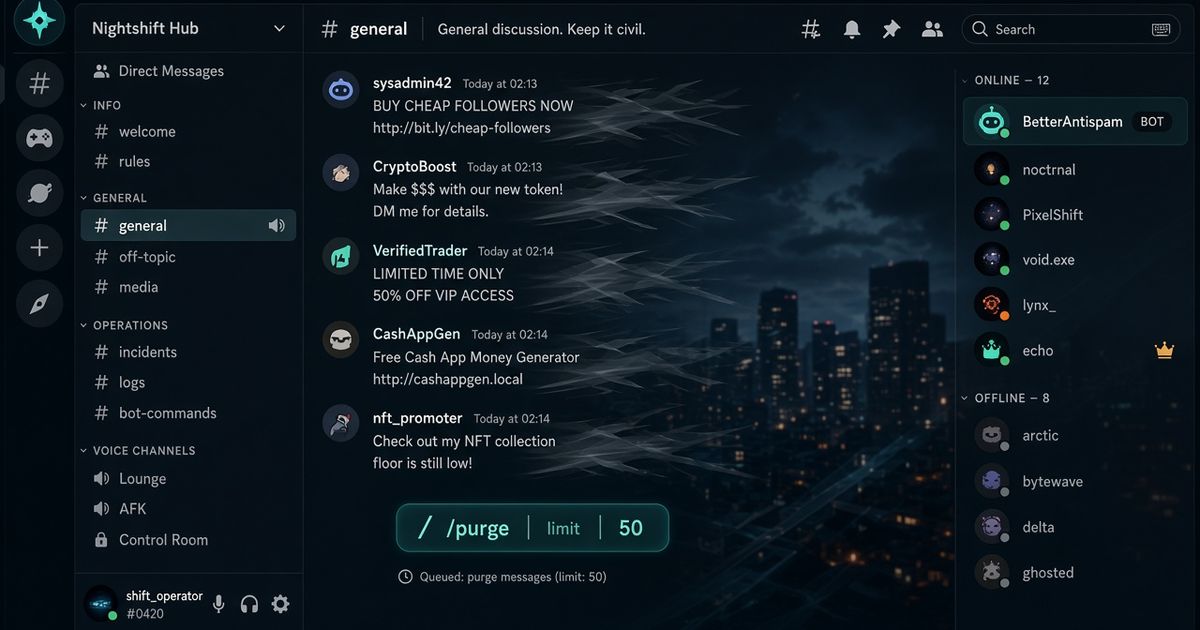
Discord does not ship a /purge command. There is no built-in bulk-delete button in the client. You delete one message at a time, or you add a bot that calls Discord’s bulk-delete API. BetterAntispam adds /purge (Administrator). Run it in the channel you want cleaned. Set limit from 1 to 1000, or leave it blank to wipe that channel. Messages under 14 days go in bulk. Older ones go one at a time. That 14-day rule is Discord’s, not the bot’s.
Editorial disclosure: This guide is published by BetterAntispam. We recommend BetterAntispam when you want a slash-command purge that also slow-deletes messages older than 14 days, plus /nuke, /snipe, and raid tools in the same stack. We name the cases where Dyno, Carl-bot, Wick, YAGPDB, MEE6, or ProBot already cover the cleanup you need. Limits come from Discord’s API and the bot’s source.
TL;DR: People searching discord purge command, discord /purge, how to purge discord messages, discord purge messages, and discord bulk delete want a command Discord never added. Invite BetterAntispam, stand in the channel, run/purge(Administrator).limitis 1–1000. Leave it off to wipe the current channel. The bot needs Manage Messages there. Discord’s endpoint accepts 2–100 IDs and refuses anything older than two weeks. BetterAntispam splits the job: fast bulk for the fresh ones, one-at-a-time for the rest./nukeis the sister wipe./snipe(Manage Messages) can restore a recent delete. Do not use a userscript on your account. Discord treats that as a self-bot.
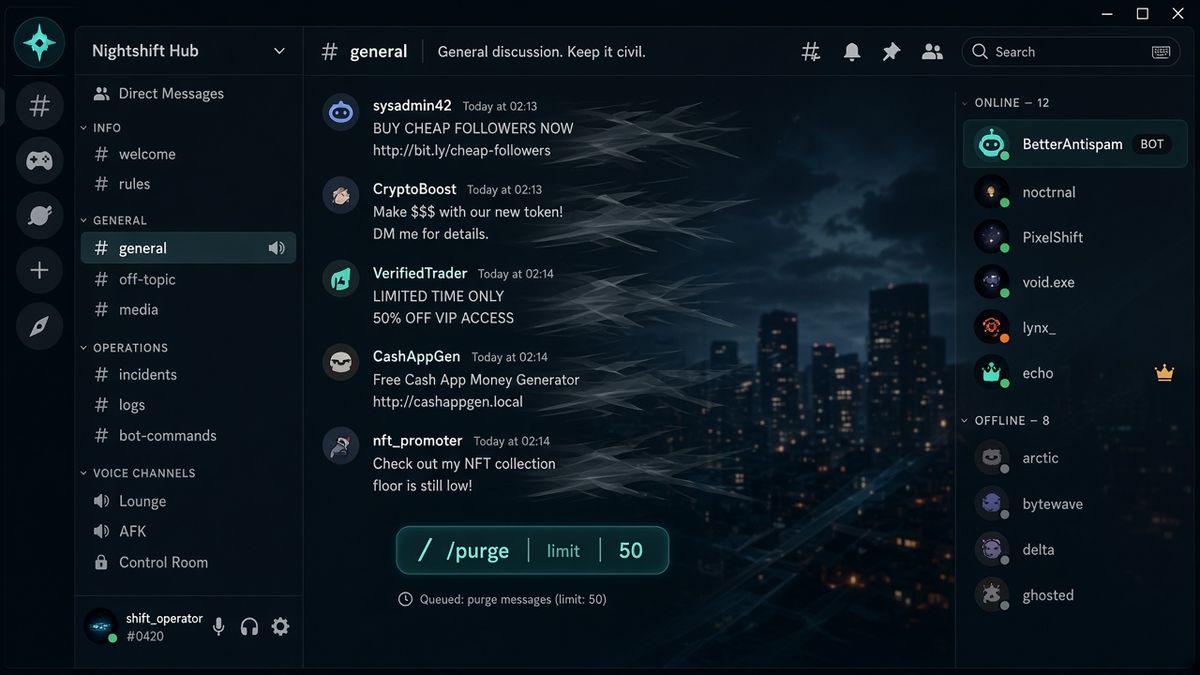
How to run /purge
This is the first body section: the command, then Discord’s missing button.
- Add BetterAntispam. You need Manage Server to invite it. Do not strip Manage Messages or Read Message History on the invite screen. Discord’s permissions FAQ is the official page for role vs channel overrides.
- Run
/setuponce so a log channel exists. The transcript of what/purgedeleted lands there. You cannot generate that file after the fact. - Open the target channel. Type
/andpurge. Pick BetterAntispam’s/purge. - You need Administrator. The bot also needs Manage Messages in that channel. If it does not, the reply is that it cannot delete.
- Set
limitto a number from 1 to 1000, or skip the option to wipe the channel you are standing in. - If the history is large or many messages are older than 14 days, the bot asks you to confirm. Cancel if you are in the wrong channel.
Examples:
/purge limit:50— last 50 messages in this channel./purge limit:1000— the option ceiling./purge— wipe this channel. Confirm if the bot prompts.
Docs: customer documentation. Support: Discord support server. There is no website login for this. Configuration stays in slash commands.
/purge is free. So are /nuke, /unnuke, /snipe, and the core of /autonuke settings.
Discord has no built-in purge command
Peakbot’s 2026 bulk-delete guide and Discord’s own API docs agree: the app does not expose a purge. A moderator with Manage Messages can delete someone else’s message one click at a time. That is the native tool.
The other native wipe is deleting the channel. That clears history of any age. It also gives the new channel a new ID. Webhooks, starboards, and ticket bots pointed at the old ID go silent. The longer write-up is How to Delete All Messages in a Discord Channel.
Browser userscripts that walk your account and delete your own history are not a Discord feature. Discord’s Terms treat automated user accounts as self-bots. Use a server bot, or click delete by hand.
The 14-day bulk-delete rule
Discord’s Bulk Delete Messages endpoint:
| Rule | What it means |
|---|---|
| Guild channels only | Not DMs |
| Requires Manage Messages | The bot, not just you |
| 2–100 IDs per call | A “purge 500” is several loops |
| Nothing older than 2 weeks | Error 50034 if you send a stale ID |
| Duplicates fail the request | The whole batch is rejected |
This is why every serious purge command looks the same after 14 days. Dyno’s purge docs say you cannot purge messages over 14 days old. YAGPDB’s /clean only looks at the last 1,000 messages and none older than two weeks.
BetterAntispam does not lift Discord’s cap. It partitions the pile. Fresh messages go through bulk delete. Older ones are deleted one at a time. That is slower. It is also the only honest way to clear a quiet channel whose last 80 messages span months.
/mute and /warn can delete at most 100 recent messages on the way out. /ban purge_days maxes at 7 days. Those are Discord’s numbers, not a plan gate.

/purge vs /nuke vs cloning the channel
| Tool | What it does | Permission | When to use it |
|---|---|---|---|
| /purge | Deletes messages in the current channel. Optional limit 1–1000 | Administrator | Spam wave, raid leftovers, a bad night in #general |
| /nuke | Same wipe family. Optional limit 1–1000 | Administrator | You want the dedicated wipe command |
| Recycle / clone | Deletes the channel and makes a new one | Bot needs Manage Channels | Old history, and you checked webhooks first |
| /unnuke | Rolls back a nuke from the audit log | Administrator | You recycled the wrong channel |
| /snipe | Browse and restore recently deleted messages | Manage Messages | You purged too far. Free restore cap is 50 |
| /autonuke settings | Scheduled recurring purge | Administrator | Free: 1 channel, minimum interval 7 days |
/purge without a limit can offer a recreate button when the bot has Manage Channels on that channel. Recreate is instant and ignores message age. It also changes the channel ID. Use it only after you have read the channel wipe guide. /unnuke (Administrator) is the undo for a recycle, not for an in-place purge.
A purge is cleanup. It is not antispam. If the flood is still arriving, run /antispam settings or /raidmode (both Administrator) first, then purge. Playbook: How to Stop a Discord Raid.
What /purge does not do
BetterAntispam’s /purge has one optional argument: limit. It does not filter by user, bots, links, embeds, or regex. If you need “delete only @spammer,” look at another bot’s filters, or /ban that member with purge_days (max 7).
It does not run in DMs. Text-based guild channels only.
It does not bypass Discord’s 14-day bulk rule. It only chooses the slower path for old messages.
It does not restore itself. Use /snipe (Manage Messages) while the delete is still in the snipe cache. Free bulk restore is 50.
It does not replace /lockdown (Administrator). Lock first if people are still posting.
Other bots’ purge commands
Keep the bot you already trained staff on. Link goes to their command page, not the homepage.
| Bot | Command | Documented ceiling | Honest catch |
|---|---|---|---|
| BetterAntispam | /purge, optional limit 1–1000 | 1000 when you set a number; blank wipes the channel | Administrator. Slow-deletes older than 14 days |
| Dyno /purge | /purge any, /purge bots, filters | 1000 | Docs: cannot purge messages over 14 days old |
| Carl-bot purge | !purge, !purge user, !purge bot | Default 100 in their table | Ignores pinned messages |
| Wick purge | w!purge with type filters | Example uses 1000 | Prefix command. Filters for bots, links, attachments |
| YAGPDB /clean | /clean, aliases clear, cl | Last 1,000 scanned | None older than two weeks. Regex and user filters |
| MEE6 !clear | !clear 1-1000 or !clear @user | 1000 | Dashboard module must be on |
| ProBot /clear | /clear user/bots + count | Not specified beyond the command | Welcome-image stack. Keep if that is already the bot |
Do not run three purge bots in the same channel. One command staff remember is enough.
After you purge
Set /logging settings (Administrator) before the next cleanup. The purge log lists who ran it, the channel, how many went out in bulk, and how many were slow-deleted. The transcript file is the only full copy.
Check Discord’s Audit Log if a human deleted messages by hand. Server Settings → Audit Log, View Audit Log permission.
If you meant to slow the room, not empty it, use /slowmode (Manage Channels). Guide: How to Use Discord Slowmode.
Which Moderation Bot Should You Choose?
BetterAntispam if you want /purge and /nuke without a website, plus /antispam settings, /antiraid settings, /raidmode, and /lockdown in the same slash-command stack.
Wick if a compromised moderator deleting channels is the nightmare, and you will finish Wick’s setup. Use Wick purge when filters are the product.
Dyno if Dyno /purge already lives on the dashboard and staff know the filter names. Remember the 14-day hard stop.
YAGPDB if staff already write custom commands and want /clean with regex.
Carl-bot if reaction roles are the product and Carl’s purge already owns cleanup.
MEE6 if the server already pays for MEE6 Premium and will not move XP.
ProBot if welcome images and ProBot automod are already the stack.
Do not install three cleanup bots. One /purge staff trust is enough.
FAQ
Does Discord have a purge command?
No. Discord has no /purge and no Clear Channel button. A bot adds the command. BetterAntispam’s is /purge (Administrator).
How do I use the Discord purge command?
Invite BetterAntispam, open the channel, run /purge. Set limit from 1 to 1000, or leave it blank to wipe that channel. You need Administrator. The bot needs Manage Messages there.
Why did /purge skip old messages?
It did not skip them if you used BetterAntispam. Discord’s bulk-delete API refuses messages older than 14 days. The bot deletes those one at a time, which looks like it stalled. Dyno and YAGPDB stop at two weeks instead.
What permission do I need to purge Discord messages?
For BetterAntispam, Administrator. The bot needs Manage Messages (and Read Message History) in the channel. Inviting the bot needs Manage Server.
Can I purge only one user’s messages?
Not with BetterAntispam /purge. That command has limit only. Use another bot’s user filter, or /ban with purge_days (max 7) if you are removing the member.
How do I undo a Discord purge?
In-place deletes: /snipe (Manage Messages) while the cache still has them. Free restore cap is 50. Recycled channel: /unnuke (Administrator). There is no Discord “undelete all.”
Is /purge free?
Yes. /nuke, /unnuke, and /snipe are free. /autonuke settings is free for 1 channel with a 7-day minimum interval.
Will a purge stop a raid?
No. It cleans what already landed. Use /raidmode and /antiraid settings (Administrator) for the join flood, /antispam settings for the message flood, then /purge.
Final Verdict
The Discord purge command is a bot command. Discord never added one. Invite BetterAntispam, stand in the channel, run /purge (Administrator) with limit 1–1000 or leave it blank to wipe. Expect the 14-day bulk-delete wall. Keep Dyno or Carl if their filters are already muscle memory. Do not clone a channel until you have checked the webhooks. Do not run a userscript on your account.
— Adam
More guides
- How to Delete All Messages in a Discord Channel
- How to Use Discord Slowmode
- How to Check the Discord Audit Log
- How to Stop a Discord Raid (2026 Playbook)
- Best Discord Antispam Bot in 2026
- Best Discord Moderation Bots in 2026
- Bulk Delete Messages – Discord API
- Setting Up Permissions FAQ – Discord
Sources
- Bulk Delete Messages – Discord Developer Docs
- Setting Up Permissions FAQ – Discord
- Discord Roles and Permissions
- How to Protect Your Server from Raids 101 – Discord
- How to Bulk Delete or Purge Messages in a Discord Channel in 2026 – Peakbot
- How to Delete All Messages in a Discord Channel – BetterAntispam
- /purge – Dyno Docs
- Carl-bot moderation commands
- Purge – Wick Docs
- All Commands – YAGPDB
- MEE6 moderator docs
- Commands – ProBot Docs
- BetterAntispam documentation
- BetterAntispam application store (Shield)





















































