
Best Discord Moderation Bots in 2026
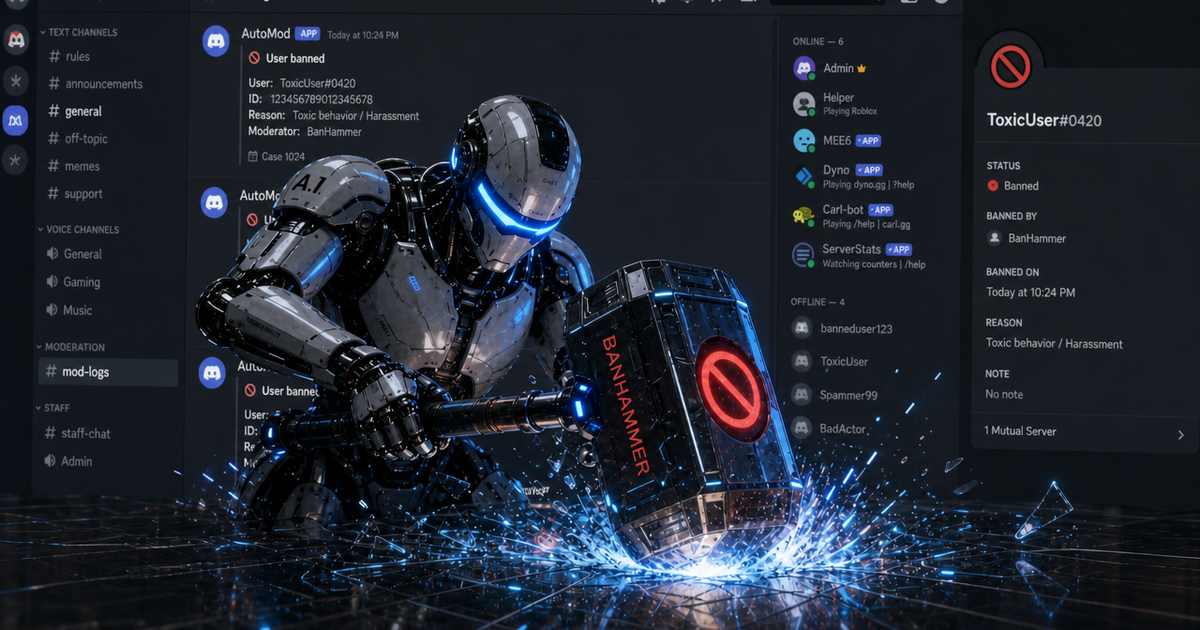
The best Discord moderation bot in 2026 is the one that covers the threat you actually have, not the one with the longest feature page. For spam, join raids, staff-account nukes, and new-member gates, BetterAntispam is the pick I would install first: free core protection, configured in Discord with /setup and /antiraid settings (Administrator). For leveling, reaction roles, or tickets, keep Dyno, Carl-bot, or MEE6. For a high-risk public server that already has a generalist, Wick is the usual specialist add-on.
I maintain BetterAntispam, so you should treat the recommendation as biased and check the comparison table yourself. The numbers below for our bot come from the code. Competitor notes are about what those products are known for, not a claim that we ran a lab test on every dashboard.
TL;DR: Discord AutoMod and Raid Protection are the first layer and they are free. BetterAntispam is the all-in-one protection bot:/antiraid settings,/antispam settings,/antinuke settings,/verification settings, and/honeypot settings. Dyno and Carl-bot are stronger as general automod and role tools. Wick is the usual anti-nuke specialist. MEE6 is still an engagement bot first. Do not stack five half-configured security bots.
In this guide
- What “best” means in 2026
- Use Discord’s built-in tools first
- Quick comparison
- BetterAntispam
- Dyno
- Carl-bot
- Wick
- MEE6
- How to choose
- Setup checklist
- What no bot can promise
- Sources
- FAQ
What “best” means in 2026
A Discord moderation bot has to do two jobs that are easy to mix up.
Chat abuse is floods, repeats, caps, ghost pings, invite spam, and scam links. Discord AutoMod already catches a lot of this if you turn it on.
Server attacks are join waves, unverified alts, decoy-channel scrapers, and a compromised moderator deleting channels or mass-banning. AutoMod does not watch the audit log for that. Most “best Discord bot” lists still score bots on leveling and welcome messages, which is why servers keep getting hit after they “already have a mod bot.”
If you searched for the best Discord moderation bot, you probably want the second job done without paying for a separate anti-raid bot, anti-nuke bot, and verification bot.
Use Discord’s built-in tools first
Discord’s raid guide is worth reading before you invite anything. Several native tools beat a third-party bot at their specific job.
| Native feature | Where | What it does |
|---|---|---|
| Pause Invites | Server Settings, Invites | Stops all joins without deleting your links |
| Security Actions | Server dropdown | Pauses invites and non-friend DMs, up to 24 hours |
| Verification Level | Safety Setup | Gates talk by email, account age, and time in server |
| Raid Protection | Safety Setup | Discord’s own join-raid detection and CAPTCHA |
| AutoMod | Safety Setup | Keyword and spam filters before a message posts |
| Report Raid | Server dropdown | Sends the incident to Discord Trust and Safety |
Details the help pages bury: Security Actions cap each pause at 24 hours, so do not set it and walk away for a week. Pause Invites, Security Actions, verification levels, and the AutoMod FAQ are the four pages I keep bookmarked.
A bot earns its place after that: join-rate rules you chose, a honeypot channel, staff-action watching, and cleanup commands. Mid-raid, do the native steps first. Do not stop to install software while accounts are still joining.
Quick comparison

| Bot | Best for | Anti-spam | Anti-raid | Anti-nuke | Verification | Free path |
|---|---|---|---|---|---|---|
| BetterAntispam | Protection in one invite | Yes | Yes | Yes | Yes, plus honeypot | Yes, core systems free |
| Discord AutoMod | Baseline keyword and spam rules | Yes | No | No | No | Built in |
| Dyno | General automod, logs, tickets | Yes | Limited | No | No | Yes, extras paid |
| Carl-bot | Roles, automod, logging | Yes | Limited | No | No | Yes, extras paid |
| Wick | High-risk anti-nuke / join gates | Yes | Yes | Yes | Yes | Yes, advanced paid |
| MEE6 | Leveling and community tools | Yes | Limited | No | No | Yes, deeper mod paid |
“Limited” here means the product is not built around that threat. Several of these bots have a lockdown or a join filter. That is not the same as join-rate detection that auto-scales with server size, a CAPTCHA gate, and a separate /raidmode switch.
BetterAntispam
Add BetterAntispam, pick the server, authorize it, then run /setup (Administrator) and choose a log channel. There is no website account and no dashboard login. Configuration is slash commands that open a settings panel.
If you are being raided right now and the bot is already in the server, run /raidmode enable (Administrator). Default punishment is a kick. You can set ban or mute, delay it with enable_after, and optionally DM members. That is the panic switch. The always-on detector is /antiraid settings.
Anti-raid
/antiraid settings (Administrator) watches join speed and how suspicious each account looks.
Join-rate detection auto-scales with server size. Under 50 members, 3 joins in 10 seconds is worth noticing and 5 is a strong signal. Thresholds rise through tiers up to 100k+ member servers. With auto-scale off, the manual default is 5 joins in 10 seconds. Suspicion scoring has three presets: 4 (strict), 6 (balanced), 8 (lenient). The CAPTCHA gate defaults to 120 seconds (10–600). Fail or time out and the account is removed.
Actions you can attach: kick, ban, mute, automatic lockdown, DM the member, log it. It also looks for raid phrases and invite links in profiles. Similar-username detection and custom suspicion weights are Shield (Tier 1).
For the minute-by-minute native sequence, use the raid playbook.
Anti-spam
/antispam settings (Administrator) covers floods, duplicates, caps, overlong messages, ghost pings, link spam, embed spam, reaction spam, and edit spam.
Defaults: 5 messages in 5000ms triggers; 3 warnings before punishment; default punishment is a 5-minute mute. Caps fire at a 70% uppercase ratio. Duplicates need 3 identical messages (2 if they are very short). The free word blacklist caps at 50 words. Shield adds external bot-command spam detection, larger blacklists, and a staff approval gate before punishment.
Anti-nuke

/antinuke settings (Administrator) watches the audit log for a compromised or malicious staff account: mass channel or role deletion, mass bans, webhook creation, permission grabs. It can quarantine, ban, kick, strip roles, and revert the changes. Free toggles default on. This is a different problem from a join raid. See how admins lock role hierarchy if the threat is a staff account, not a join wave.
Verification and honeypots
/verification settings (Administrator) has four modes: button (default), image CAPTCHA, math, and hidden word. It grants a role on success, can kick on failure or timeout, and can block accounts under a minimum age. Members run /verify. Staff can /force verify or /bypass.
/honeypot settings (Manage Server) creates trap channels no legitimate member should post in. Default action is a softban. Voice-channel traps are Shield.
Cleanup and staff tools
| Command | What it does | Permission |
|---|---|---|
| /nuke | Wipes a channel, optional limit 1–1000 | Administrator |
| /purge | Deletes messages in the current channel, 1–1000 | Administrator |
| /unnuke | Rolls back a nuke from the audit log | Administrator |
| /lockdown | Locks a channel; lock-all / unlock-all are Shield | Administrator |
| /serverlock | Locks the whole server; password mode is Shield | Administrator |
| /snipe | Browse and restore recently deleted messages | Manage Messages |
| /ban, /tempban, /kick, /mute, /warn | Normal staff actions with cases | matching Discord perms |
Discord’s own limits still apply: bulk delete only works on messages younger than 14 days, /purge and /nuke cap at 1000 per run, and /ban purge_days maxes at 7 days. Those are Discord’s rules, not ours. The channel wipe guide covers the 14-day rule in detail.
Shield is sold inside Discord at the application store. Docs live at the customer documentation. Questions go to the support server.
Dyno
Dyno is the established generalist: AutoMod-style filters, moderation commands, logs, cases, appeals, lockdowns, and tickets. If your staff already lives in Dyno’s dashboard and you mainly need day-to-day automod, it is a reasonable default.
It is not a dedicated anti-nuke bot, and it is not built around join-rate detection that scales with server size. Pairing Dyno with Discord Raid Protection is fine. Pairing Dyno with a second bot just for raids and nukes is how servers end up with two log channels and no one sure which tool fired.
Carl-bot
Carl-bot is the usual pick when reaction roles, triggers, and detailed logging matter as much as automod. Plenty of large servers run it as the “roles and logs” bot.
Treat it the same way as Dyno for security: useful automod, not a replacement for anti-nuke or a verification gate. If you already have Carl-bot, add a protection bot rather than turning Carl-bot into one.
Wick
Wick is the specialist people name for anti-nuke and aggressive join gates. High-risk public servers often run Wick next to a generalist. Configuration is heavier than a /setup wizard, and the advanced protections are commonly paid.
If your threat model is “a compromised admin can delete the server,” Wick belongs on the shortlist. If your threat model is “we need spam, raids, nukes, verification, and honeypots from one invite, configured in Discord,” BetterAntispam is the shorter path.
MEE6
MEE6 is still the bot people add for leveling, welcome messages, and a familiar dashboard. Automod exists. Deeper moderation and management features sit behind Premium more often than owners expect.
Use MEE6 if engagement is the job. Do not use it as your only raid or nuke defense. The earlier “MEE6 has no anti-raid” talking point from old listicles is too blunt for 2026, but the product is still not a security bot.
How to choose
- List the threat: chat spam only, join raids, staff nukes, scam DMs, or all of them.
- Turn on Discord AutoMod, Raid Protection, and a sensible verification level first.
- Prefer one protection bot over three overlapping security bots.
- Keep your engagement bot if you already rely on it for XP or reaction roles.
- Require a free path for core protection if the server is small.
- Test raid response on a staging server before you trust it on the main invite.
If the answer to step 1 is “all of them,” start with BetterAntispam, then decide whether Wick or a generalist is still worth a second invite.
Setup checklist
- Invite BetterAntispam and confirm slash commands appear.
- Run
/setupand point logs with/logging settings. - Run
/scanto catch dangerous @everyone overwrites and other bots holding Administrator. - Open
/antiraid settingsand leave auto-scale on unless you have a reason not to. - Open
/antispam settings. Defaults (5 messages / 5000ms, 3 warnings, 5-minute mute) are a sane start. - Confirm
/antinuke settingstoggles are on. - If the invite is public, enable
/verification settings. - Optional:
/honeypot settingson a channel you never advertise. - Keep Discord AutoMod on as a second layer, including
/antiping settingsif pings are the problem.
For a confirmed raid that already started, /raidmode enable first, then clean up. For a safe mass-ban workflow after the wave, see the six-step mass ban guide.
What no bot can promise
No bot prevents every attack. BetterAntispam detects and responds. Burst-based join detection can miss a slow trickle. Anti-nuke depends on Discord’s rate-limited audit log. /raidmode is an in-memory switch and does not survive a bot restart. /purge cannot bulk-delete messages older than 14 days.
If a guide tells you otherwise, the author has not run a server through a real incident.
— Adam
Add BetterAntispam when you want the protection stack in one invite. Keep Dyno, Carl-bot, or MEE6 if they already run your roles or XP. Read the raid playbook if you need the native 60-second sequence more than a bot comparison.
Sources
- How to Protect Your Server from Raids 101 – Discord
- Pause Invites FAQ – Discord
- Activity Alerts and Security Actions – Discord
- Verification Levels – Discord
- AutoMod FAQ – Discord
- BetterAntispam documentation
- BetterAntispam application store (Shield)
FAQ
What is the best Discord moderation bot in 2026?
For protection (spam, raids, nukes, verification, honeypots), BetterAntispam. For reaction roles and a general automod dashboard, Carl-bot or Dyno. For anti-nuke on a high-risk public server, Wick. For XP and welcomes, MEE6. “Best” depends on the job.
Is Discord AutoMod enough?
It is enough for keyword and basic spam rules on a quiet server. It is not anti-raid join-rate control and it is not anti-nuke. Growing public servers pair AutoMod with a dedicated protection bot.
What is the difference between anti-raid and anti-nuke?
Anti-raid targets mass joins and coordinated spam from new or throwaway accounts. Anti-nuke targets destructive staff-level actions: mass channel deletes, mass bans, webhook spam, permission grabs. You want both if the invite is public and anyone on staff has Administrator.
Do I need a separate verification bot?
Not if the protection bot already includes it. BetterAntispam has /verification settings with button, image CAPTCHA, math, and hidden-word modes.
Can BetterAntispam replace MEE6 and Dyno?
For server protection, yes, that is the point. For leveling, reaction roles, or tickets, keep the bot you already trained your members on. Stacking three security bots is the thing to avoid, not keeping one engagement bot.
Is BetterAntispam free?
Core antiraid, antispam, antinuke, verification, honeypot, adblock, selfbot detection, lockdown, moderation, and logging are free. Shield unlocks image filter, bulk slowmode, lock-all, serverlock passwords, similar-name raid detection, custom suspicion weights, extra self-bot detectors, voice honeypots, and higher /snipe and /autonuke limits.





















































