
Server Owners, Lock Role Hierarchy and Enforce 2FA to Block Discord Nukes


A server nuke is a fast, deliberate attack: mass channel deletion, role stripping, permission abuse, or bulk banning, usually pulled off in under a minute by a compromised staff account or a malicious insider. Stopping one comes down to four moves you can make today: cut your Administrator count to the bare minimum, force 2FA on every staff account, raise your verification level, and add a dedicated anti-nuke bot. If an attack does start, your job shifts to lockdown and evidence collection, which the incident response section below covers in detail.
TL;DR: - Keeping the Administrator role limited to trusted accounts reduces the risk of full server compromise during an attack. - Enforcing two-factor authentication on all staff accounts makes it harder for attackers to leverage stolen passwords. - Deploying a dedicated anti-nuke bot that monitors permission changes and triggers auto-lockdown provides real-time defense against mass destructive actions. - Raising the verification level prevents automated raid bots from joining instantly, giving servers more time to detect and respond. - Regularly reviewing audit logs and conducting monthly admin audits help identify vulnerabilities before an attack occurs.
Table of Contents
- What Anti Nuke Discord Attacks Actually Look Like
- Discord Settings That Stop a Nuke Before It Starts
- Bot Defenses: What to Enable and Why
- Permission Hygiene and What to Do During an Attack
- Why Layered Defenses Beat Any Single Tool
- Add an Automated Layer With Betterantispam
- Sources
- FAQ
What Anti Nuke Discord Attacks Actually Look Like
Attackers rarely improvise. They follow a script: delete every channel in seconds, strip or rename roles, mass ban the member list, then hijack the vanity URL to redirect your community's invite link somewhere hostile. Some skip destruction entirely and blast every member with scam DMs before anyone notices.
Most of these attacks trace back to one of four entry points:
- A compromised staff or moderator account, often through a phished login or reused password
- A malicious insider, someone you trusted with a role who turns on the server
- An automated raid bot exploiting a permission gap or an unsecured webhook
- A leaked bot token that hands an attacker the same access the bot has
The legal exposure here is real, not theoretical. Unauthorized destructive action against a server can qualify as intentional damage to a "protected computer" under the Computer Fraud and Abuse Act, a federal law that carries multi-year sentences for first offenses and considerably harsher penalties for repeat or aggravated cases. That is worth knowing before you decide whether an incident is worth reporting.
Discord Settings That Stop a Nuke Before It Starts
Discord's own controls do more heavy lifting than most admins realize, and none of them cost anything. Work through these in order:
- Force 2FA for every staff role. Go to Server Settings, then Safety Setup, and require two-factor authentication for moderation actions. A stolen password alone won't be enough to touch your server.
- Raise your verification level to High. Discord's own guidance notes that High verification imposes a minimum account age and membership duration, commonly cited around 10 minutes, which stalls automated raid bots that try to join and act instantly.
- Audit who holds Administrator. Every extra admin is another account an attacker can compromise to unlock everything. Most communities need just a few administrators, not a large number.
- Fix your role hierarchy. Roles further up the list can act on roles below them, never the reverse. Your moderation bot's role needs to sit above every staff role it might need to restrict.
- Check your audit logs weekly. Permission changes, role edits, and bulk actions all show up there. Restrict which integrations and third-party apps can touch your server, and revoke anything you don't recognize.
- Run a dry test. Create a throwaway test channel, then simulate a permission change on a low-tier test role to confirm your audit log actually catches it before you rely on it during a real incident.
Pro Tip: Schedule a 15-minute admin audit on the same day every month. Attacks succeed most often against servers where nobody remembers who has what access anymore.
Bot Defenses: What to Enable and Why
Discord's native settings slow an attacker down. A dedicated anti-nuke bot is what actually stops them mid-action, because it can detect and reverse destructive behavior in real time, something no manual moderator can do fast enough.
The features that matter most:
- Permission-change monitoring, which flags or auto-reverts unauthorized role and permission edits the moment they happen
- Action rate limits, which cap how many channels, roles, or bans an account can touch per minute, tripping a lockdown if that threshold is crossed
- Mass-join and raid detection, which flags a sudden spike in new accounts joining within seconds of each other
- Auto-lockdown, which can freeze @everyone permissions and pause invites the instant a threshold is breached
- Channel and role restore tools, which rebuild what was deleted from a recent snapshot
- Verification gates, using CAPTCHA, button confirmation, math checks, or word puzzles to filter bots before they can act
Set rate limits conservatively at first. A common starting point is flagging any account that deletes or creates more than a few channels within a short window, then tightening or loosening based on your server's normal activity. Test webhook alerts in a private staff channel before you need them for real, so you know moderators actually see the notification the moment it fires.
Servers using automated anti-spam bots often report a sharp drop in spam incidents once automatic detection and channel clean-up are active, since the bot removes the manual grind of catching and banning every wave by hand.
Pro Tip: Test your lockdown command on a low-traffic hour, not during your busiest event. You want to know how it behaves before your members do.
One limitation applies to every anti-nuke bot on the market: it cannot act against an account holding a role equal to or higher than its own. If your bot sits below your Owner or a rogue Administrator in the role list, it is powerless to stop them. Placement in the hierarchy isn't a configuration detail; it's the whole defense.

Permission Hygiene and What to Do During an Attack
Good hygiene prevents most incidents before they start. Keep the Administrator permission reserved for accounts you would trust with the literal keys to the server, and push everything else, ban management, channel creation, role assignment, into narrower, purpose-built roles instead.
If an attack is already underway, work through this fast:
- Lock @everyone permissions immediately to stop further damage from spreading.
- Revoke or suspend any role that looks compromised, starting with whichever role the attacker is using.
- Trigger your bot's lockdown command to freeze invites and mass actions server-wide.
- Disable third-party integrations and webhooks until you've confirmed which one was the entry point.
Once the bleeding stops, shift to evidence collection:
- Enable Developer Mode so you can copy user and server IDs directly.
- Screenshot or export the audit log before it rotates out.
- Note exact timestamps for every deleted channel, banned user, and permission change.
Recovery comes next: restore channels and roles from a backup or your bot's cleanup tools, rotate every bot token and webhook URL touched during the incident, and re-check your role hierarchy so your moderation bot sits above staff roles going forward. If the damage was severe or criminal intent is clear, Discord's Trust & Safety team provides a process for working with law enforcement, including Emergency Disclosure Requests for serious cases. That step matters more than most admins assume, since documented incidents strengthen both takedown requests and any legal follow-up.
Why Layered Defenses Beat Any Single Tool
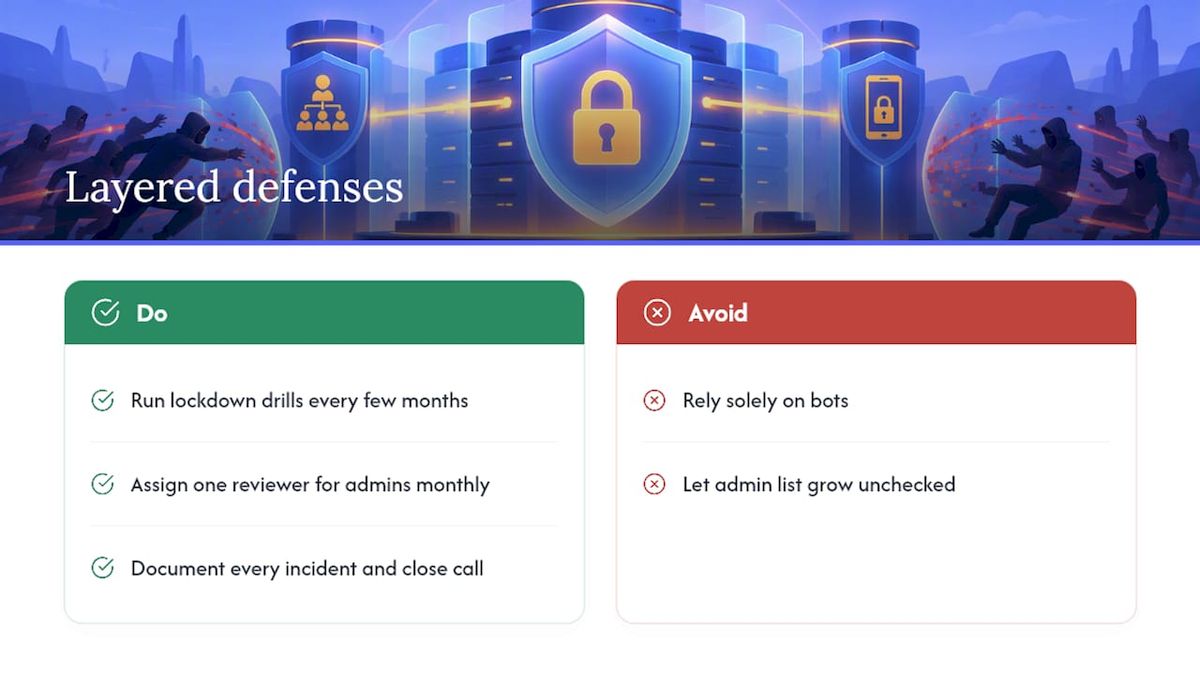
Bots stop a lot of damage, but they can't fix a compromised Owner account or a moderator who decided to turn on the community they helped build. Human account security and a clean role hierarchy are still your first line of defense, not your bot.
Run a lockdown drill every few months, the same way you'd test a fire alarm. Assign one person to review Administrator holders on a set schedule, monthly is reasonable for most servers, so the list never quietly grows unchecked. Write down what happened after every real incident, even a small one. Servers that document their close calls fix the actual gap; the ones that don't tend to get hit the same way twice.
— Adam
Add an Automated Layer With Betterantispam
Manual moderation catches problems after they've already happened. Dedicated anti-nuke bots are built to catch incidents while they're happening; permission-change monitoring can flag unauthorized role edits before they spread, auto-lockdown can freeze @everyone permissions when thresholds are breached, and channel clean-up tools help rebuild quickly once the immediate threat is contained.

Manual controls work fine for small, tightly trusted servers where you personally know every Administrator. Once your staff list grows past a handful of people, or you're running events with unpredictable member spikes, a bot layer closes gaps a human moderator simply can't watch for around the clock. Some anti-spam bots add spam-wave detection, scam and NSFW filtering, and flexible verification gates, CAPTCHA, button, math, or word puzzle, on top of anti-nuke features.
Set it up on a staging or low-traffic channel first, run through a lockdown test, and confirm the alerts reach your moderation team the way you expect. You can review setup details and get started directly on the Betterantispam product page.
Sources
- 18 U.S.C. § 1030 — Fraud and related activity in connection with computers (CFAA)
- Verification Levels — Discord Support
- Working with law enforcement — Discord Safety
FAQ
What Is Anti Nuke on Discord?
Anti-nuke refers to the settings, bots, and procedures that detect and stop mass destructive actions, like channel deletion, mass bans, or role hijacking, before they wreck a server. It combines Discord's native controls (2FA, verification levels, role hierarchy) with dedicated bots like Betterantispam that monitor permission changes and lock down suspicious activity in real time.
Is Discord Server Nuking Illegal?
Yes, in many cases. Unauthorized destruction of a server can qualify as intentional damage to a protected computer under the Computer Fraud and Abuse Act, with penalties that scale up for repeat or aggravated offenses.
How Do I Prevent Nukes on Discord?
Limit your Administrator role to a handful of trusted accounts, enforce 2FA for all staff, and raise your verification level to slow automated bots. Layer that with an anti-nuke bot that monitors permission changes and can auto-lockdown the server if it detects mass deletions or bans.
Which Discord Anti-Nuke Bot Is the Best?
No bot works well without proper role hierarchy, since a bot can't act against an account with equal or higher permissions. Some bots cover core anti-nuke features such as permission monitoring, auto-lockdown, and channel clean-up, alongside spam and scam detection, providing a comprehensive option for many communities.
What Should I Do Immediately After a Nuke Attack?
Lock @everyone permissions, revoke the compromised role, and trigger your bot's lockdown command to stop further damage. Then enable Developer Mode to collect user IDs, save your audit log, and restore channels from backup before rotating any exposed tokens.





















































