
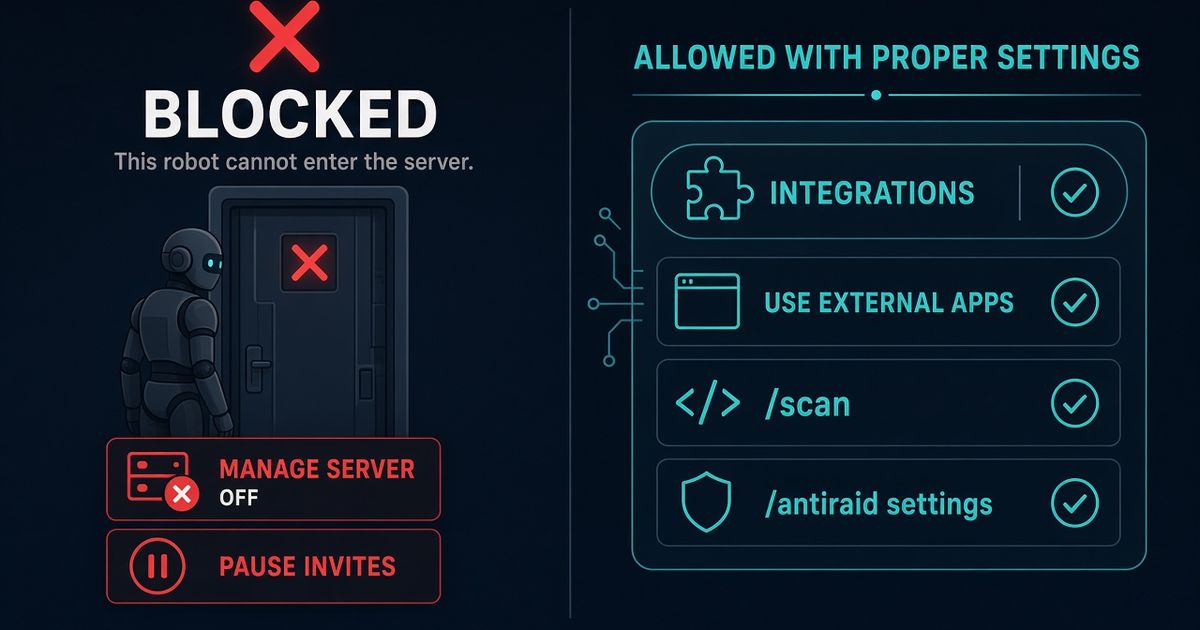
Two different problems share this search. Unauthorized Discord apps join because someone with Manage Server clicked Authorize. Scripted member accounts join through an invite. Strip Manage Server from roles you do not trust. Kick unknown bots from Server Settings → Integrations. Deny Use External Apps so members cannot run user-installed apps in the server. Pause Invites if accounts are flooding in. BetterAntispam /scan (Administrator) lists bot roles with dangerous permissions. /antiraid settings watches join rate. I maintain this bot. It cannot stop an install you already approved.
Editorial disclosure: This guide is published by BetterAntispam. We recommend BetterAntispam when you want a bot audit, join-rate detection, and a verification gate in one slash-command stack. Native Discord tools come first. App rules come from Discord’s support articles. Command names come from the bot’s source.
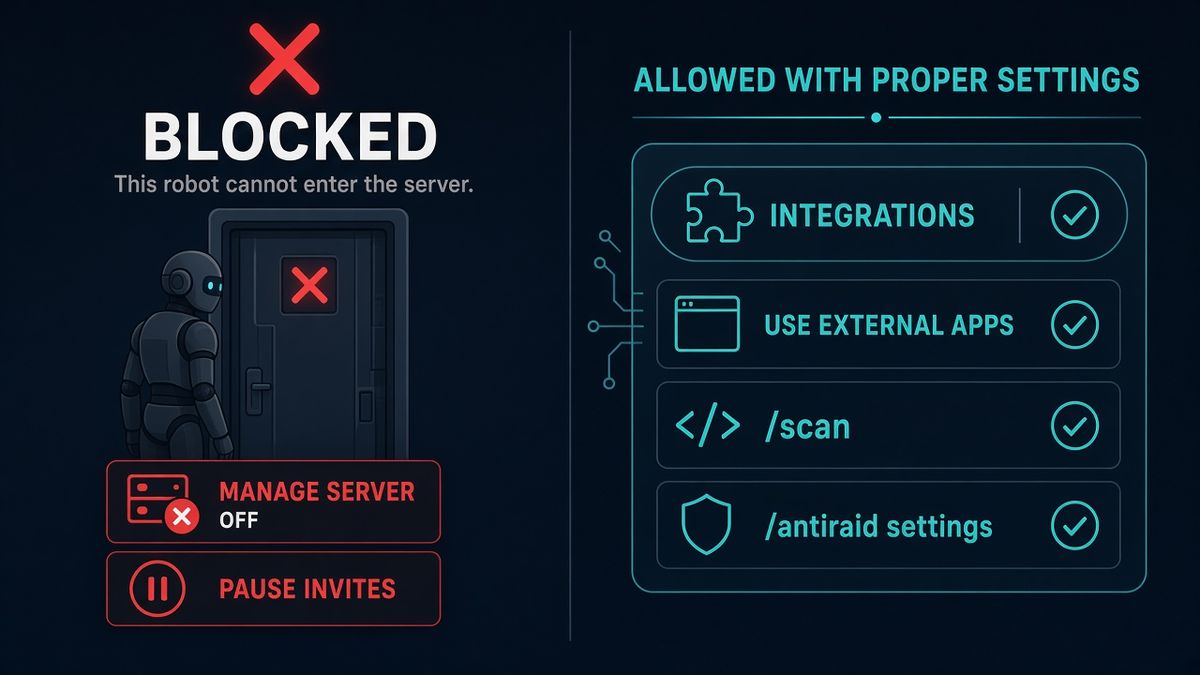
How to stop bots from joining a Discord server
This is the first body section: native locks, then the commands.
- Open Server Settings → Roles. Remove Manage Server from every role that should not invite apps. Discord’s how to add apps page is explicit: you need Manage Server or you must be the owner. That is the install valve.
- Open Server Settings → Integrations. Kick any bot you did not mean to keep. Discord’s server integrations page and moderating apps article cover the same list. You can also right-click the bot in the member list and kick it if you have Kick Members.
- Open Server Settings → Roles → Apps Permissions (wording can show as Use External Apps). Deny it for
@everyoneand for any role that should not run user-installed apps. Discord still lets those apps reply privately to the member. Public posts in your channels stop. - If the “bots” are throwaway user accounts, open Server Settings → Invites → Pause Invites (Manage Server). Existing links stay. New joins stop. Official FAQ: Pause Invites.
- Raise Verification Level to High or Highest. High is a ten-minute wait in this server. Highest is a verified phone. Guide: Discord verification level.
- Add BetterAntispam (Manage Server to invite). Run
/setup(Administrator), then/scan(Administrator). Read the bot section. Kick anything/scanflags that you do not recognize. - Run
/antiraid settings(Administrator) if the problem is a join flood, and/verification settings(Administrator) if you want a human gate after they are in. The verification master toggle defaults off.
Docs: customer documentation. Support: Discord support server. Core scan, antiraid, and verification are free. Shield is sold in the application store.
A live join flood is a different first minute: how to stop a Discord raid. Permission grants that already went wrong: Discord permissions explained.
Two ways a “bot” gets in
Search results mash these together. The fix is not the same.
| What joined | How it got in | First lock | BetterAntispam |
|---|---|---|---|
| A Discord app / bot account | Someone with Manage Server authorized it | Strip Manage Server, review Integrations | /scan (Administrator) |
| A user-installed “external app” | A member ran an app installed on their account | Deny Use External Apps | /scan will not remove it; Discord’s role toggle will |
| Scripted user accounts | An open invite, vanity URL, or Discovery | Pause Invites, raise verification level | /antiraid settings, /raidmode (Administrator) |
| A bot that already has Administrator | It was invited earlier and never kicked | Kick it, then cut the role | /scan, then /antinuke settings |
You cannot “block all bots” with one switch. Discord has no global “no apps ever” checkbox. Manage Server is that checkbox for server apps. Pause Invites is that checkbox for member joins.
Discord caps servers at a finite integrations list. If the list is full, new apps cannot be added until you remove one. That is a side effect, not a policy.
Kick the apps already inside
Server Settings → Integrations is the roster. Kick is enough. You do not need to delete the bot’s role first. The role usually vanishes with the app.
Check the bot’s role before you kick it if it held Administrator, Manage Webhooks, or Manage Roles. Someone may have copied those flags onto a human role. /scan lists those flags on roles even after you are staring at the member list.
If the app is deleting channels or mass-banning while you read this, treat it as a nuke, not a join. Run /antinuke settings (Administrator) if BetterAntispam is already in and its role sits above the rogue bot. Longer guide: best Discord anti nuke bot.
Do not stack three security bots “just in case.” Every extra Administrator bot is another token that can wipe you.
Stop scripted accounts at the invite
Self-bots and join-raid scripts arrive as users. They do not show up under Integrations.
Work Discord’s raid 101 order:
- Pause Invites.
- Pause DMs with Security Actions if they are sliding into members.
- Raise Verification Level.
- Then
/raidmode enable(Administrator) if BetterAntispam is already invited. Default punishment is kick.
After the wave, leave /antiraid settings on. Under 50 members, 3 joins in 10 seconds is worth noticing and 5 is a strong signal. At about 10,000 members the auto-scale lines are 15 (watch) and 25 (always treat as a raid) in 10 seconds. With auto-scale off, the manual default is 5 joins in 10 seconds.
/verification settings is a gate for people already in, not a join-rate valve. Pair it with antiraid. Product page: verification. Optional later: /honeypot settings (Manage Server) for a trap channel no real member should post in. Guide: how to make a honeypot channel.
What /scan will and will not do
/scan (Administrator) reviews protections, role risks, webhooks, and recent activity. On bots it flags a combination of Administrator, unverified, and joined in the last 72 hours when at least two of those are true. Bot roles holding Administrator, Manage Server, or the rest of the dangerous list still appear in the role-permission section even when the extra “risky bot” line stays quiet.
It will not:
- Block the next Authorize click. Only Manage Server does that.
- Pause invites. That is Discord’s Invites tab, or
/serverlock(Administrator) if you want the bot to hold the door. - Kick a bot for you. You still use Integrations or a member-list kick.
Honest limit: if a trusted admin’s token is stolen, the thief still has Manage Server. 2FA for moderation and fewer Administrators are the rest of that job. Discord permissions explained is the companion page.
FAQ
How do I stop people from adding bots to my Discord server? Take Manage Server off every role that should not invite apps. Only the owner and a tiny admin role should keep it. Discord requires Manage Server (or owner) to add a server app.
How do I remove a bot from my Discord server? Server Settings → Integrations → the app → kick. Or kick the bot from the member list if you have Kick Members.
What is Use External Apps? A role permission for apps a member installed on their own account. Deny it to hide those public posts in your server. Private replies to that member can still go through. Official page: moderating apps.
Does Pause Invites stop Discord bots? It stops new member joins, including scripted accounts. It does not stop someone with Manage Server from authorizing a new app.
Can BetterAntispam block every bot invite? No. Discord does not give apps a switch that revokes Manage Server on other people. /scan reports what is already in. /antiraid settings watches user joins. You still own the Roles tab.
Are self-bots the same as Discord apps? No. Self-bots are user accounts running scripts. They violate Discord’s terms. Treat them as a raid: Pause Invites, raise verification level, /antiraid settings. They will not appear under Integrations.
Core is free · Administrator
Ready to lock who can add bots?
Invite BetterAntispam, run /setup, then /scan. Pair /antiraid settings if the “bots” are actually join floods.