
How to Make a Honeypot Channel in Discord
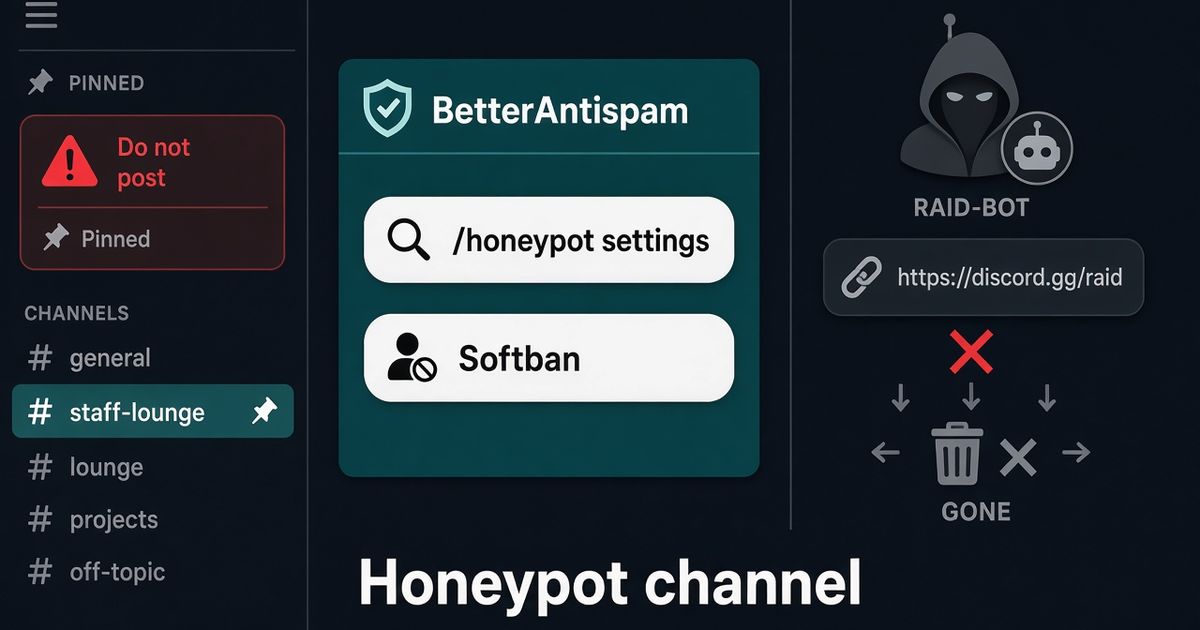
Create a decoy Discord channel that real members skip and bots post in. Invite BetterAntispam, run /honeypot settings (Manage Server), turn it on, then Create trap or attach an existing channel. Leave the default softban. The trap must stay visible and postable to ordinary members, including unverified ones. Do not advertise it in #rules. I maintain this bot.
Editorial disclosure: This guide is published by BetterAntispam. We recommend BetterAntispam when you want a honeypot on the same bot as antiraid, verification, and antispam. Keep a dedicated honeypot bot only if that is already staff muscle memory. Do not run two honeypot bots. Thresholds come from the bot’s source.
TL;DR: People searching honeypot channel discord, how to make a honeypot channel, discord honeypot, and discord honeypot bot want a tripwire, not a second #general. Native tools first: Rules Screening, verification levels, and AutoMod. Then invite BetterAntispam, run/setup(Administrator) or/honeypot settings(Manage Server), create one bait channel, leave the warning pin on, and test with a non-staff alt. Text traps are free. Voice traps are Shield. Pair it with/antiraid settings(Administrator). Feature page: Discord honeypot.
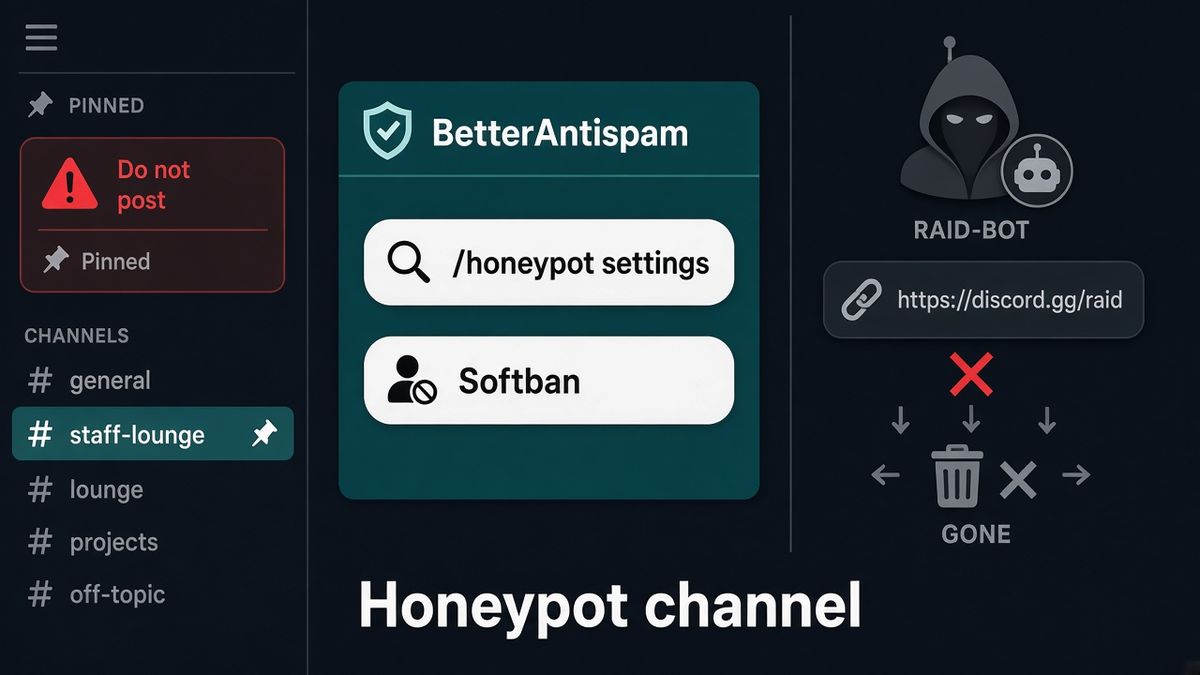
How to make a Discord honeypot channel
This is the first body section: the product, then the commands.
- Add BetterAntispam. You need Manage Server to invite it. Leave Administrator on the invite so the bot can create the trap, pin the warning, and remove people who trip it. Discord’s permissions FAQ is the official page for role vs channel overrides.
- Drag the bot role above the people it has to remove. Discord’s roles page is the hierarchy rule. Softban and ban fail if the bot sits below the target.
- Run
/setup(Administrator) and include honeypot, or skip the wizard and go straight to/honeypot settings(Manage Server). The master toggle defaults off. There is no trap until you add one. - Open the Channels page. Press Create trap so the bot makes a bait channel, or attach an existing text channel. Auto-create needs Manage Channels.
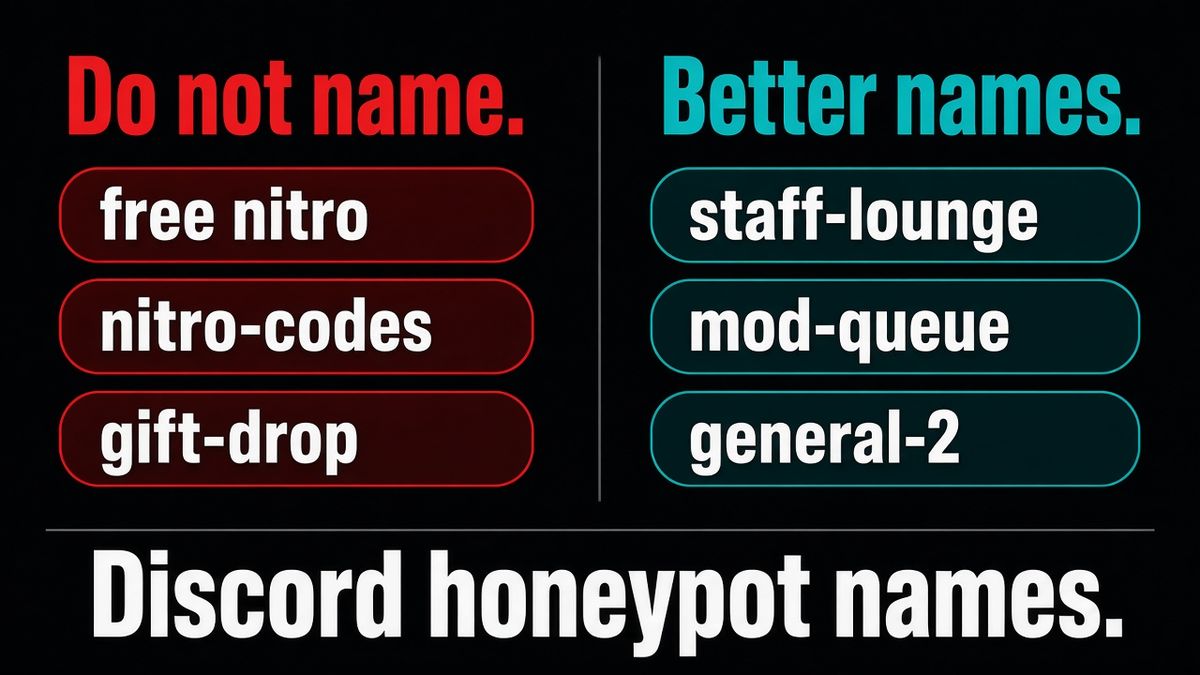
- Leave the name style on bait unless you have a reason to change it. Default names look like staff rooms:
staff-lounge,mod-only-chat,mod-queue. - Leave the action on softban. That is a ban, then an unban, so a mistaken hit can rejoin.
- Leave the warning pin on. The default text says this channel detects automated accounts and that a message here is punished.
- Point logs with
/logging settings. Then test with a non-staff alt that can see and type in the trap.
Docs: documentation. Support: Discord server. Text traps are free. Voice traps need Shield in the application store.
What a Discord honeypot channel actually is
A honeypot channel is a decoy. Real members have no reason to post there. Raid scripts, selfbots, and scrapers often click every channel in the list. One message in the trap is the trip.
It is not a captcha. It is not a join-rate detector. It does not watch #general. A bot that only dumps the first public channel will never touch it. Pair it with how to stop Discord raids and /antiraid settings (Administrator).
| Job | What trips it | What it proves | Where |
|---|---|---|---|
| Honeypot | A post in the decoy, or a join in a trap voice channel | That account went somewhere nobody was told to go | /honeypot settings |
| Verification | Failing or skipping the gate | They did not complete the puzzle or click | /verification settings |
| Captcha | A script walking in unattended | A human did not solve the puzzle | Discord captcha bot |
| Antiraid | Too many joins in a short window | The door looked like a wave | /antiraid settings |
| Antispam | Repeat messages in real channels | They already reached #general | /antispam settings |
Discord’s raid guide still starts with Pause Invites and verification. A honeypot is extra. It is not the first tool.
Permissions the bot needs
Name the Discord permission, then the failure you will see without it.
| Job | Permission | What breaks without it |
|---|---|---|
| Open /honeypot settings | Manage Server | You never see the panel |
| Create the trap | Manage Channels | Auto-create fails |
| Pin the warning | Manage Messages and Send Messages in that channel | The pin never appears or goes stale |
| Softban or ban | Ban Members | The trip logs, the user stays |
| Kick | Kick Members | Same |
| Timeout | Moderate Members | Discord’s timeout never applies. Cap is 28 days |
| Quarantine or role restrict | Manage Roles, bot role above the role it moves | Role edits are rejected |
| Wipe leftover messages | Manage Messages and Read Message History | Discord’s bulk-delete endpoint refuses messages older than 14 days |
Bots cannot moderate anyone whose top role sits above them. Put BetterAntispam high in the role list before you test.
Name the trap like staff, never like a gift
BetterAntispam will not auto-create a Nitro, gift, or “free Discord” name. Those look like scam bait and they are a ToS problem. Pick from the three styles in /honeypot settings.
| Style | What it looks like | When I use it |
|---|---|---|
| bait (default) | staff-lounge, mod-only-chat, mod-queue, admin-announcements, owner-only | Public servers. Scrapers hunt staff rooms. |
| innocuous | general-2, lounge, feedback, off-topic-2 | When a staff name would look fake in a tiny server. |
| chaos | Ten random characters | When you only want something nobody would click on purpose. |
One trap is enough. Eight decoy channels train curious members to click them.
Leave the channel visible and postable to ordinary members, including unverified ones. If @everyone cannot see it, a joiner with default permissions cannot trip it. The bot even repairs trap access when verification lockdown previously hid the channel. Hide it from staff only if you want, not from the people the trap is for.
Do not list it in #rules. Do not pin “please ignore #staff-lounge.” The warning inside the trap is enough.
Pick a punishment and leave most defaults
Defaults exist so you do not have to invent policy on day one.
| Setting | Default | Why |
|---|---|---|
| Action | softban | Ban, then unban. Discord can purge that user’s last 7 days of messages on the ban. They can rejoin if it was a person. |
| Ignore | staff | Administrator, Manage Server, or Manage Channels. The owner and other bots are always ignored. |
| Wipe window | 1 hour | Extra lookback after kick, timeout, quarantine, or role. Cap is 14 days. |
| Warning pin | on | Stops curious humans. Leave it. |
| DM | on | Sent before the punishment, because a ban often blocks later DMs. |
| Reinvite | on | Softban can hand back an invite. |
| Catch counter | off | Optional trophy. Not required to catch anyone. |
| Voice trap | off, Shield | Text is free. Voice is paid. |
Actions you can pick: softban, ban, kick, timeout, quarantine, role, log. Log records the trip and does nothing else. Use log only while you test.
Timeout presets: 10 minutes, 1 hour, 6 hours, 1 day, 3 days, 7 days, 28 days. Default is 1 hour. Discord’s own timeout cap is 28 days.
Ignore modes:
- staff (default) — skips Administrator, Manage Server, and Manage Channels.
- antispamwhitelist — skips the antispam whitelist, and falls back to staff if that list is empty.
- none — only the owner, the bot, and people you put on the honeypot whitelist.
Add extra people or roles on the Punishment page if mods without those permissions still need a pass.
Softban is the action I ship. Ban if you never want that account back. Kick if you do not have Ban Members. Timeout if you only want a pause. Quarantine if you already use a jail role.
Test it, then stop touching it
Use a second Discord account that is not staff. If ignore mode is staff, your admin account will never trip the trap. That is the most common “it does nothing” report.
- Join the alt. Confirm it can see the trap and send a message there, even if verification is on.
- Send one message in the trap.
- Confirm the alt is softbanned (or whatever action you set), the warning still sits in the channel, and a log line landed.
- Unban the alt if you need it. Do not keep testing from a real mod account.
If nothing happens, walk this list in order:
- Master toggle is on, and the channel is still in the trap list. Recreating a channel gives it a new ID. Re-attach it.
- The poster is not staff, not the owner, not a bot, and not on the whitelist.
- Action is not log.
- The bot still has Ban Members (or Kick / Moderate Members / Manage Roles for the action you picked).
- The bot role is above the alt.
- You did not install a second honeypot bot that ate the message first.
A honeypot that never fires can still be working. Quiet weeks mean your joiners are not clicking bait. That is fine.
What a honeypot will not do
Modern raid tools skip obvious decoys. A script that only hits #general, #chat, or the first channel in the list will not trip staff-lounge. I still run one because the bots that do scrape every channel are cheap to catch. I do not treat it as raid protection.
It will false-positive if you advertise it. New members who read “don’t click #mod-queue” will click #mod-queue.
It will false-positive if you hide the warning and name the channel general-2. People think it is a real overflow room.
It does not replace how to stop spam in Discord. Spam in a real channel is /antispam settings (Administrator).
It does not replace a Discord verification bot. The door is /verification settings (Administrator).
Voice traps are Shield. If you only have text, you still have a working honeypot.
BetterAntispam is not unhackable. A human on an alt who reads the warning will not type. A human who ignores the warning will get softbanned. That is the design.
Native Discord tools to turn on first
A honeypot is useless if the door is wide open.
| Native tool | Turn it on because | Official page |
|---|---|---|
| Pause Invites | Stops the next wave from walking in | Raid guide |
| Rules Screening | They see rules before talk | Rules Screening FAQ |
| Verification High | Account age plus time in server | Verification Levels |
| AutoMod | Blocks listed words and mention spam before post | AutoMod FAQ |
| Role hierarchy | The bot can actually remove people | Roles and Permissions |
If the wave is already inside, lock first. Do not start by decorating a decoy. How to lock a Discord channel and /raidmode enable are the panic path. Broader door: best Discord anti raid bot.
FAQ
What is a Discord honeypot channel?
A decoy channel that real members skip. BetterAntispam watches it from /honeypot settings (Manage Server). One message there is treated as a trip. Default action is softban.
How do I make a honeypot channel in Discord?
Invite BetterAntispam, run /honeypot settings (Manage Server), turn it on, and press Create trap. Leave bait names and softban. Keep the channel visible to ordinary members. Test with a non-staff alt.
Do Discord honeypot channels still work?
They catch accounts that scrape the channel list. They miss bots that only dump #general. That is why I pair a honeypot with /antiraid settings and /antispam settings, not why I skip it.
Should I tell members about the honeypot?
No. Put the warning inside the trap. Listing it in #rules trains people to click it, then you softban a real joiner.
Can I name it free-nitro or gift-drop?
No. BetterAntispam will not auto-create those names. They look like a scam. Use staff-lounge or general-2.
Why did my honeypot do nothing?
Usually the tester is staff (ignored by default), the channel was recreated so the ID changed, the toggle is still off, or the bot lacks Ban Members. Walk the test list above.
Is a Discord honeypot free?
Text traps are free on BetterAntispam. Voice-channel traps are Shield, sold in Discord’s store. Core protection is free to invite.
Honeypot vs verification vs antiraid?
Verification is the door. Antiraid is join rate. Honeypot is a tripwire after they are in. You want all three, not one dressed up as the others. Feature pages: honeypot, verification, anti-raid.
Final verdict
Make one bait channel. Invite BetterAntispam. Run /honeypot settings. Leave softban, leave the warning, leave the trap visible. Test with an alt that is not staff. Do not name it Nitro. Do not run two honeypot bots. Do not expect it to stop a raid by itself.
— Adam
More guides
- Discord honeypot
- How to Stop Discord Raids in 2026
- Best Discord Anti Raid Bot in 2026
- Best Discord Captcha Bot in 2026
- Best Discord Verification Bot in 2026
- How to Stop Spam in Discord
- Best Discord Security Bot in 2026
- Discord verification
- Discord anti-raid
Sources
- How to Protect Your Server from Raids 101 – Discord
- AutoMod FAQ – Discord
- Rules Screening FAQ – Discord
- Verification Levels – Discord
- Setting Up Permissions FAQ – Discord
- Discord Roles and Permissions – Discord
- Message resource (bulk delete / 14-day rule) – Discord
- BetterAntispam documentation
- BetterAntispam application store (Shield)




















































