BetterAntispam TeamHow we write these7 min read
Hacked on Discord? What to Do in the First 10 Minutes
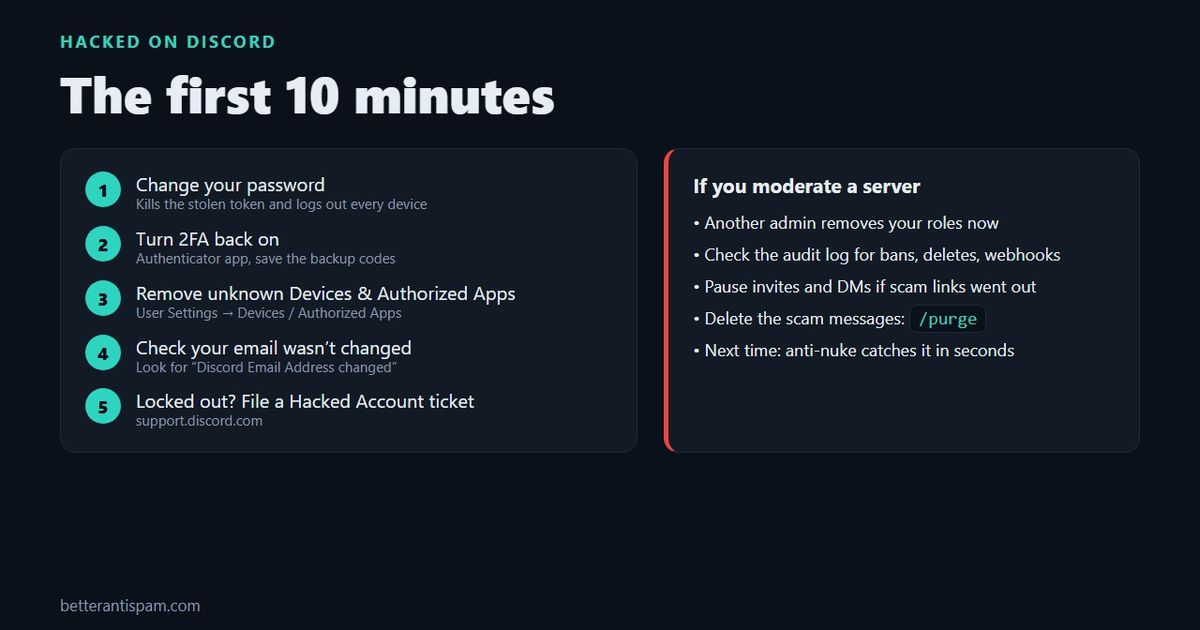
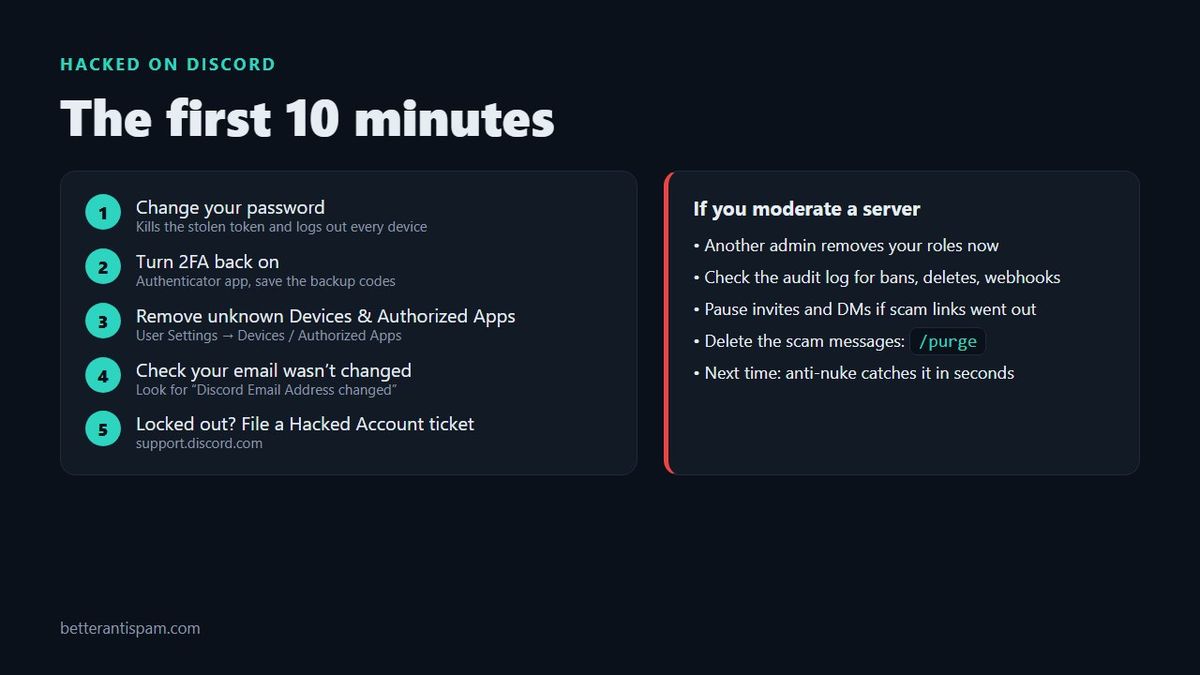
If your Discord account was hacked, change your password right now. Changing it invalidates the stolen login token and signs out every device, including the attacker’s. Then turn two-factor authentication (2FA) back on, remove any devices and authorized apps you don’t recognise, and check that your email address is still yours. If you can’t log in at all, use the link in Discord’s “email address changed” email within 48 hours, or file a Hacked Account ticket through Discord’s hacked account help page. If you moderate a server, ask another admin to remove your roles until you are back in control.
Editorial disclosure: This guide is published by BetterAntispam, a Discord moderation bot. Account recovery is Discord’s job, so the first half only uses Discord’s own tools. The bot only appears in the part about protecting your server, and its settings come from its source code.
How do I know my Discord account was hacked?
You were probably hacked if any of these happened:
- Friends say you sent them a “free Nitro”, Steam gift, crypto or “try my game” link
- Messages appear in servers or DMs that you did not write
- You got an email from Discord saying your email address or password changed
- You are suddenly logged out and your password no longer works
- Unknown servers appear in your list, or you left servers you didn’t mean to
- You see an unrecognised charge for Nitro or server boosts
The scam messages are the clearest sign. A hacked account is valuable because your friends trust it, so the attacker uses it to send the same scam to everyone you know.
What to do in the first 10 minutes (if you can still log in)
Do these in order. The first step matters most.
1. Change your password
Go to User Settings → My Account → Change Password. Discord’s account security guide says changing your password invalidates your current token and logs you out of every device. That removes a stolen session even if the attacker never knew your password, which is how QR code and token-grabber hacks work.
Use a password you have never used anywhere else.
2. Turn on two-factor authentication
In My Account, enable 2FA with an authenticator app, and save the backup codes somewhere offline. If the attacker turned 2FA on with their own app, changing your password and contacting support is the way back in. Don’t try to guess codes.
3. Remove devices and apps you don’t recognise
- User Settings → Devices: log out anything you don’t recognise, or log out all known devices.
- User Settings → Authorized Apps: remove anything you didn’t add yourself. A malicious app with the right permissions can join servers or read data as you.
4. Check your email and phone
In My Account, confirm the email and phone number are yours. Then secure your email account too, with a new password and 2FA. If the attacker can read your email, they can reset your Discord password again.
5. Scan your computer
If you ran a file someone sent you, assume it stole more than Discord. Run a full antivirus scan, remove browser extensions you don’t recognise, and change passwords for other important accounts from a clean device.
6. Tell people it wasn’t you
Post a short message to your friends and the servers you’re in: “My account was hacked. Don’t click anything I sent between X and Y.” Then delete the scam messages you can find. Ask server staff to remove the ones you can’t.
What if I can’t log in anymore?
If the attacker changed your email or password, work through these:
- Find the “Discord Email Address changed” email in your old inbox. It has a link to undo the change. Discord says the link expires after 48 hours. Using it also removes phone numbers and 2FA devices and logs the account out everywhere, which is exactly what you want.
- Try “Forgot your password?” on the login page if the email is still yours.
- Submit a Hacked Account ticket from Discord’s hacked account page. Include your username, the original email, and your user ID if you have it. A screenshot of an old message where your ID shows, or a friend copying it from your profile, works.
- Unrecognised charges? Report them to Discord’s billing team. Discord warns that disputing a charge with your bank can get the account suspended while it investigates.
Be patient with support. And ignore anyone who DMs offering to recover your account: Discord staff will not contact you through the app, and “recovery” DMs are a second scam aimed at people who were just hacked.
How do Discord accounts get hacked?
Almost every hack I see comes from one of four tricks. None of them need your password.
| Trick | What it looks like | Why it works |
|---|---|---|
| QR code login | “Scan this to verify” or “scan for free Nitro” | Scanning logs the attacker into your account, skipping your password and 2FA |
| Token grabber | “Try my game”, a .exe or .zip, a “mod” or “cheat” | The file steals your login token from your computer |
| Fake login page | A link to dlscord, discorcl or a “vote” site that asks you to log in | You type your password and 2FA code into the attacker’s page |
| Fake staff | “Your account was reported. Contact this moderator to appeal” | The “staff” walks you into one of the three tricks above |
The rule that prevents almost all of these: only scan a QR code from the Discord login screen, never one someone sent you, and never run a file a stranger sent you.
If you moderate a server: protect it now
A hacked staff account is how many servers get destroyed. The attacker has your permissions, so they can ban members, delete channels, or create webhooks that spam scam links.
If it happens to you or another staff member:
- Have another admin remove the hacked account’s roles, or kick it. Do this before anything else.
- Check the audit log for what the account did: bans, deleted channels, new webhooks, role changes. Delete any webhooks you didn’t create.
- Pause invites and DMs from the server’s Security Actions if scam links went out to members.
- Delete the scam messages. /purge clears the last messages in a channel (up to 1,000) in one go. For a hacked member, banning with Delete Message History removes their recent messages from every channel at once, and you can unban them once they’re back in control.
- If channels or roles were deleted, follow my Discord server got nuked.
Set this up before it happens
- Require 2FA for moderator actions. In the server’s Safety Setup settings, the owner can require 2FA for staff. It doesn’t stop QR or token hacks, but it does stop password-only logins from using your mod powers.
- Give out as few dangerous permissions as you can. Administrator, Manage Roles, Manage Webhooks and Ban Members should go to very few people. See Discord permissions explained.
- Turn on an anti-nuke bot. BetterAntispam’s
/antinuke settingswatches the audit log and acts when one account goes past a limit in a short window. Some default limits: 3 channel deletes, 5 bans, 3 webhooks created, 1 Administrator grant, 2 @everyone pings. The default punishment strips the account’s roles, which is what you want for a hacked staff member who will need them back later. More detail: best Discord anti-nuke bot. - Catch hacked member accounts too. A hacked member usually pastes the same scam in every channel. BetterAntispam’s antispam is on by default: it catches duplicate messages and untrusted links, and warns 3 times before muting. A honeypot channel catches the accounts that post in every channel, including the trap. All of this is free: add BetterAntispam.
One honest limit: no bot can stop your account being hacked. Bots only limit what a hacked account can do inside the server.
FAQ
Can a hacker get into my Discord account if I have 2FA?
Yes, with a QR code scan or a token grabber, because both skip the login step where 2FA is checked. 2FA still blocks the most common attack, someone who only has your password, so keep it on.
Will changing my password log the hacker out?
Yes. Discord says changing your password invalidates the current token and logs out all devices.
How long does Discord take to recover a hacked account?
Discord doesn’t publish a time. Use the 48-hour email undo link if you have it, because it is much faster than a ticket.
Can I get banned because my hacked account sent spam?
Discord may disable an account that sent spam. If that happened, say in your Hacked Account ticket that the account was compromised and when.
What counts as spam on Discord?
If your account was used to send scam links, that is the spam Discord acts on. See what counts as spam on Discord for the full list.
The short version
Change your password, turn on 2FA, clear unknown devices and apps, check your email, and warn your friends. If you run a server, remove the hacked account’s roles first and check the audit log. Then set up anti-nuke and antispam so the next hacked account in your server is stopped within seconds.
Core is free · Setup in Discord
Ready to protect your server?
Invite BetterAntispam. Core antiraid, antispam, and antinuke are free. Configuration is slash commands inside Discord.