
How to Use Discord Slowmode
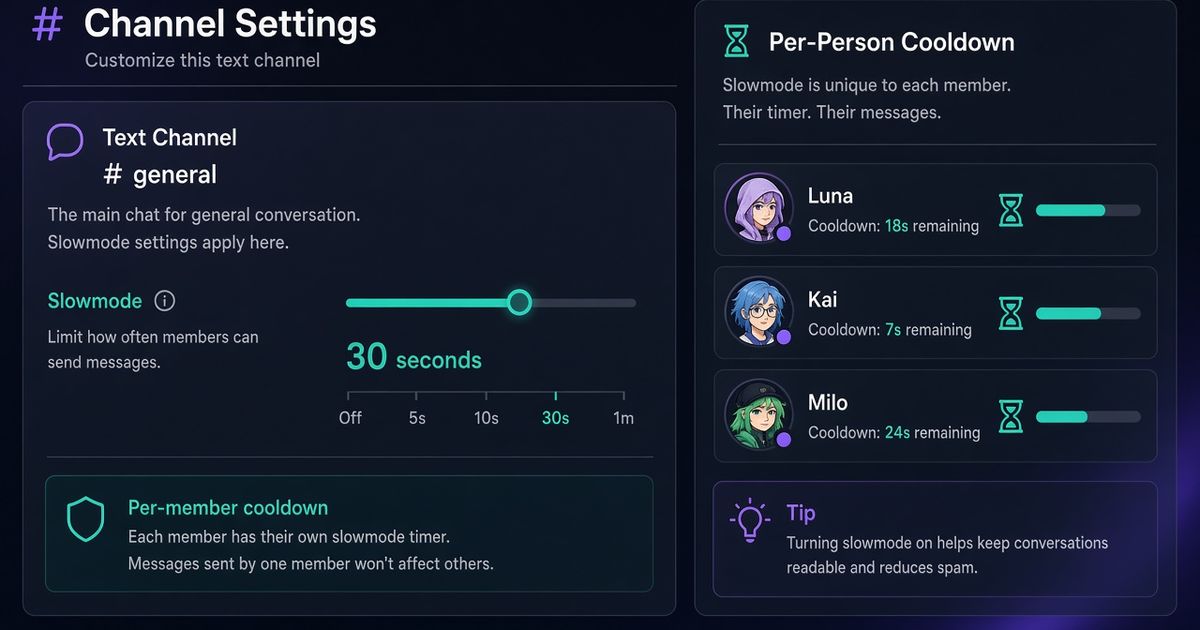
Discord slowmode is a per-person cooldown on one channel. After someone sends a message, they wait before they can send another there. They can still read, react, and talk in other channels. On desktop: channel cog → Overview → Slowmode → pick a delay → Save. On mobile: long-press the channel → Edit Channel → Slowmode Cooldown. You need permission to edit that channel. BetterAntispam does not replace Discord’s slider. Run /slowmode (Manage Channels) in the channel with 10s or off.
Editorial disclosure: This guide is published by BetterAntispam. We recommend BetterAntispam when you want Discord’s native cooldown plus raid, spam, and lock tools in the same slash-command stack, and we name the cases where Discord’s own slider, Dyno, Carl-bot, Wick, YAGPDB, MEE6, or ProBot may already be enough. Durations and the 6-hour ceiling come from Discord. Command options come from the bot’s source.
TL;DR: People searching discord slowmode, how to enable slowmode discord, how to turn on slowmode discord, discord slowmode command, slowmode discord mobile, and bypass slowmode discord want the slider, the permission, and a bot command that does not lie about Discord’s limit. Native path: Edit Channel → Slowmode, 5 seconds up to 6 hours. The cooldown is per member, not one shared clock. Threads have their own slider and do not inherit the parent. After 23 February 2026, Manage Messages, Manage Channel, and Manage Threads no longer skip the wait. Grant Bypass Slowmode on purpose. For a chat command, invite BetterAntispam and run/slowmode. For up to five channels at once,/slowmodebulk settingsis Shield. Slowmode is not a raid stop. Use/antispam settingsor/raidmodewhen the flood is automated.
How to turn on Discord slowmode
This is the first body section: Discord’s screen, then the command.
Desktop or browser
- Hover the channel. Click the cog (Edit Channel).
- Stay on Overview. Scroll to Slowmode.
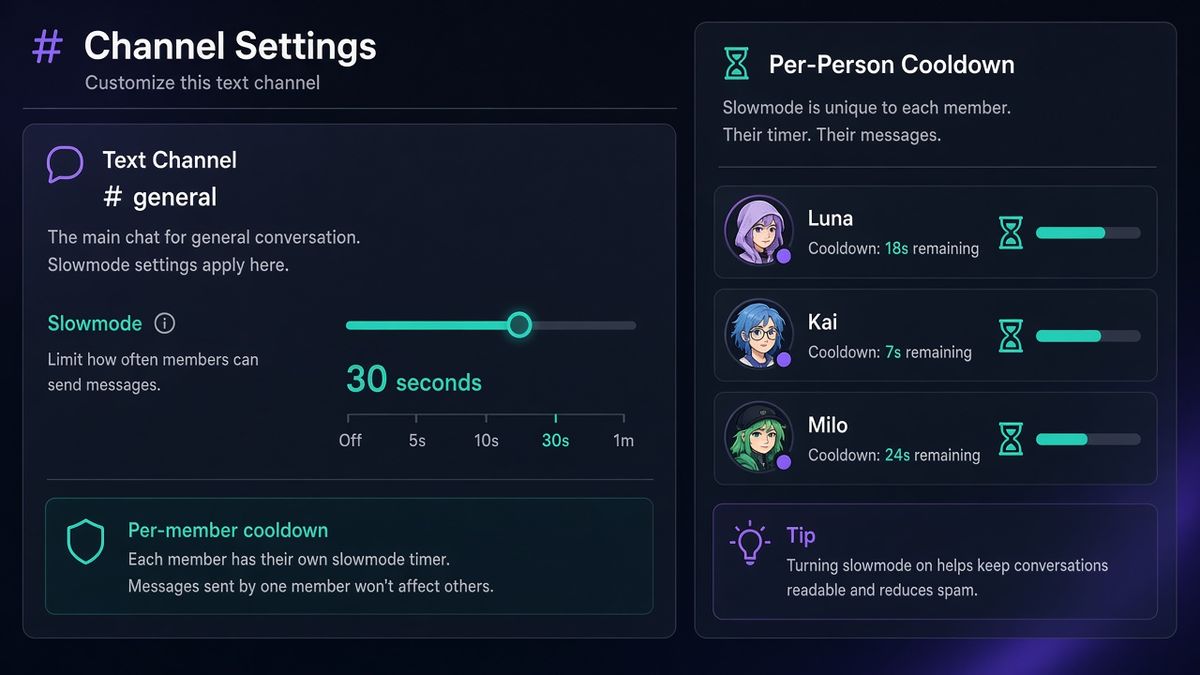
- Pick Off, 5s, 10s, 15s, 30s, 1m, 2m, 5m, 10m, 15m, 30m, 1h, 2h, or 6 hours. Those are Discord’s presets, from the Slowmode FAQ.
- Save. Members see the cooldown when they open the channel.
Mobile
- Long-press the channel → Edit Channel.
- Find Slowmode Cooldown. Drag the dial.
- Save.
Threads have a separate Slowmode control. Right-click the thread (or the three dots) → Edit Thread. It does not copy the parent channel. Discord’s Threads Moderation FAQ is the official page: Manage Threads can set thread slowmode, and a channel’s own slowmode also limits how often a member can create a thread there.
Add BetterAntispam, then stand in the channel and run /slowmode (Manage Channels). The duration option is required. Examples the command accepts: 10s, 30s, 5m, 1h, 0, off. Discord’s API ceiling is 21600 seconds (6 hours). The bot clamps to that range. A 1d or 1w string parses, then gets cut down to 21600. That is Discord’s cap, not a BetterAntispam invention.
Docs: customer documentation. Support: Discord support server. There is no website login for this. Configuration stays in the slash-command panel.
What Discord slowmode actually does
Fixerhow’s 2026 how-to and Discord’s own FAQ agree on the shape. Slowmode is a rate limit on sending. It is not a mute, not a lockdown, and not antispam.
| You wanted | What slowmode does | What it does not do |
|---|---|---|
| Slow a busy #general | Each member waits N seconds between messages | Stop a script that already fired 200 messages |
| Keep an event chat readable | Same cooldown for every human | Hide the raid in #offtopic |
| Slow a support queue | Members still read and react | Close the ticket |
| Punish one person | Nothing targeted | Timeout or mute that member |
| Stop a raid | Buy a few seconds if people are typing by hand | Replace /raidmode or /antiraid settings |
The timer is per user, per channel. Alice’s 30 seconds do not block Bob. Reactions still work. Other channels are untouched.
Bots that set slowmode through Discord’s API can use any integer from 0 to 21600. The UI only offers the presets above. /slowmode uses the API, so 45s is valid even though the slider has no 45-second notch.
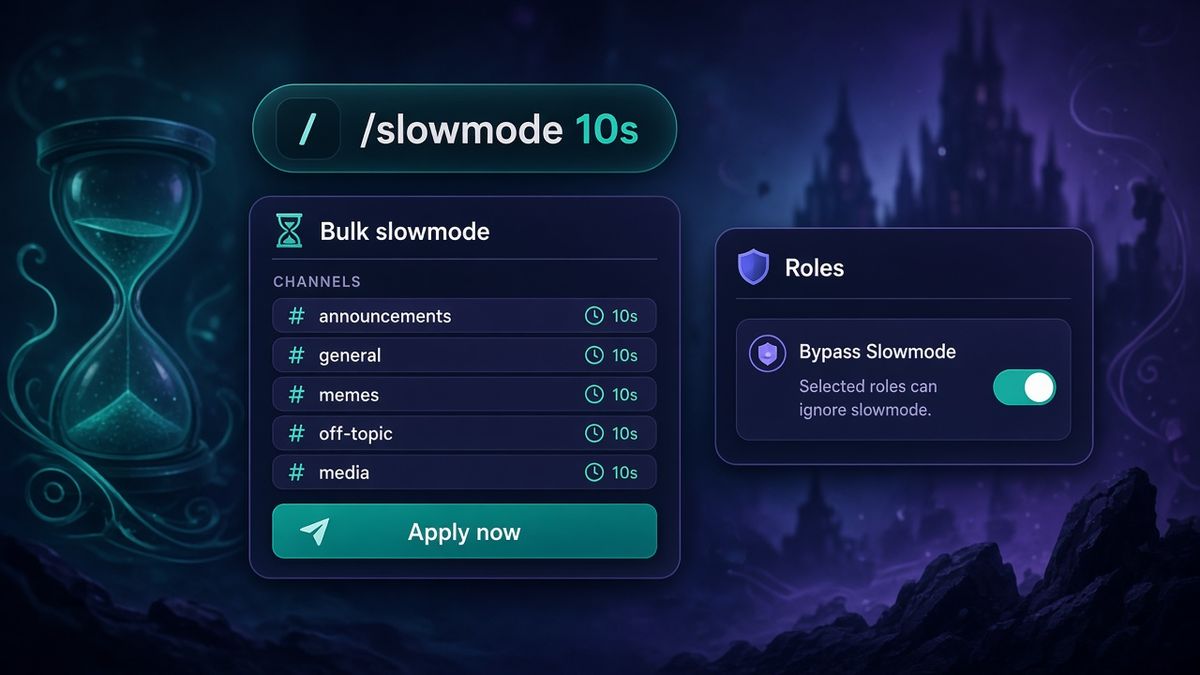
Bypass Slowmode: the 2026 permission
Until early 2026, Manage Messages, Manage Channel, or Manage Threads let staff skip the cooldown. Discord folded that into one permission: Bypass Slowmode. The old trio kept working until 23 February 2026. That date has passed.
Peakbot’s migration note matches the FAQ: after the cutoff, Manage Messages and Manage Channels do not skip slowmode on their own. Administrator still does. Everyone else needs the dedicated toggle.
- Server Settings → Roles.
- Open Moderator (or whoever should talk through a 5-minute event cooldown).
- Permissions → Text Channel Permissions → Bypass Slowmode.
- Save. You can also allow or deny it on one channel’s overrides.
If staff complain that /slowmode “broke chat for mods,” check this toggle before you blame the bot. The bot sets Discord’s rate limit. Discord decides who ignores it.
Give Bypass Slowmode to people who must coordinate during an incident. Do not give it to every helper role that only needed Manage Messages to pin.
/slowmode and /slowmodebulk settings
/slowmode (Manage Channels) edits the channel you ran it in. Text channels and threads only. The reply is ephemeral. The bot must have Manage Channel on that channel or the API call fails.
It writes a row to the Channels stream if /logging settings (Administrator) is on. The log shows who changed it and the before → after seconds.
/slowmodebulk settings (Manage Channels) is Shield entirely. It opens an in-Discord panel, not a website. Pick up to five text channels, announcement channels, or threads. Set a duration (30s, 5m, 1h, 0). Apply now writes the same Discord slowmode to each. Disable slowmode sets those channels to 0. Clear all empties the picker. Failed channels are listed; a missing channel does not stop the others.
| Command | Scope | Permission | Plan |
|---|---|---|---|
| /slowmode | Current channel or thread | Manage Channels | Free |
| /slowmodebulk settings | Up to 5 channels or threads | Manage Channels | Shield |
| /lockdown | Lock a channel; lock-all is Shield | Administrator | Free core |
| /antispam settings | Floods, dupes, links, caps | Administrator | Free |
| /raidmode | Manual raid switch | Administrator | Free |
Upgrade path: Shield in the application store. Single-channel /slowmode stays free.
Slowmode vs lockdown vs antispam
Use the smallest tool that matches the night.
5–10 seconds in a busy public channel. Humans barely notice. Scripted one-liners slow down.
30 seconds to 5 minutes during an event or a messy argument. Chat stays open. Staff with Bypass Slowmode can still post updates.
Lock the channel with /lockdown (Administrator) when you do not want anyone without override posting. That is a different command. The raid playbook is How to Stop a Discord Raid.
Antispam when the problem is volume, dupes, or links, not pace. /antispam settings (Administrator) defaults to 5 messages in 5000ms, 3 warnings, then a 5-minute mute. Slowmode will not delete the 200 messages that already landed. /purge or /nuke (Administrator, max 1000, Discord’s 14-day bulk-delete limit) is cleanup. See Delete All Messages in a Discord Channel.
Slowmode plus antispam is normal. Slowmode instead of antispam during a bot flood is not.
Other bots that already set slowmode
Keep the one you already tuned.
| Bot | How it slows chat | Notes |
|---|---|---|
| Discord slider | Native cooldown, 5s–6h presets | Always there. No bot required |
| BetterAntispam | /slowmode, /slowmodebulk settings | Native Discord rate limit. Bulk is 5 channels, Shield |
| Dyno Slowmode | /slowmode discord is native. /slowmode user and /slowmode channel delete extra messages | Dyno’s own timers max at 2880s. Staff messages are not deleted |
| Carl-bot automod | !slowmode rate / per, then punishments | Soft rate limit with delete or mute. Not Discord’s slider |
| MEE6 | Older !slowmode / !slowoff in moderator docs | Dashboard-first. Keep if XP already lives there |
| Wick / YAGPDB / ProBot | Security or automod stacks | Use them if they already own raids or automod. They are not why you opened this page |
Dyno is honest in its own docs: bot slowmode deletes after the fact. Discord slowmode blocks the send. Do not run two bots fighting over the same channel’s rate limit.
Which Moderation Bot Should You Choose?
BetterAntispam if you want Discord’s real slowmode from a slash command, plus /antispam settings, /antiraid settings, /raidmode, and /lockdown without a website login.
Wick if a compromised moderator deleting channels is the nightmare, and you will finish Wick’s setup.
Dyno if Dyno Slowmode already lives on the dashboard and you accept delete-after-send for the user/channel modes.
YAGPDB if staff already enjoy Advanced Automoderator.
Carl-bot if reaction roles are the product and Carl’s automod already owns the rate limit.
MEE6 if the server already pays for MEE6 Premium and will not move XP.
ProBot if welcome images and ProBot automod are already the stack.
Do not install three slowmode bots. One native cooldown is enough.
FAQ
How do I turn on Discord slowmode?
Edit Channel → Overview → Slowmode → pick a delay → Save. Mobile: long-press the channel → Edit Channel → Slowmode Cooldown. Or run /slowmode (Manage Channels) with 10s.
How do I turn off Discord slowmode?
Set the slider to Off, or run /slowmode with 0 or off. /slowmodebulk settings has Disable slowmode for the channels in the picker.
What permission do I need for Discord slowmode?
You need permission to edit the channel (Manage Channels is the usual grant). /slowmode and /slowmodebulk settings default to Manage Channels. The bot also needs Manage Channel in that channel.
Why can mods still spam during slowmode?
They have Administrator or Bypass Slowmode. After 23 February 2026, Manage Messages alone is not enough. Turn Bypass Slowmode off on roles that should wait with everyone else.
Does Discord slowmode work on mobile?
Yes. Long-press the channel, Edit Channel, Slowmode Cooldown. Threads: Edit Thread. Same 5-second to 6-hour range.
Does Discord slowmode work in threads?
Yes, as its own setting. It does not inherit the parent. /slowmode works in a thread you are standing in. /slowmodebulk settings can include public, private, and announcement threads.
Is /slowmodebulk free?
No. The whole command is Shield. /slowmode on one channel is free.
Will Discord slowmode stop a raid?
No. It slows hand-typed messages. Use /raidmode (Administrator) and /antiraid settings (Administrator) for join floods. Slowmode is the “keep #announcements readable” tool.
Final Verdict
How to use Discord slowmode is not a plugin. Open Edit Channel, set Slowmode, Save. Grant Bypass Slowmode only to staff who must talk through a cooldown. Invite BetterAntispam and run /slowmode when you are already in the channel. Use /slowmodebulk settings when five channels need the same delay and you are on Shield. Keep Dyno or Carl if they already own that job. Turn on /antispam settings when the flood is a script, not a loud room.
— Adam
More guides
- How to Stop a Discord Raid (2026 Playbook)
- Best Discord Antispam Bot in 2026
- Delete All Messages in a Discord Channel
- How to Check the Discord Audit Log
- Best Discord Moderation Bots in 2026
- Slowmode FAQ – Discord
- Threads Moderation FAQ – Discord
Sources
- Slowmode FAQ – Discord
- Threads Moderation FAQ – Discord
- Threads FAQ – Discord
- Discord Roles and Permissions
- How to Protect Your Server from Raids 101 – Discord
- How to Turn Slow Mode On or Off in Discord – Fixerhow
- Bypass Slowmode Permission – Peakbot
- Slowmode – Dyno Docs
- Carl-bot Docs
- What is Wick – Wick Docs
- Wick Setup – Wick Docs
- Advanced Automoderator – YAGPDB
- Understanding MEE6 Services
- Auto Moderation – ProBot Docs
- BetterAntispam documentation
- BetterAntispam application store (Shield)





















































