
BetterAntispam TeamHow we write these9 min read
How to Check for Alt Accounts on Discord (2026)
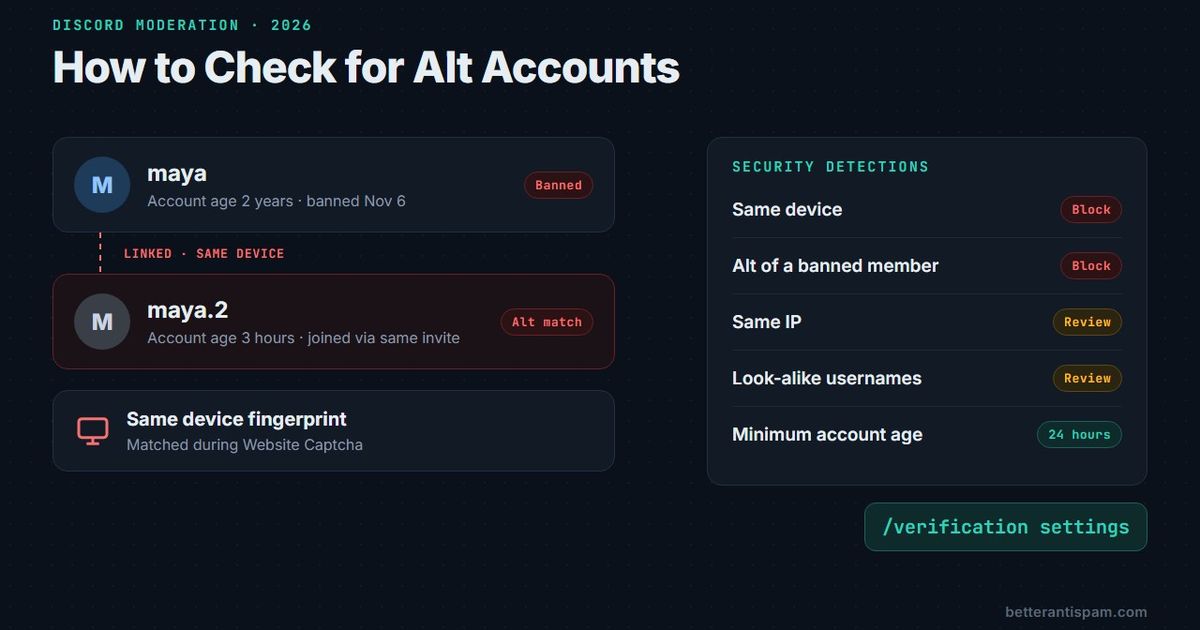
You cannot see another member’s IP address or device on Discord, so nobody can “look up” an alt from a profile. What you can check by hand is account age, join method, timing, and behavior, and together they catch most lazy alts. To catch the rest, the check has to happen during verification, where a web page can compare devices and connections. BetterAntispam does that with Website Captcha in /verification settings (Administrator). The alt checks are free. I maintain this bot, and below I list the cases it misses too.
Editorial disclosure: This guide is published by BetterAntispam. We recommend BetterAntispam when you want alt checks, anti-raid, and anti-spam in one free bot. Discord’s own tools come first. Thresholds and defaults come from the bot’s source code.
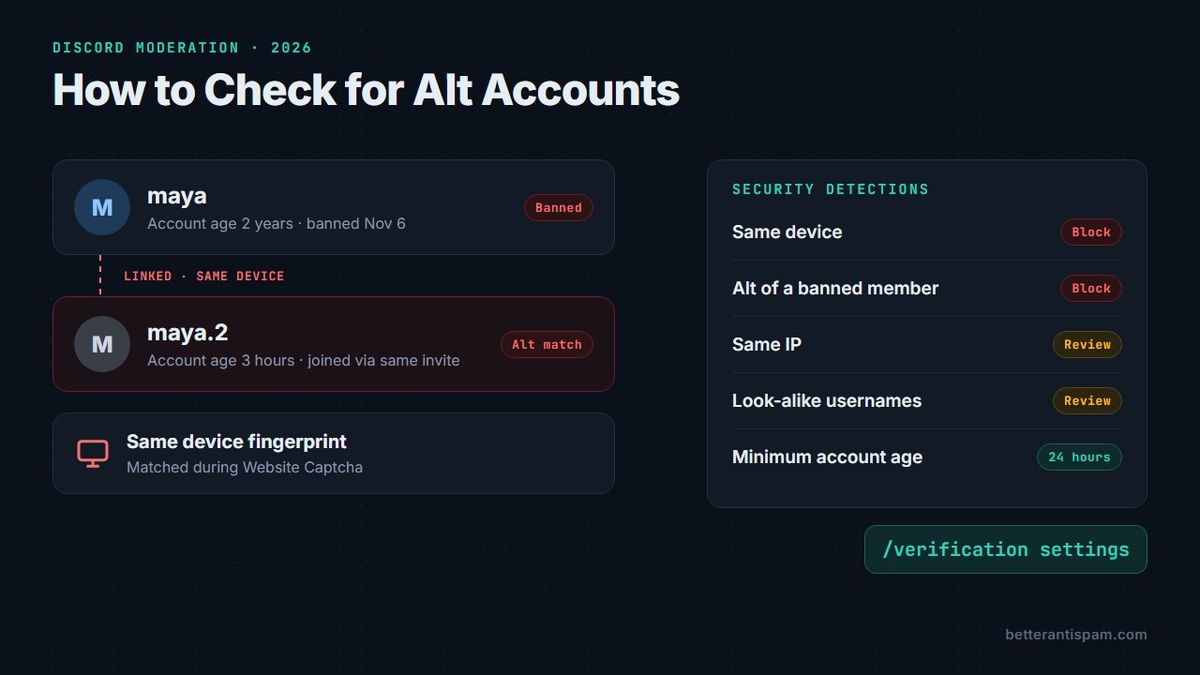
How to check if someone is an alt on Discord
Start with the four checks you can run in two minutes without a bot.
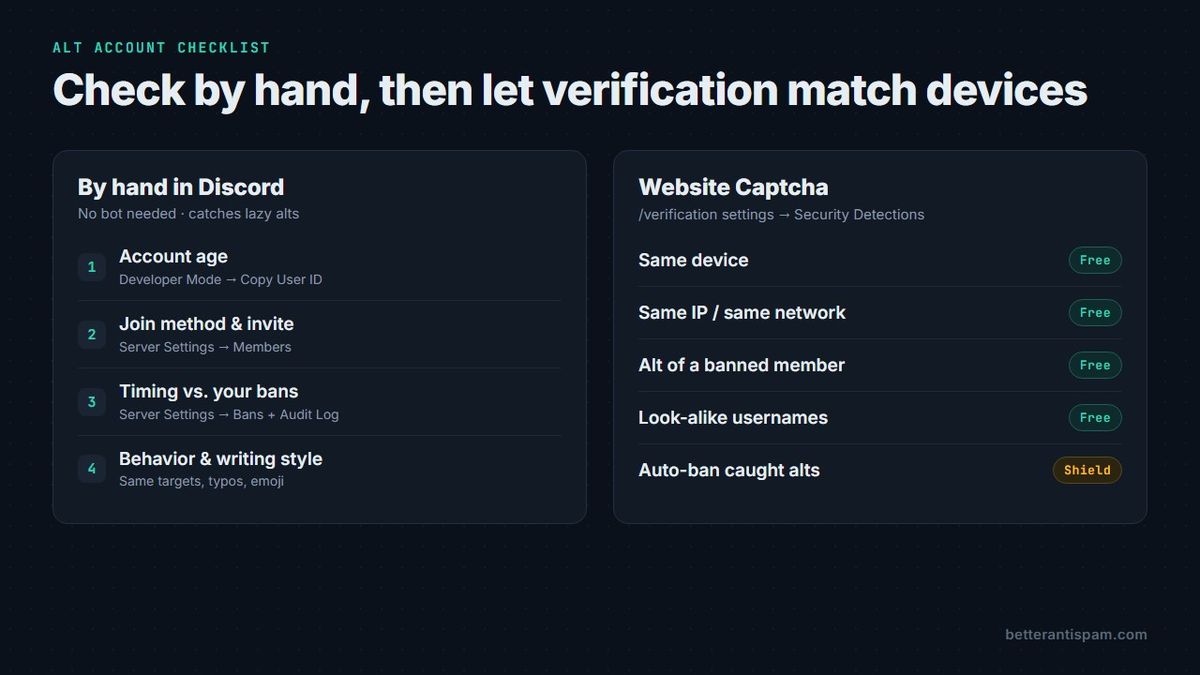
- Check the account’s age. Open User Settings → Advanced and turn on Developer Mode. Right-click the member and pick Copy User ID. Every Discord ID is a snowflake with the creation time built in, so any snowflake decoder shows the exact second the account was made. The profile card also shows Member Since for Discord and for your server. An account created ten minutes after your last ban is the strongest single tell you will get by hand.
- Check how they joined. Open Server Settings → Members. The member list there shows account age, when they joined, and the join method: which invite code they used and who created it. An alt often comes through the same invite, or the same friend’s invite, as the account you banned.
- Compare against your ban list. Open Server Settings → Bans and the audit log. Match the ban time to the new account’s creation time. Look for the same avatar, a recycled username (
alex→alex.2), the same bio, or the same pronouns and timezone. - Watch what they do first. Alts skip the rules channel. They go straight to the person or topic that got the old account banned, and they write like the old account: same typos, same emoji, same phrases. Mutual servers and mutual friends on the profile card are a weaker hint, but they count.
Two or more of these lining up is enough to ask the member about it, or to time them out while you look. One on its own is not. Plenty of real people make a new account, never set an avatar, and join on a friend’s invite.
Why Discord will not show you who is an alt
Discord does not give moderators IP addresses, device IDs, or a “linked accounts” view. That data stays with Discord’s Trust & Safety team.
Discord’s Community Guidelines forbid evading Discord-level enforcement (guideline 19). A ban from your server is your enforcement, so in practice catching a server-ban evader is on you. You can still report harassment, threats, or spam to Discord. Do not expect a report that only says “this is an alt” to get you anything back.
That leaves two places a server can look:
| Where you look | What you can see | What you cannot see |
|---|---|---|
| Discord itself (by hand) | Account age, join method, invite, avatar, name, behavior | IP, device, other accounts |
| A bot watching joins | Account age, join rate, look-alike usernames | IP, device |
| A web verification page | Device fingerprint, connection type, IP reuse, alts of banned members | Anything from members who never verify |
Only the third row can link two accounts to one person. Any “alt checker” that claims to find alts from a username alone is guessing.
Block brand-new accounts with a minimum account age
A minimum account age is the cheapest alt filter. It does not prove anything, but it makes every alt cost the evader time.
Discord’s own verification levels only go as far as “registered for longer than 5 minutes” (Medium). High adds a 10-minute wait in your server. Highest requires a verified phone number, which is the most expensive native setting for an alt maker and the most annoying for real members. Full breakdown: Discord verification level.
BetterAntispam goes further. Run /antiraid settings (Administrator) and open the age limits, or use /find and type “minimum account age”. Presets run from 1 hour to 7 days, or you can set an exact value. Anyone newer is kicked on join and the kick is logged as a case. Anti-raid has to be on for the age gate to run.
My numbers:
| Server type | Minimum age | Why |
|---|---|---|
| Small friend group | Off or 1 hour | Real people make accounts to join you |
| Public community | 24 hours | Stops same-day throwaways with little friction |
| Server with a ban-evasion problem | 3–7 days | Makes every alt wait out the gate |
| Paid or private server | 7 days plus Website Captcha | Age alone will not stop a patient evader |
An alt made last month passes any age gate. That is what the next section is for.
Catch alts at verification with Website Captcha
Website Captcha is the part that actually links accounts. The member clicks Verify in your server and opens a one-time link, valid for 15 minutes and bound to their account and browser. Cloudflare Turnstile runs, and the server compares the device and connection against everyone who verified before them.
To turn it on:
- Add BetterAntispam (Manage Server to invite), then run
/setup(Administrator). - Run
/verification settings(Administrator) and set Verification mode to Website Captcha. - Open Security Detections, right below Verification mode. Pick a preset: Relaxed, Recommended, or Strict.
- Check the mode line at the top of Security Detections. For a trial run, switch to Monitor only: everything is checked and logged, but nobody is stopped. Read the log for a few days, then press Turn on enforcement.
These are the alt checks and their defaults, read from the bot’s policy file:
| Check | What it catches | Default limit |
|---|---|---|
| Same device | A second account verifying on the same device | 0 other accounts, 30-day look-back |
| Same IP | Several accounts on one home connection | 2 other accounts, 7 days |
| Same network | Many accounts from one /24 or /64 block | 5 other accounts, 24 hours |
| Alt of a banned member | A device or non-shared IP linked to someone you banned | Any match |
| Look-alike usernames | alex1, alex_2, alex.3 in a burst | 2 other look-alikes, 24 hours |
The Recommended preset blocks VPNs, proxies, Tor, same-device alts, and alts of banned members. Everything else stays off until you turn it on. Strict is close to “one account per person”: it also sends same-IP matches to staff review and gives accounts under 30 days an extra check.
Alt detection scope decides where “alt of a banned member” looks. Local only uses links made in your server. Global catches alts of members you banned through links from any server running BetterAntispam. Same device, Same IP, and Same network always count only accounts that verified in your server.
Staff see the decision, the rules that fired, the network type, ASN, and country. The member sees “Verification complete” or a short reason they were stopped, and you can turn that reason off with Show members the reason. Scores, fingerprints, and matched accounts never reach the member’s browser. The dashboard risk log also has a Find alts lookup: paste a user ID and it lists every account that shares a device or IP with it, marked banned or not.
Product page: Discord alt detection. VPN rules: VPN blocker.
What is free and what is Shield
All five alt checks, plus VPN, proxy, Tor, hidden-VPN, country, account-age, and behavior checks, are free. Shield adds:
- Automatically ban alt accounts. A caught alt is blocked and banned by user ID. It only runs while at least one alt check is on, and staff-trusted accounts are never auto-banned.
- The adaptive risk score, which combines signals into one number.
- Extra connection checks: datacenter, mobile data, residential proxy, known abusive IP, iCloud Private Relay, school or work network, time-zone mismatch, automated browser, and blocked fingerprints.
Shield is sold in Discord’s application store.
Where alt detection fails
No alt checker catches everyone, and one that says it does is lying to you. Here is where ours misses.
- A different device on a different network. An evader who uses their phone on mobile data for the alt, and their PC at home for the main, shares nothing for a device check to match. Account age and behavior are your only tells.
- Residential proxies. Rented “home” IPs look like a normal member. No VPN list is complete, and these are the hardest to see.
- Shared devices and shared Wi-Fi. Siblings on one family PC trip Same device. Raise Other accounts allowed to 1 if your community skews young. Same IP and Same network skip mobile data, iCloud Private Relay, and school or work networks by default, because thousands of strangers share those addresses.
- Members who never verify. Website Captcha only checks people who go through it. Anyone who verified before you turned it on was never compared.
- Privacy-hardened browsers. A browser built to hide its fingerprint can dodge Same device. The Fingerprint blocked check (Shield) flags those browsers rather than letting them pass silently.
On privacy: IPs, /24 and /64 prefixes, and fingerprints are stored only as keyed hashes, never raw. Account links are kept, not expired, so an evader who waits a year is still matched. Members should still be told. Put a line in your rules saying verification checks for alt accounts.
If what you are fighting is a wave of fresh accounts rather than one returning member, that is a raid: how to stop a Discord raid. Throwaway accounts that join and post at once: stop bots joining a Discord server.
Other Discord alt detection bots
Pick the one whose trade-off you accept. They all work roughly the same way: a web verification page compares devices or IPs.
| Bot | How it detects alts | Notes |
|---|---|---|
| BetterAntispam | Website Captcha: device, IP, network, alt of banned member | Alt checks free. Auto-ban is Shield. Same bot runs anti-raid and anti-spam |
| RestoreCord | IP and browser fingerprint at verification | Upfront about shared Wi-Fi false positives |
| Double Counter | Cross-server account database | Read its 2026 security incident before you hand any bot this kind of data |
| VaultCord | Verification with alt and VPN checks | Member backup and restore is its main job |
Run one verification bot, not two. Two verify pages in a row make real members leave, and the two bots will disagree about who is an alt. Head-to-head: BetterAntispam vs Double Counter. Wider list: best Discord verification bot.
FAQ
How do you check if someone is an alt on Discord?
Turn on Developer Mode, copy their user ID, and check when the account was made. Compare that with your ban dates and their join method in Server Settings → Members. To link accounts to the same device or connection, you need a web verification check such as BetterAntispam’s Website Captcha.
Can Discord moderators see IP addresses?
No. Discord never shows server staff an IP, device, or email. A verification page can compare connections without showing the IP to staff. BetterAntispam stores only keyed hashes and shows staff the network type, ASN, and country.
Is there a free Discord alt checker?
Yes. BetterAntispam’s Website Captcha alt checks are free: same device, same IP, same network, alt of a banned member, and look-alike usernames. Automatic banning of caught alts is Shield.
Are alt accounts against Discord’s rules?
Having a second account is not. Discord’s Community Guidelines forbid evading Discord-level enforcement. Using an alt to get around your server ban breaks your rules, and you enforce it.
How do servers catch alt accounts?
Most use a minimum account age plus a verification page that fingerprints the device and checks the connection. When a banned member’s device or home IP shows up on a new account, the bot flags or blocks it.
Can alt detection flag the wrong person?
Yes. Siblings on one computer and roommates on one Wi-Fi network look like alts. Start in Monitor only, read the matches, and allow one extra account per device if your members share computers.
Will a VPN get around alt detection?
A VPN changes the IP, not the device. Same device still matches. VPN, proxy, and Tor checks are free and blocked by the Recommended preset.
Final Verdict
How to check for alt accounts on Discord comes down to two layers. By hand: account age from the user ID, join method in Server Settings → Members, and timing against your ban list. Automatically: a minimum account age in /antiraid settings and Website Captcha in /verification settings, started in Monitor only. Treat every match as a lead. The free checks catch the lazy alt. A patient evader on a new device and a new network still takes a human looking at behavior.
— Adam
More guides
- Discord alt detection
- Discord verification level
- Best Discord Verification Bot in 2026
- How to Stop Bots Joining Discord
- How to Stop Discord Raids in 2026
- How to Stop Spam in Discord Servers
- How to Check the Discord Audit Log
Sources
Core is free · Setup in Discord
Ready to protect your server?
Invite BetterAntispam. Core antiraid, antispam, and antinuke are free. Configuration is slash commands inside Discord.