
BetterAntispam TeamHow we write theseUpdated 8 min read
How to See Edited Messages on Discord (Before and After)
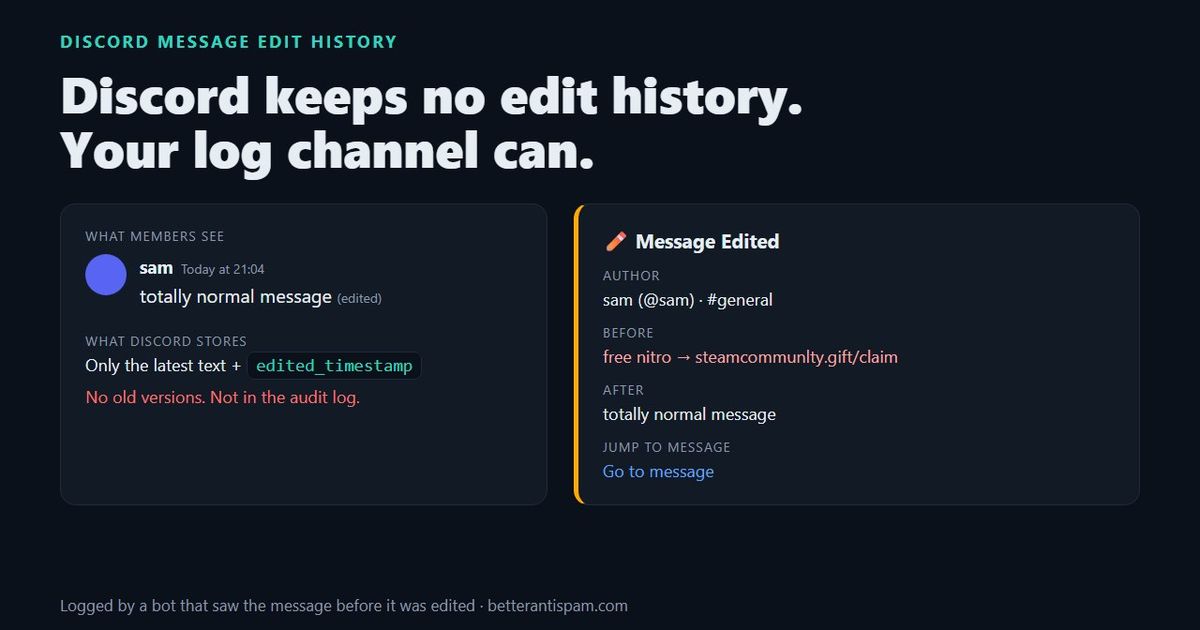
No, Discord does not let you see a message’s edit history. When someone edits a message, Discord replaces the old text and adds a small (edited) label. The previous version is not shown anywhere in the app, not to members, not to moderators, and not to the server owner. Message edits are not in the audit log either. The only way to see what a message said before it was changed is to have a bot that saw the original and logged the “before” and “after” the moment the edit happened. BetterAntispam does this for free in its Messages log.
Editorial disclosure: This guide is published by BetterAntispam. Everything about how the bot behaves comes from its source code, including the limits that make edit logging imperfect.
How to see edited messages on Discord (step by step)
- Look for “(edited)” next to the message. Hover over it to see when it was last edited. That is all Discord itself shows.
- Accept that the old text isn’t in Discord. Not in the message menu, not in the audit log, not in the data package.
- Add a bot that logs messages before the next edit happens. With BetterAntispam, run
/setupand keep Logging on, or open/logging settingsand make sure the Messages category is on. - Open your log channel (for example
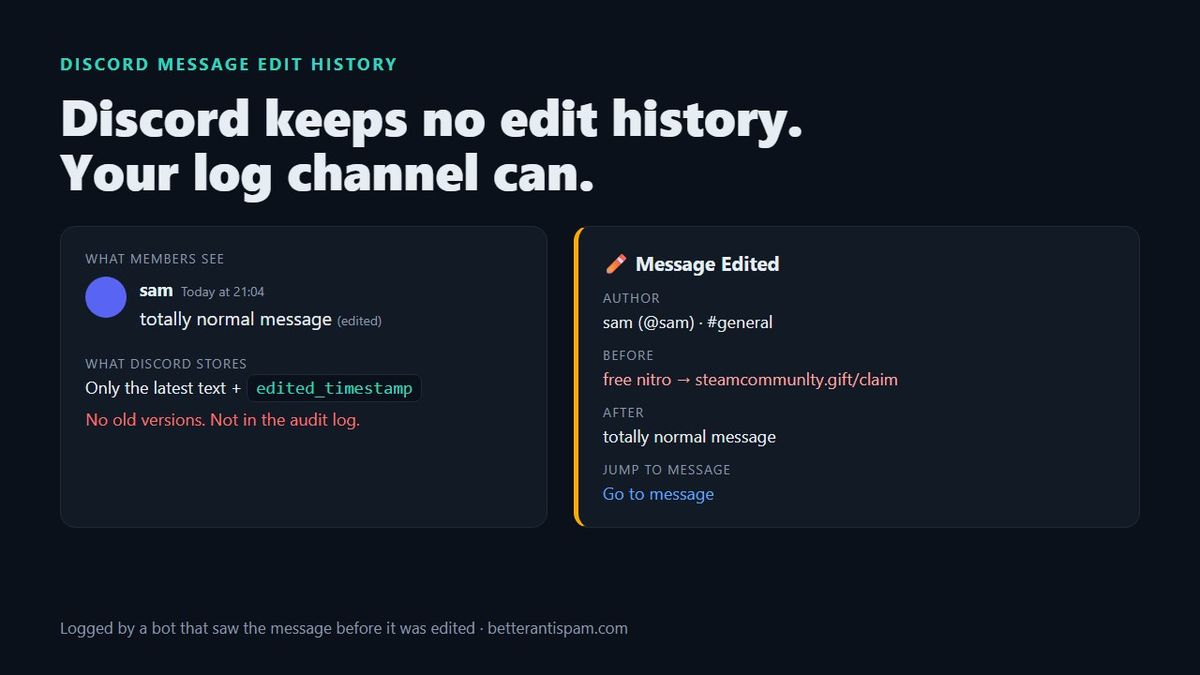
betterantispam-logs) and find the Message Edited entry. - Read Before and After side by side, then use Jump to Message to see it in context.
Step 3 only works for edits made after the bot is in the server, and the Before text is only filled in for recent messages (details below).
Can you see edit history on Discord?
You cannot see edit history in Discord itself. Discord keeps only the current text of a message plus an edited_timestamp field, which is documented on the message object. That timestamp is what puts (edited) next to the message. It records when the last edit happened, not what changed, and not how many times.
Here is what each person can see:
| Who | Sees the old text? | What they do see |
|---|---|---|
| Any member | No | (edited) label; hover for the time of the last edit |
| Moderators and admins | No | Same as members. Being staff does not unlock anything |
| Server owner | No | Same as members |
| Audit log | No | Edits are not an audit log event at all |
| The author’s data package | No | Their messages as they read now |
| A logging bot that saw the original | Yes | Before, After, author, channel, jump link |
This surprises a lot of server owners. I have watched moderators search the audit log for twenty minutes for an edit that was never going to be there.
Why doesn’t Discord keep message edit history?
Discord has never published a reason, so this is my read. Editing is meant to fix typos, and Discord treats the newest version as the message. Keeping every version would also mean keeping text the author chose to remove, which cuts against privacy expectations. You can disagree with that choice, but it is the reason a bot is the only place edit history can live.
Two technical details explain the rest:
- When a message is edited, Discord sends bots a
MESSAGE_UPDATEevent with the new version (see gateway events). It does not include the old text. - So a bot can only fill in Before if it already had the original message in memory. Bots learn about messages as they are sent, so the bot had to be in the server, able to see the channel, at the time the message was posted.
Does the Discord audit log show edited messages?
No. The audit log records moderator and admin actions: bans, kicks, role changes, channel edits, webhook creation, and a moderator deleting someone else’s message. A user editing their own message is not a moderator action, so it never appears. Self-deleted messages are missing too.
That gap is why edit logging matters for moderation. The audit log answers “what did my staff do?”. A message log answers “what did my members say?”.
How do I see what a message said before it was edited?
If the edit already happened and nothing was logging, you probably can’t. Things worth trying, in order:
- Check your log channel. If any logging bot was in the server and could see that channel, it may have posted the edit.
- Look for quotes and replies. A reply in Discord shows a preview of the message it replied to, but that preview updates to the new text. Screenshots, quotes copied into another message, and notification previews on someone’s phone are your best bet.
- Ask Discord’s Trust & Safety team if the edit hid something that breaks the rules, such as a scam link or a threat. Report the message and explain that it was edited. Only Discord can say what it can look into.
For the next time, set up a log.
How to log message edits in your Discord server
You need a bot with a message log. BetterAntispam’s takes about a minute:
- Invite BetterAntispam. Core protection and logging are free.
- Run
/setupand keep Logging selected. The bot creates an admin-only channel calledbetterantispam-logsif you don’t already have one. - Or run
/logging settings, pick a main log channel, then open the Messages category. It is on by default and covers edits and deletions. - Optional: give Messages its own channel so edits don’t drown out bans and joins.
Each edit then posts a Message Edited entry with:
- Author, with their tag and a mention
- Channel
- Before and After, up to 1,024 characters each
- Jump to Message, a link straight to it
Bot messages are skipped. So are “edits” where the text didn’t change, such as a link preview loading.
The honest limits
I would rather you know these now than find out mid-investigation:
- Old messages show “(no content)” as Before. To save memory, the bot keeps the last 50 messages per channel and drops anything older than 30 minutes. An edit to a message posted an hour ago still gets logged, but the Before field will be empty. Most bait-and-switch edits happen within minutes, which is where this matters most.
- No history from before the bot joined. Logging starts when the bot can see the channel.
- The bot needs to see the channel. If it lacks View Channel in a private channel, it sees nothing there.
- If you delete the Messages log channel, that category stops. It does not fall back to the main log channel. Re-pick a channel in
/logging settings.
If you need full edit history on every message ever sent, no bot can give you that.
Why edits matter for moderation: the bait-and-switch
Edits are a favourite trick for spammers and scammers. The pattern looks like this:
- Post something harmless so AutoMod and moderators let it through.
- Wait for replies or reactions so it looks trustworthy.
- Edit it into a scam link, an invite to another server, or a slur.
- Or the reverse: post the bad thing, then edit it back to normal before a moderator looks, so the report looks false.
The second version is the one that hurts. Without a log, a member reports an abusive message, a moderator opens it, and it reads “lol nvm”. With a log, the Before field settles it.
There is a faster variant too: editing the same message again and again to flash new spam. BetterAntispam has an edit spam detector for that. It is off by default. Turn it on in /antispam and it acts when one message is edited 3 times within 60 seconds. You can set it from 2 edits and a window from 5 seconds up. It uses the same punishment as your other antispam rules. For the full setup, see how to stop spam in Discord.
What about deleted messages?
Deleted messages are the other half of this. The same Messages log category posts a deletion entry with the text, if the bot had the message. BetterAntispam also has /snipe, which lets staff view and restore recently deleted messages in a channel:
- It keeps up to 300 deleted messages per channel for up to 30 days, in memory only, so a bot restart clears it.
- Free servers can view and restore the most recent 100. Premium removes that cap.
If a raider deleted their spam to cover it up, /purge and the deletion log together tell you who it was and what they said.
Are edit history plugins allowed?
Client mods with “message logger” plugins show deleted and edited messages inside your own Discord app. They work by recording everything your client receives. Discord’s Terms of Service do not allow modified clients, and accounts using them can be actioned. They also only record what your client saw while it was open.
For server moderation, a bot is the better tool anyway. It runs all the time, logs to a channel your whole team can read, and doesn’t put anyone’s account at risk.
FAQ
Does Discord notify anyone when I edit a message?
No. Nobody gets a notification. The message just shows (edited). One catch: if your edit adds a new @mention, that user is not pinged by the edit. Discord only pings mentions in the original message.
Can moderators see the original message after an edit?
Not through Discord. They can only see it if a logging bot captured it.
Is there a time limit on editing Discord messages?
No. You can edit your own messages at any time, which is why a log matters even for old posts.
Does my Discord data package include edit history?
No. Requesting a copy of your data gives you your messages as they are now, without earlier versions.
Does AutoMod check edited messages?
Check Discord’s AutoMod FAQ for what its filters cover. Either way, AutoMod blocks or flags messages. It does not keep a record of what a message said before.
What is the best bot for logging message edits?
Any logging bot captures the basics. Pick one that logs Before and After, lets you send message logs to their own channel, and also handles spam and raids, so one bot does the whole job. BetterAntispam’s logging is free. You can compare options in our list of the best Discord moderation bots.
Start logging edits today
Discord will not keep edit history for you, and you cannot get it back after the fact. The fix takes a minute: add BetterAntispam, run /setup, keep Logging on, and the next bait-and-switch edit lands in your log channel with the original text beside it.
Core is free · Setup in Discord
Ready to protect your server?
Invite BetterAntispam. Core antiraid, antispam, and antinuke are free. Configuration is slash commands inside Discord.