
BetterAntispam TeamHow we write these4 min read
What Does the Discord Audit Log Show? (Full List)
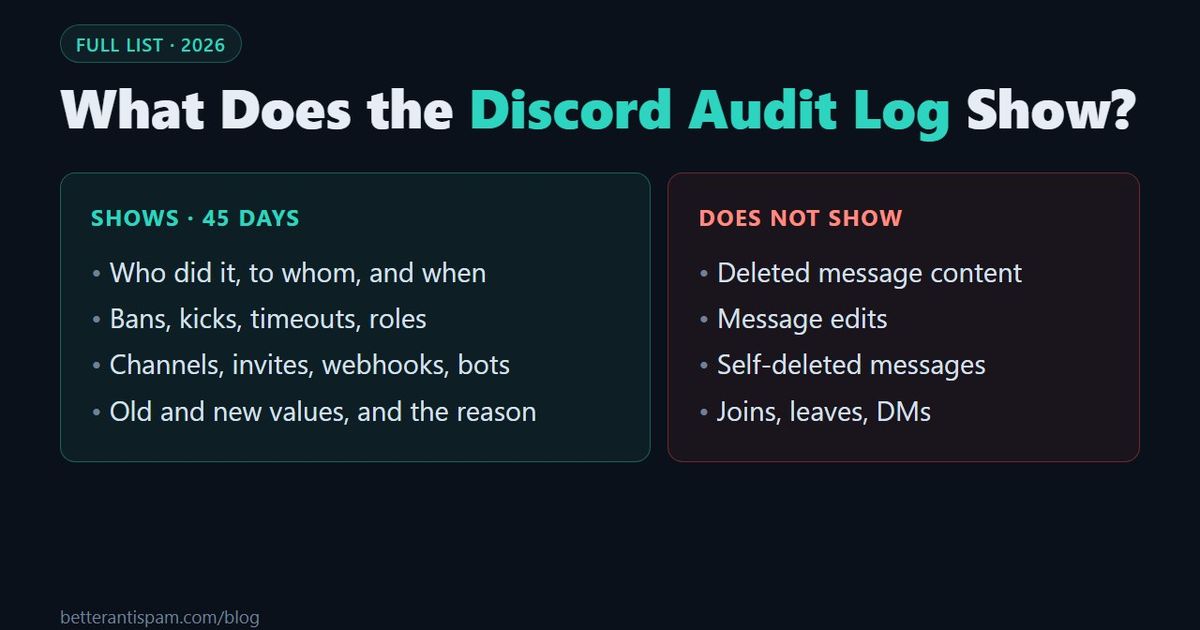
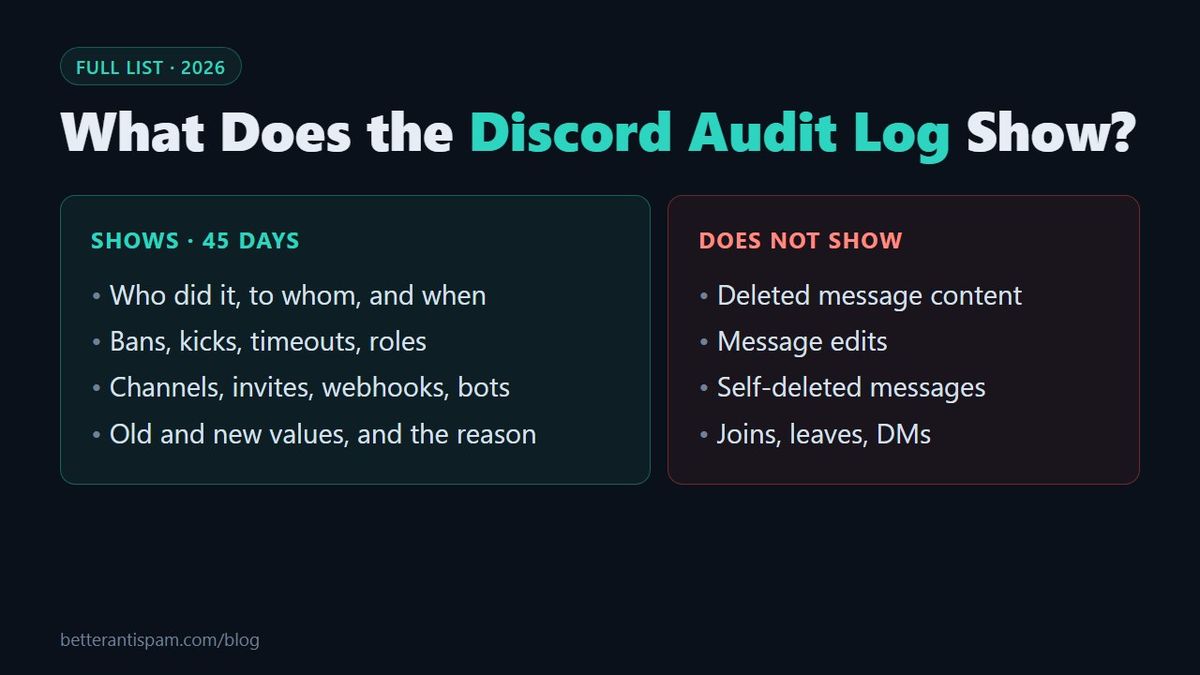
The Discord audit log shows who changed what in a server, to whom, and when. Each entry is one action, such as a ban, a kick, a role change, a deleted channel, a new invite or a new webhook. Many entries also show the old and new value, and the reason if one was given. Discord keeps every entry for 45 days. The audit log does not show the content of deleted messages, message edits, people deleting their own messages, joins and leaves, or DMs. You need the View Audit Log permission to open it in Server Settings → Audit Log.
Editorial disclosure: This guide is published by BetterAntispam. The list of actions comes from Discord's audit log developer documentation. BetterAntispam facts come from the bot's source code.
What one audit log entry contains
| Part | What it tells you | Example |
|---|---|---|
| Who | The member or bot that did it | @ModAlex or a bot |
| What | The type of action | Banned a member |
| Target | Who or what was changed | @spammer123 or #general |
| Changes | Old and new value, for many actions | Name general → chat |
| Reason | Why, if one was given | Spam links |
| When | The time of the action | Today at 14:02 |
The reason can be up to 512 characters. Bots can add one too, and it shows in the log like any other reason.
The full list: every action the audit log shows
Grouped from the event list in Discord's developer documentation.
| Area | Actions it records |
|---|---|
| Server | Server settings updated |
| Channels | Channel created, updated, deleted; channel permissions added, changed or removed; channels reordered |
| Members | Kick; prune; ban; unban; member updated (such as nickname or timeout); roles added or removed; moved to another voice channel; disconnected from voice |
| Roles | Role created, edited, deleted; roles reordered |
| Invites | Invite created, updated, deleted |
| Webhooks | Webhook created, updated, deleted |
| Emojis and stickers | Emoji created, renamed, deleted; sticker created, updated, deleted |
| Soundboard | Sound created, updated, deleted |
| Messages | A message deleted by someone else; several messages deleted at once (bulk); message pinned or unpinned |
| Apps and bots | Bot added; app added, updated or removed; command permissions changed |
| AutoMod | Rule created, updated, deleted; message blocked; message flagged; member timed out by AutoMod; member quarantined by AutoMod |
| Events | Scheduled event created, updated, cancelled |
| Stage | Stage started, updated, ended |
| Threads | Thread created, updated, deleted |
| Onboarding | Onboarding created or updated; onboarding questions created, updated or deleted; Server Guide created or updated |
| Voice | Voice channel status set or removed |
| Monetization | Creator monetization request created; terms accepted |
Some actions are merged. If the same person deletes several messages, moves or disconnects several people, or reorders channels or roles in quick succession, Discord updates one entry with a count instead of adding a new one each time.
What the audit log does NOT show
| Not in the audit log | Where to look instead |
|---|---|
| The content of a deleted message | A logging bot that was in the server before it was deleted |
| Message edits (before and after) | A logging bot |
| A person deleting their own message | A logging bot. Discord adds no entry when people delete their own messages |
| Members joining or leaving | A logging bot, or the Members page |
| Which invite someone used | The Members page, Join Method (requires Manage Server) |
| DMs | Nothing. Servers cannot see DMs |
| Who joined or left a voice channel | A logging bot |
| Reactions | A logging bot |
| Anything older than 45 days | Nothing, unless a bot copied it earlier |
A Message Delete entry shows who deleted the message, the member whose message it was, the channel, and a count, because several deletes in a row are merged into one entry. It does not say what the message said.
How to open and filter the audit log
- Open the server menu and choose Server Settings.
- Choose Audit Log.
- Filter by a member to see everything they did, or by an action, such as a ban or a deleted channel.
- Open an entry to see the details, such as the old and new name or the reason.
You need View Audit Log. Give it to moderators you trust, because the log also shows who moderated whom.
What a bot's actions look like
When a bot bans, kicks or times someone out, the log shows the bot as the one who did it. The moderator who used the command is not shown as the actor. A good moderation bot puts that information in the reason or in its own log. BetterAntispam saves every moderation command as a numbered case with the moderator and reason, which you can see with /case view (requires Timeout Members).
How to see what the audit log misses
A logging bot records what happens in the server into a channel that only staff can see. It can only log what happens after it is set up, so add it before you need it.
With BetterAntispam:
- Add BetterAntispam.
- Run
/logging settings(requires Manage Server) and choose a log channel. Nothing is posted until you choose one. - Keep the categories you want. Most are on by default; leaves and reactions are off.
| Event | What BetterAntispam logs |
|---|---|
| Deleted message | Author, channel and the text (first 1,000 characters). Deleted attachments are kept for 30 days |
| Edited message | The text before and after, with a link to the message |
| Member joined | Account age and member count |
| Member left | Off by default, turn on in /logging settings |
| Voice, roles, channels, invites created, emojis, threads | Logged by category |
| Moderation | Each action as a case, with moderator and reason |
When someone deletes one of the bot's own log messages, BetterAntispam checks the audit log, reposts the log and names who deleted it. Logging is free. More on setting up a log channel: Discord mod logs.
How long does the audit log keep entries?
45 days. Discord's documentation says all audit log entries are stored for 45 days. After that they are gone. If you need a longer record, a bot has to copy the events into a channel or its own records while they happen.
Using the audit log after a hack or a nuke
If channels or roles disappear, the audit log is the fastest way to see which account did it. Filter by Channel Delete, Role Delete or Member Ban Add, note the account, and remove its roles first. Then follow Discord server hacked? What to do right now.
FAQ
Does the Discord audit log show deleted messages?
It shows that a message was deleted by someone else: who deleted it, the member whose message it was, the channel and a count. It does not show the message content, and it does not record people deleting their own messages.
Does the audit log show message edits?
No. Edits are not part of the audit log. A logging bot can record the text before and after.
Can regular members see the audit log?
No. Only the server owner and members with the View Audit Log permission or Administrator can open it.
Does the audit log show who joined the server?
No. Joins and leaves are not in the audit log. The Members page shows when someone joined and which invite they used.
How far back does the Discord audit log go?
45 days.
Can you delete or edit audit log entries?
No. There is no option to edit or delete them. They expire after 45 days.
Does the audit log show timeouts?
Yes. A timeout appears as a member update, and AutoMod timeouts have their own entry.
Core is free · Setup in Discord
Ready to protect your server?
Invite BetterAntispam. Core antiraid, antispam, and antinuke are free. Configuration is slash commands inside Discord.