BetterAntispam TeamHow we write these7 min read
How Does Discord Alt Detection Work? (Explained)
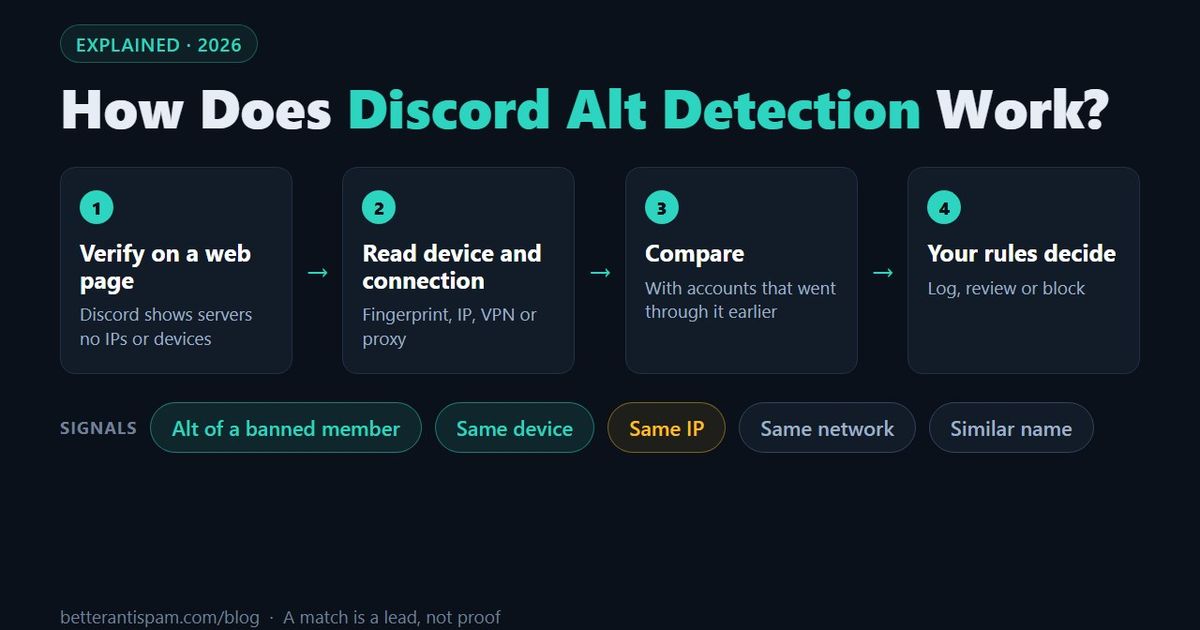
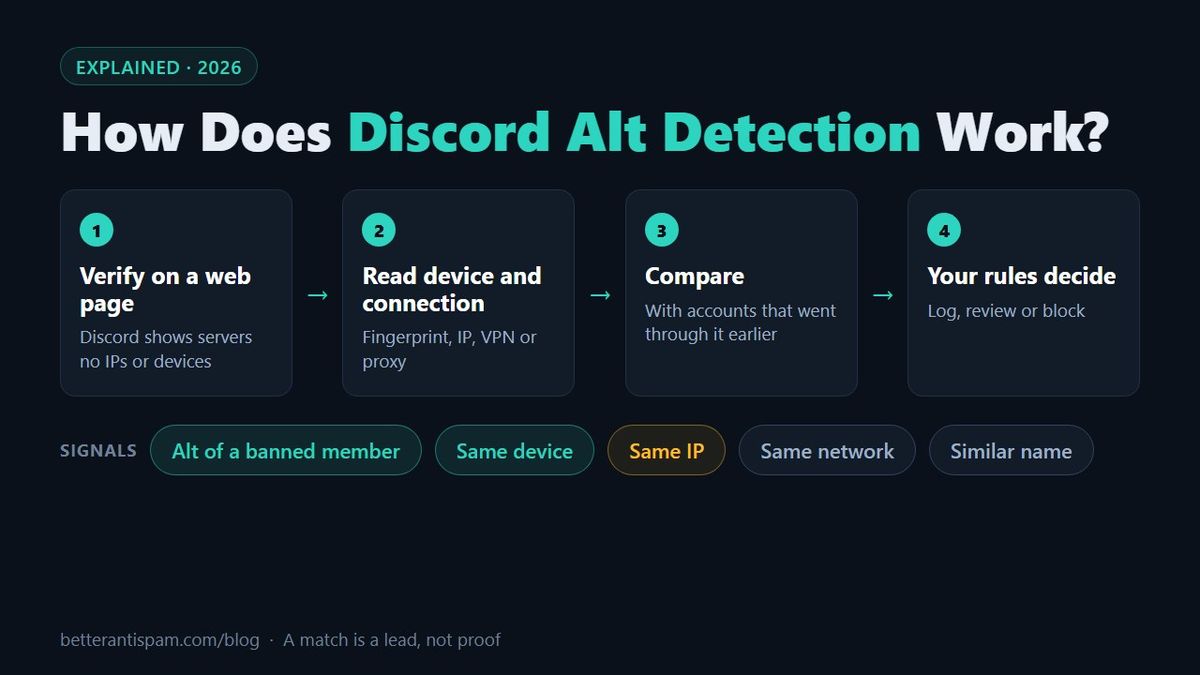
Discord alt detection works by comparing a new member with accounts that went through verification before. Discord does not show servers anyone's IP address or device, so a bot cannot see them in the member list. Instead, the bot sends the member to a verification web page. That page can see what websites normally see: the IP address, the type of connection, and details about the browser and device. The bot turns those into codes and checks whether another account already produced the same ones. If one did, the two accounts may belong to the same person. BetterAntispam does this with Website Captcha in /verification settings (requires Manage Server and Manage Roles), and its alt checks are free.
Editorial disclosure: This guide is published by BetterAntispam. How our detection works is taken from the bot's source code. What other bots say is taken from their own pages, linked below. We have not measured how many alts any bot catches, including ours.
What Discord itself shows a server
| Information | Can a server or bot see it on Discord? |
|---|---|
| Account creation date | Yes |
| Username and avatar | Yes |
| When the member joined | Yes |
| IP address | No |
| Device or browser | No |
| Other accounts of the same person | No |
That is why a bot that only watches joins can guess, but cannot link two accounts. It can notice a brand-new account, an empty profile, or ten similar names in a minute. It cannot know that two of them share a computer.
Discord does use IP addresses itself. Its help center says server bans are based on IP addresses. That does not mean server staff get to see them.
Step by step: what happens when someone verifies
This is how BetterAntispam's Website Captcha does it.
- The member opens a one-time link. It is made for that member and works for 15 minutes. The page can also ask for a Discord login.
- The page reads the device. Two separate tools each make a device fingerprint from details the browser shares, such as screen size, languages, time zone, hardware and graphics card.
- The web server sees the connection. The IP address, the provider, the country, and whether it looks like a VPN, proxy or Tor.
- It makes codes. The IP and the fingerprints become keyed hashes, which are codes that can be compared without showing the original.
- The captcha is checked. If it fails, nothing is compared.
- It compares. It looks for other accounts with the same codes.
- Your rules decide. Let the member in, log it, hold it for staff, or block it.
The signals, from strongest to weakest
The order is our judgment. The checks themselves are the ones in the bot.
| Signal | What it compares | How strong | Why |
|---|---|---|---|
| Alt of a banned member | Device or IP linked to someone banned in your server | Strong | Links the new account to a known ban |
| Same device | Two device fingerprints | Strong | Few people share one device |
| Same IP | The same IP address, or for IPv6 the same small block | Medium | A home shares one IP |
| Same network | The block of addresses around the IP | Weak | Strangers can share a block |
| Look-alike usernames | alex1, alex_2, alex.3 | Weak | Names can match by chance |
| Account age and profile picture | Discord data | Hint only | Many real people are new |
Device fingerprint
A fingerprint is not one number your computer owns. It is a summary of many small facts your browser shares with websites. Alone, each fact is common. Together they can be rare.
BetterAntispam uses two fingerprint tools and treats it as the same device when both agree. One match is enough when the IP matches too, or when the other tool gave no result. This keeps one tool's mistake from blocking a real member.
IP address and network
The same IP usually means the same internet connection. It does not mean the same person, because a whole home can use one. So the Same IP check lets you set how many other accounts are allowed. Mobile data, iCloud Private Relay, and school or work networks are ignored by default, because many unrelated people share those addresses.
Links to banned members
This is the check that makes bans stick. When someone verifies, the bot looks at up to 10 accounts linked to their device or IP in the last 90 days and asks Discord whether any of them is banned in your server. IP links are not used on mobile data, iCloud Private Relay, and school or work networks.
VPN and proxy checks
A VPN changes the IP, so it can hide an IP match. It does not change the device. That is why alt detection and VPN blocking are used together. More on the VPN blocker page.
BetterAntispam's alt rules and their defaults
| Check | On by default? | Default limit | Price |
|---|---|---|---|
| Same device | Yes, block | 0 other accounts, last 30 days | Free |
| Alt of a banned member | Yes, block | One linked ban, last 90 days | Free |
| Same IP | No | 2 other accounts, last 7 days | Free |
| Same network | No | 5 other accounts, last 24 hours | Free |
| Look-alike usernames | No | 2 other look-alikes, last 24 hours | Free |
| VPN, proxy, Tor, hidden VPN | Yes, block | None | Free |
| Automatic ban of alts | No | None | Premium |
In Discord, each alt check is on (block) or off. On the web dashboard it can be off, log, hold for staff review, or block. Same device, Same IP and Same network only count accounts that already verified in your server. Someone who verified in another server on the same device is not an alt in yours. The banned-member check can also use links from other servers that run BetterAntispam. Set the scope to Local if you want only links made in your own server.
Staff see which accounts matched, the type of connection, and details such as the internet provider, country and time zone. They do not see the IP address or the fingerprint.
How to turn it on
- Add BetterAntispam to your server.
- Run
/verification settings(requires Manage Server and Manage Roles) and choose Website Captcha. - The checks marked Yes in the table above now block people. You can turn each check on or off under Security Detections.
- To try it without stopping anyone, run
/dashboard(requires Manage Server), choose your server, open Website security and set the mode to Monitor only. Everything is checked and recorded, but nobody is stopped. - Read the risk log there. If real families get matched, raise Other accounts allowed under Same device to 1.
- Set the mode back to Enforce.
Add one line to your rules saying that verification checks for alt accounts. Product page: alt detection.
Where alt detection fails
- A new device on a new network. A phone on mobile data for one account and a home PC for the other have nothing in common to match.
- Shared computers and Wi-Fi. Siblings, roommates and schools can look like alts. This is how real members get matched by mistake.
- Privacy browsers. Browsers that hide their fingerprint can look like a new device each time.
- Rented home connections. Residential proxies look like normal homes. The check for them is part of the Premium plan, and it only catches home connections that already appear on public abuse lists.
- People who never verified. Members who joined before you turned it on were never compared.
- Old links. The same-device rule looks back 30 days by default, and the banned-member check 90 days.
Treat a match as a lead. Look at the account before you ban it, and give people a way to appeal: can you appeal a ban on Discord.
What other bots say about their detection
| Bot | What its own page says |
|---|---|
| Double Counter | Compares device, browser, network and behavioral signals with its records, and claims a 98% detection rate. The page gives no test method |
| VaultCord | Verification with alt signals and VPN and proxy blocking |
Some guides count account age, a missing profile picture and join timing as alt detection. Those are useful hints, but they cannot link two accounts to one person. A comparison is in best Double Counter alternative, and the checks you can do by hand are in how to check for alt accounts on Discord.
Privacy: what is stored
Alt detection has to remember something, or it could not recognize a returning person. BetterAntispam compares keyed hashes. It also keeps an encrypted record of each verification for investigating abuse, and that record does include the IP address and device details. Server staff cannot see that record. Records are kept until they are deleted, and you can ask for that. The full list is on the verification privacy page.
Are alt accounts allowed on Discord?
Discord's Community Guidelines forbid evading Discord's own permanent enforcement, which includes creating new accounts after being removed for breaking platform rules. They also list ban or block evasion among harassing behavior. Whether an ordinary second account is welcome in a server is up to that server's rules.
FAQ
How do Discord servers catch alt accounts?
With a verification page that compares the device and connection with accounts that verified earlier. A minimum account age helps too, but it cannot link two accounts.
Can Discord bots see your IP address?
Not through Discord. A bot's website can see it when you open a page it links to, such as a verification page.
Can Discord moderators see alt accounts?
Discord does not show linked accounts to server staff. With an alt detection bot, staff can see which accounts matched.
Does a VPN beat alt detection?
Not on its own. It changes your IP but not your device, and a server can block VPNs during verification.
Can alt detection be wrong?
Yes. People who share a computer or a connection can be matched. That is why we suggest starting in Monitor only, on the web dashboard, and reviewing matches.
Does alt detection work on people already in the server?
No. It checks people when they verify. Members who never go through the verification page are not compared.
Is there a free Discord alt detection bot?
Yes. BetterAntispam's alt checks, including same device and alt of a banned member, are free. Automatic banning of alts is part of the Premium plan.
Core is free · Setup in Discord
Ready to protect your server?
Invite BetterAntispam. Core antiraid, antispam, and antinuke are free. Configuration is slash commands inside Discord.