
5 Steps to Win a Ban Appeal: Gamer Playbook with Platform Templates


Yes, most major platforms let you appeal an eligible ban or suspension, and the fastest next step is the official appeal link named in the enforcement message you received. If you can still log in, submit the appeal from your account. If you cannot, follow the recovery or "hacked account" instructions in that same notice, since appeals are usually capped at one per sanction with specified time windows.
TL;DR: - Most platforms allow one appeal per sanction within a specific deadline, so gathering clear evidence and submitting a concise case is crucial for faster review. - For account locks or bans, use the designated recovery or hacked account process rather than the standard appeal form, and prepare proof of ownership beforehand. - Appeals are evaluated in a three-step process: submission, human review, and a decision to uphold, lift, or modify the sanction; timelines vary widely depending on the platform. - Repeated appeals for the same issue can result in losing appeal privileges, so it is better to acknowledge rule violations honestly if applicable. - Implementing effective antispam tools reduces wrongful bans and overall appeal volume by detecting spam waves, locking channels during raids, and verifying new members.
Table of Contents
- Universal steps to appeal a ban on any platform
- Platform quick guides: Discord, Twitch, Roblox, EA, Activision, Epic, Steam, and Minecraft
- What to do if you can't sign in: account recovery vs. appeal
- Exactly what to say in your appeal (templates and mistakes to avoid)
- What happens after you submit, and what to do if you're denied
- Appeals exist to correct mistakes, not to negotiate penalties
- A moderator's view on fair appeals
- How Better Antispam helps reduce wrongful bans
- Sources
- FAQ
Universal steps to appeal a ban on any platform
Before you touch a form, read the enforcement message in full. It usually names the specific rule you broke and often contains the exact link you need, so skip the search engine and go straight to the source.
- Confirm you are eligible to appeal and note any deadline stated in the message.
- Collect evidence: screenshots, chat logs, match or game timestamps, video clips, and relevant URLs.
- Log in if required, open the official appeals portal or form, and attach your evidence with a short, factual explanation.
- State the outcome you want (lift, reduce, or review the sanction) and stop there. Do not resubmit or send multiple appeals while one is pending.
- If the message mentions a hardware ban or a temporary matchmaking restriction, treat it as likely non-appealable on many platforms.
Pro Tip: Save every screenshot the moment you get the enforcement notice. Evidence gathered after the fact is far less convincing to a reviewer.
Resist the urge to argue every point in the rulebook. A tight, well-documented appeal moves faster through review than a long defense of your character.

Platform quick guides: Discord, Twitch, Roblox, EA, Activision, Epic, Steam, and Minecraft
Each platform runs its own appeal flow, and the portal you need is almost always linked inside the ban notice itself.
- Discord: Suspended accounts see an Account Standing view with a feedback option to request review of a specific violation. Suspensions can be temporary, lasting up to a long period, or permanent, and the feedback process addresses individual violations rather than your account standing in general.
- Twitch: The Twitch appeals process follows a submission, review, and decision flow, with many enforcements appealable for a limited period and generally one appeal allowed per eligible sanction. Channel bans are handled by the channel owner directly, so look for an Unban Request option where one exists.
- Roblox: Use the dedicated content or account moderation appeal form linked in your moderation email, and watch for any stated review window, since some appeal types close after about 30 days.
- EA, Activision, and Epic: EA's Penalty History tool lists violations and routes eligible users to an appeal, with a webform fallback if you cannot sign in. Epic describes its process as submission, human review, and decision, ending in the sanction being upheld, lifted, or modified. Activision support notes that hardware bans and some temporary matchmaking limits are not eligible for appeal at all.
- Steam and Minecraft: Follow the case review link or support contact form named in your enforcement email. Steam community discussion threads are a place to talk, not an official appeal channel, so do not rely on them to get a decision reversed.
Many enforcement systems share the same backbone: submission, human review, then a decision that upholds, lifts, or modifies the sanction, a structure both Epic Games and Twitch describe for their own platforms. Knowing this sequence in advance helps you judge whether your appeal has actually moved or simply sits in queue.
Deadlines vary widely, from a shorter window on some content appeals to several months on others, so check the exact figure in your own notice rather than assuming a universal rule.
What to do if you can't sign in: account recovery vs. appeal
When you cannot log in at all, the ban appeal form is usually the wrong tool. Platforms including EA direct locked-out users toward an account-recovery or "hacked account" flow instead, since that process is built to confirm ownership first.
- Use the recovery or hacked-account flow named in your enforcement email rather than the standard appeal form.
- Some platforms require an active login to appeal at all; others provide a separate webform specifically for locked accounts, so follow whichever path the email actually points to.
- Gather proof of ownership in advance: purchase receipts, the email addresses linked to the account, and any two-factor authentication device you control.
Having this proof ready before you start saves a second round trip through support, since most recovery teams ask for it immediately.
Exactly what to say in your appeal (templates and mistakes to avoid)
A strong appeal reads like an incident report, not a plea. Open with one line stating what happened and what you want changed, then back it with facts.
- Lead with a single sentence: the sanction you received and the action you are requesting.
- Attach factual evidence, screenshots, and timestamps, arranged as a short chronological timeline.
- If something outside your control caused the issue, such as account compromise, explain it briefly and attach proof rather than a long emotional account.
- Close with how a moderator can reach you and the exact remedy you want, whether that is a lift, a reduced penalty, or a fresh review.
Pro Tip: Cut any sentence from your draft that doesn't add a fact. Reviewers skim, and a tight appeal gets read in full while a long one gets scanned.
Avoid threats, demands for a specific staff member, or repeating the same appeal under a new ticket. All three tend to slow review rather than speed it up.
What happens after you submit, and what to do if you're denied
Expect three phases: confirmation that your appeal was received, a pending review period, and a human decision, a structure Epic Games and other platforms describe explicitly. Timelines vary a great deal depending on the platform and how many cases are in queue.
- Possible outcomes are the sanction being upheld, lifted, or modified to something less severe.
- Some platforms allow a fresh reinstatement request only after a fixed waiting period, particularly for indefinite suspensions.
- If denied, respect the platform's resubmission rules rather than filing again immediately. Twitch specifically warns that repeated appeals for the same enforcement can lead to appeal privileges being revoked, according to its appeals guidance.
For a channel-specific ban rather than a platform-wide one, an Unban Request to the channel owner is often faster than a formal appeal.
Appeals exist to correct mistakes, not to negotiate penalties
Reviewers across platforms consistently favor short, evidence-backed requests over emotional appeals, and most systems cap how many times you can contest the same sanction. If you did break a rule, a reinstatement request that acknowledges it tends to land better than one that argues the rule itself was wrong.
Appeals are a correction mechanism for enforcement errors, not a renegotiation of the rules themselves, and the strongest ones read like a factual report rather than a defense.
For community owners, the same logic runs in reverse: tools that stop spam and raids before they trigger enforcement cut down on the false positives that generate appeals in the first place.
A moderator's view on fair appeals
Running a community teaches you that logs matter more than memory. Keep a written record of actions taken, state your rules in plain language members can find easily, and track appeal outcomes so your own moderation gets more consistent over time. A transparent process, where members can see how a decision was reached, cuts down on repeat disputes because people trust the result even when they disagree with it.
— Adam
How Better Antispam helps reduce wrongful bans
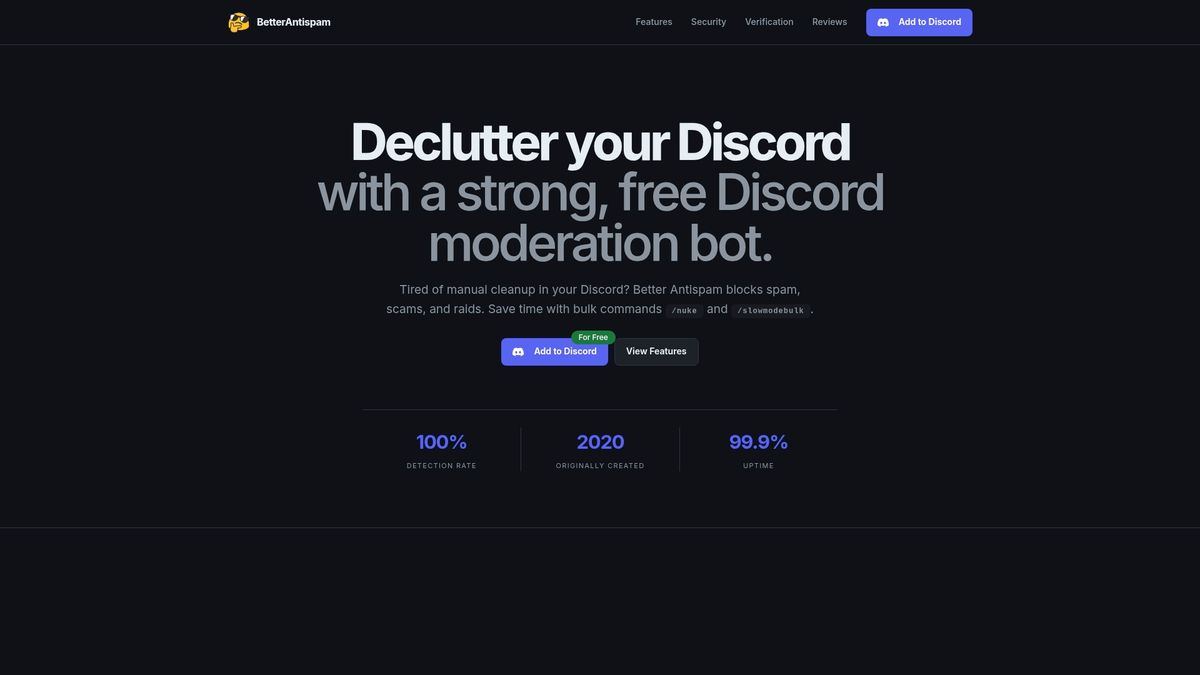
Fewer raids and spam waves hitting your server means fewer judgment calls your moderators have to make under pressure, and fewer wrongful bans for members caught in the crossfire. Better Antispam watches for spam waves and suspicious joins in real time, automatically silencing spammers, locking channels during a raid, and screening new members through verification before they can post.
- Detection of spam waves and scam activity across new and existing members.
- Channel lockdown and clean-up during raids.
- Verification options such as button, CAPTCHA, math, and word puzzles.
Catching the problem at the source means your team spends less time issuing bans and reviewing appeals. Visit the Better Antispam page to see how it fits your server.
Sources
- Appeals — Twitch Safety
- Check and appeal EA Account locks, bans, and suspensions — EA Help
- Discord Warning System — Discord Support
- My account was banned for violating Reddit Rules — Reddit Help
- Sanctions and appeals — Epic Games Safety
FAQ
How long do Roblox ban appeals take?
Review times are not published as a fixed number, so treat any specific figure you see elsewhere as unofficial. Submit through the content or account moderation appeal form and watch for any stated review window, since some appeal types close after about 30 days.
What are the 5 steps of the appeal process?
Most platforms follow a version of: confirm eligibility, gather evidence, submit through the official portal while logged in, state your requested outcome, then wait for a human decision. Epic Games describes this as a submission, review, and decision cycle, and other platforms use a similar structure.
Do appeals usually win?
Outcomes vary by platform and case, and no source publishes an overall success rate. Appeals with clear factual evidence and a calm tone tend to move through review more smoothly than ones built on argument or repetition, and Twitch specifically warns that repeated appeals for the same enforcement can backfire.
How long does an account ban appeal take?
Timelines differ by platform, from a fixed window of several months on some systems to shorter review periods on others. Twitch allows appeals on many eligible enforcements for up to six months, while Reddit mentions a similar six-month window for some ban appeals.





















































